Found clothes you love online?
Ask AI, compare, try them on.
Add clothes and accessories from online stores, see the product details, get a personal AI review, compare your options, then send your favorite to the virtual fitting room and see it on your own photo.
- Personal AI review
- Compare before you buy
- Try it on your own photo


What is Weather Style?
Weather Style is a free AI style and shopping assistant that helps you decide what to wear and what to buy. You add a piece of clothing you like from an online store; Weather Style pulls in the product details, explains whether it suits your style, color palette and body type, compares it with similar options and lets you try it on virtually on your own photo. It also helps beyond shopping: it suggests daily outfits based on the weather where you are, creates outfits for occasions such as a wedding or a business dinner, and plans a day out with venue suggestions for the neighborhood you're visiting. Weather Style is available on iPhone, Android and Chrome, in 8 languages.
What can you do with Weather Style?
-
Ask before you buy
Add a product with its store link; AI explains whether it suits you, with reasons based on your style, colors and body type.
-
Compare your options
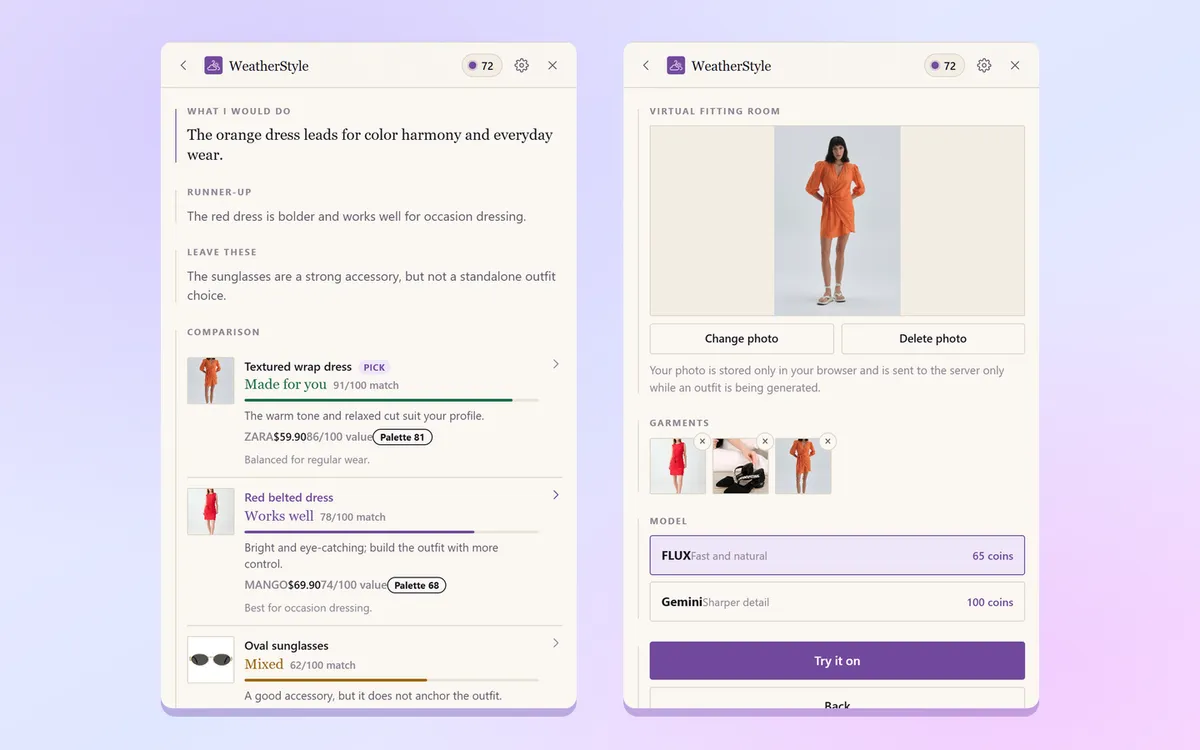
Put 2–6 products you are torn between side by side on color, cut and use, and see which one suits you best.
-
Try it on your own photo
Dress your full-body photo in the top, bottom, shoes and accessories you picked; see the result in about 15–30 seconds.
-
Discover your colors
Find your color season, undertone and flattering cuts with a short survey or a single selfie.
-
Dress for the weather and the occasion
Get a ready outfit for the weather where you are or the place you are going, and preview it on your avatar.
-
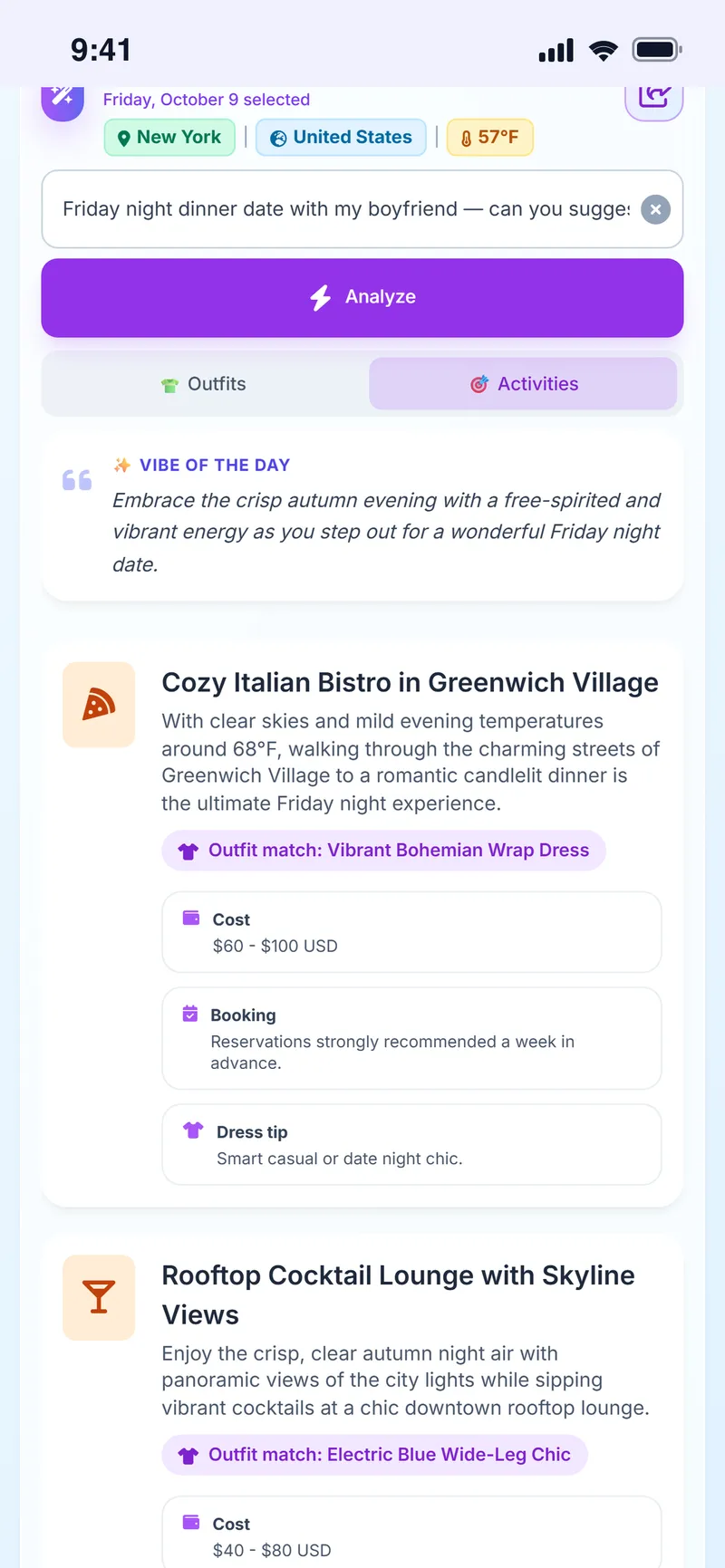
Plan your day
Get café, restaurant and event ideas for the neighborhood you are visiting, with address, hours and booking info.
- Price
- Free. Features run on in-app coins you earn every day; Premium is optional.
- Platforms
- iPhone (App Store), Android (Google Play) and a Chrome extension.
- Languages
- English, Turkish, German, French, Spanish, Italian, Japanese and Korean.
- What you need
- A clear full-body photo for virtual try-on; the color analysis also works without a photo.
See Weather Style in 40 seconds
From weather-based outfits to your personal color palette, from AI shopping reviews to virtual try-on.
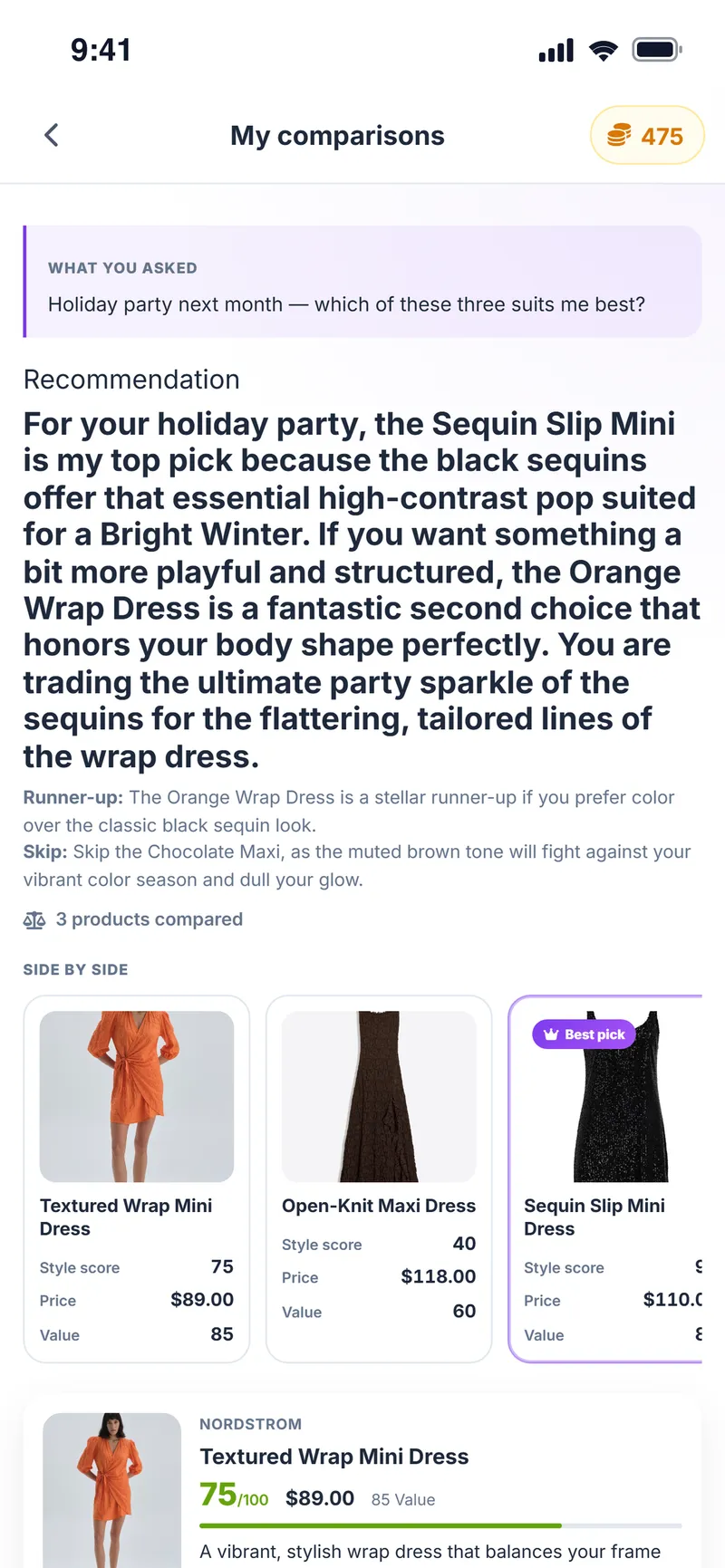
Turn every store find into a clearer decision
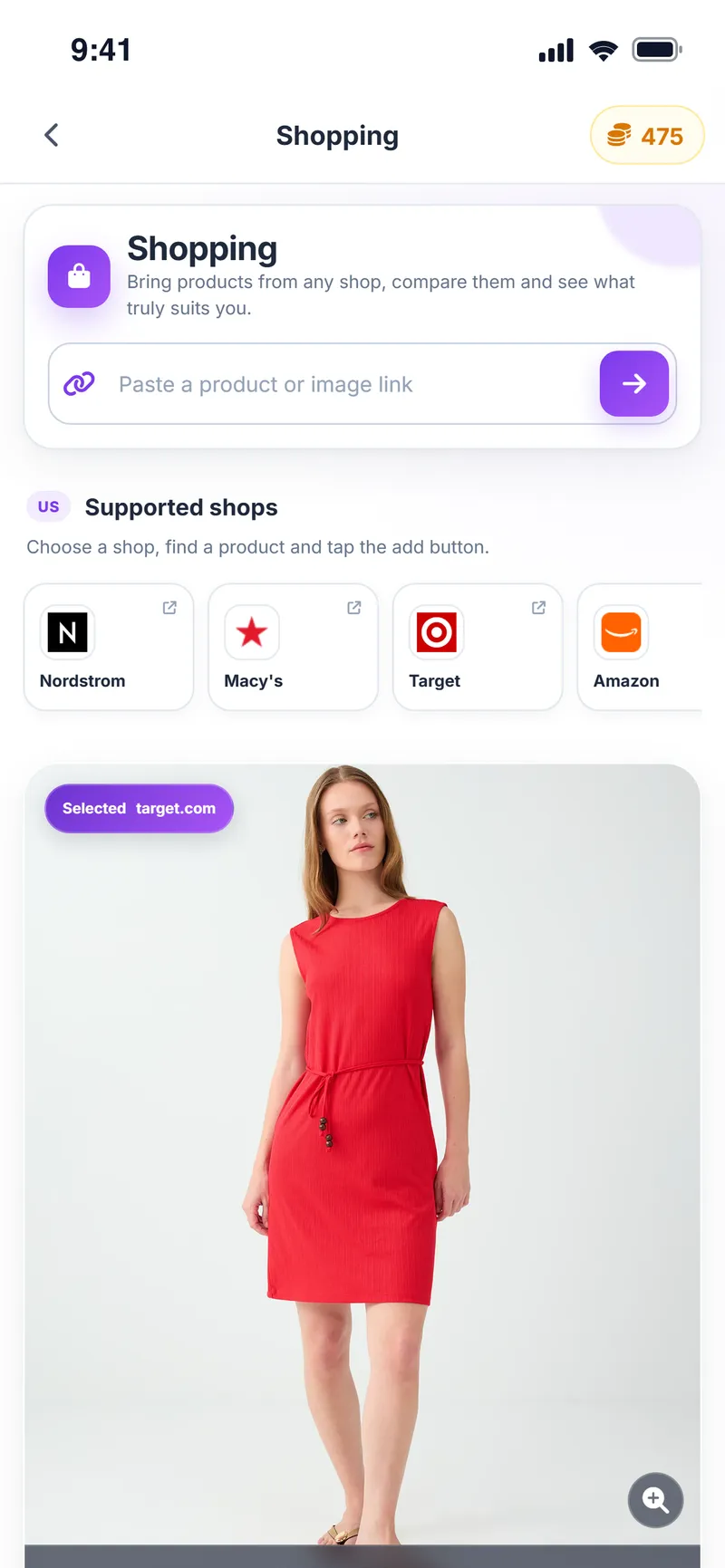
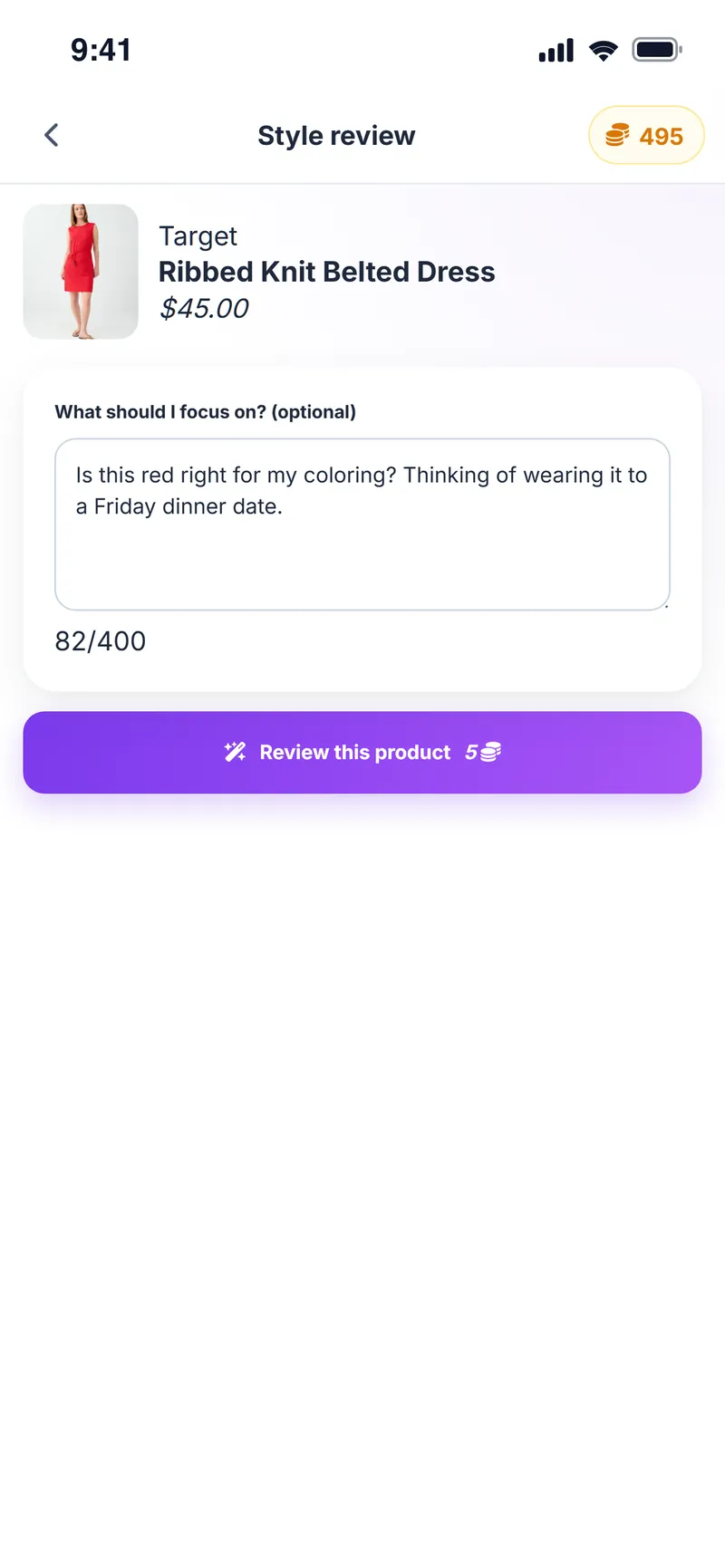
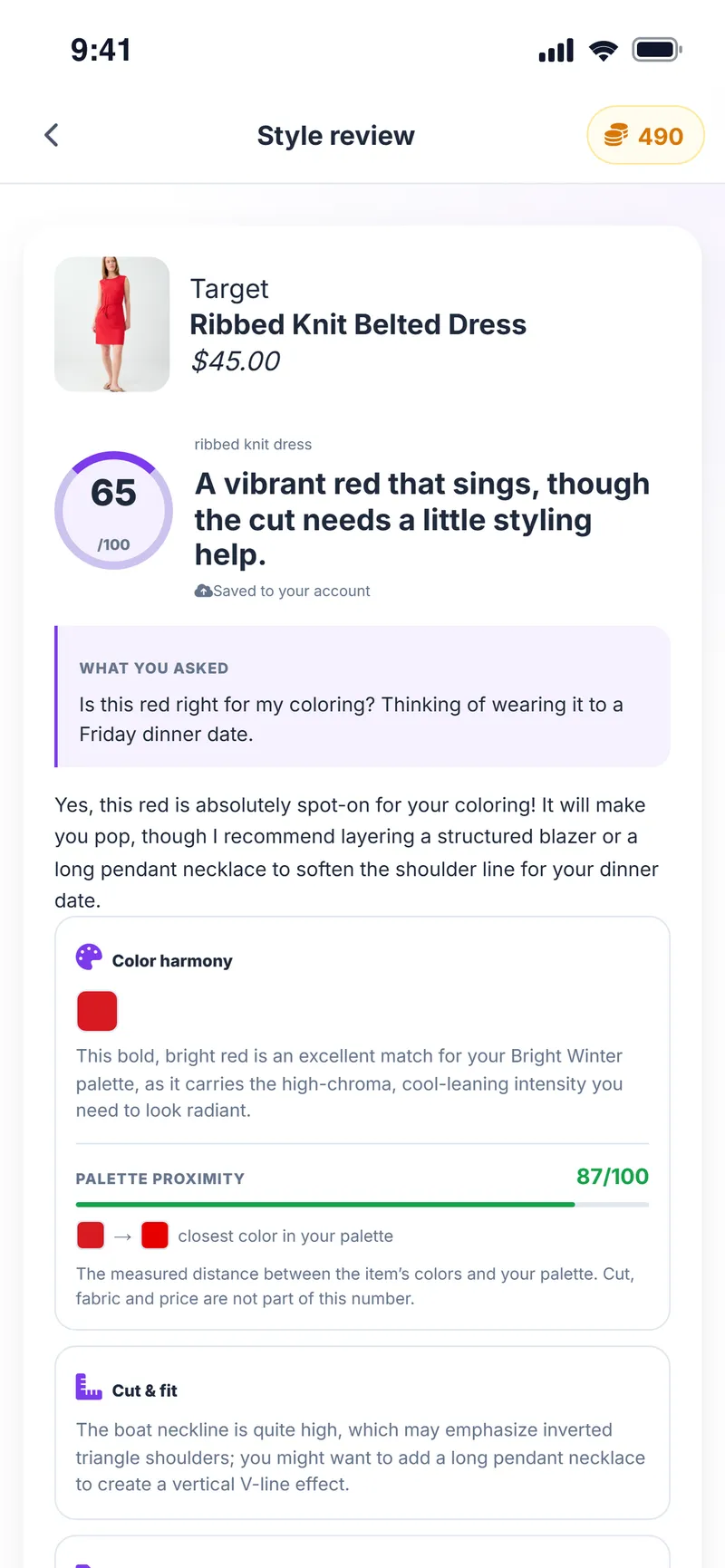
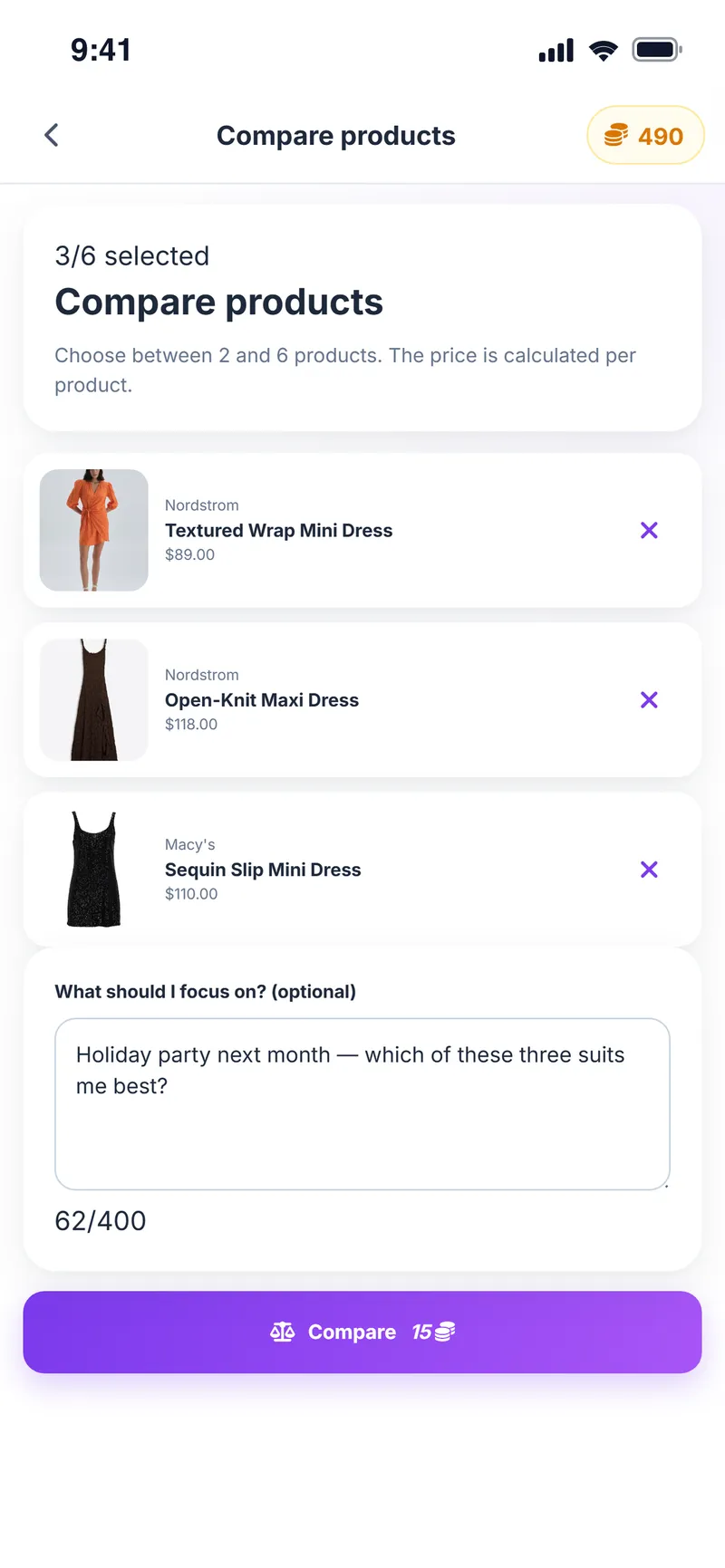
Add clothes, shoes or accessories from online stores in seconds. Weather Style brings in the product details, reviews the piece against your style and color profile, and puts your options side by side. You still check out on the store's own website.
- Add products from a store page, a link or your phone's Share menu
- Product name, price and images are filled in automatically
- Get a personal AI review based on your style and color profile
- Compare 2–6 products on color, cut and use
- Send your pick to the virtual fitting room in one tap
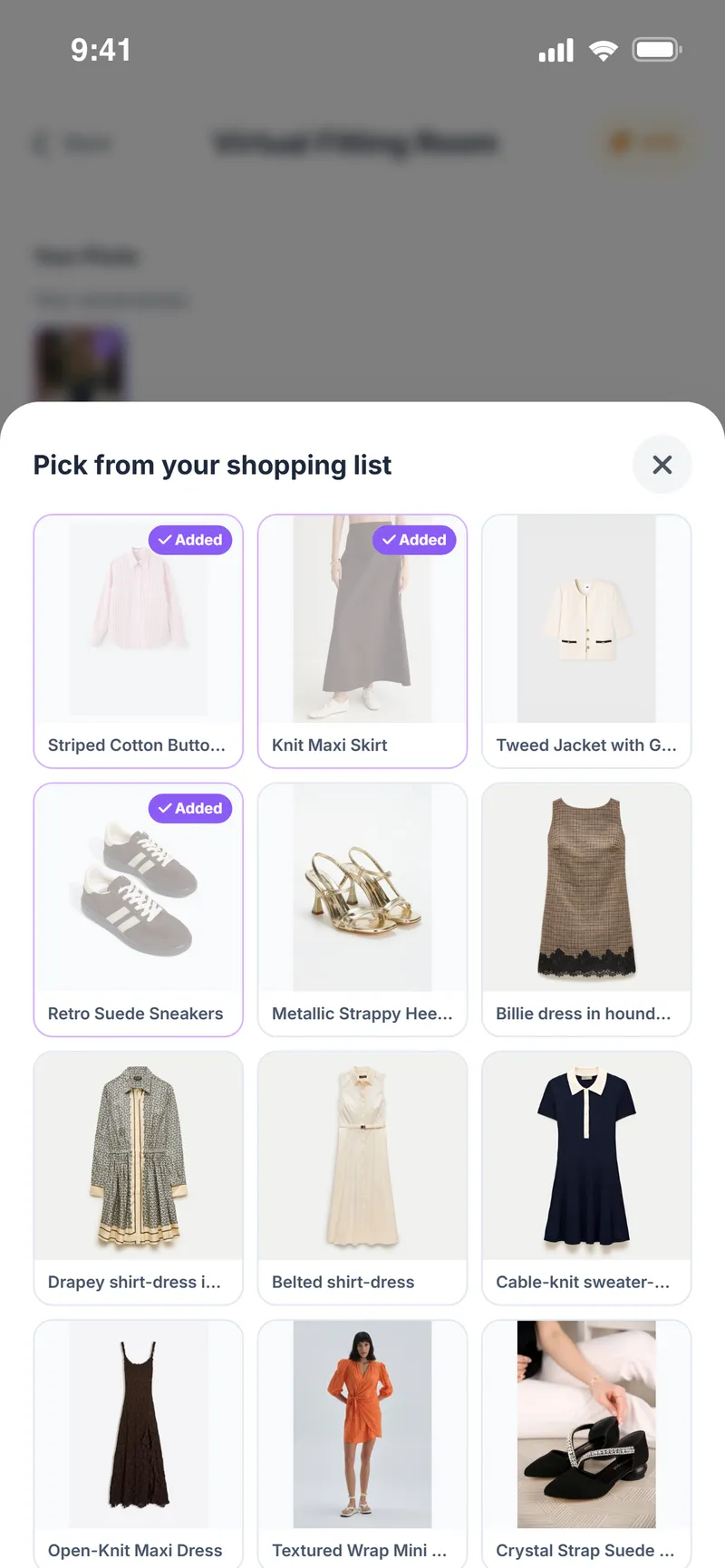
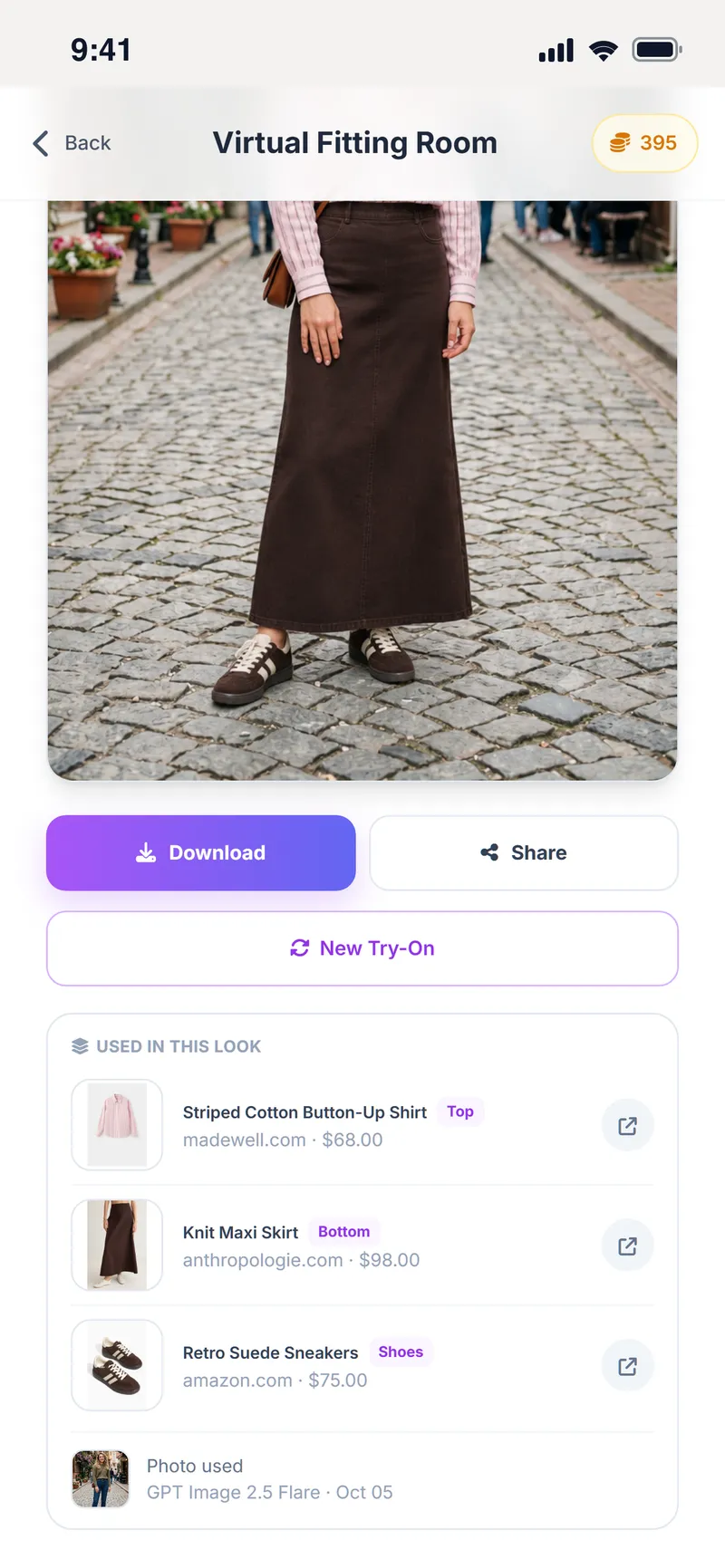
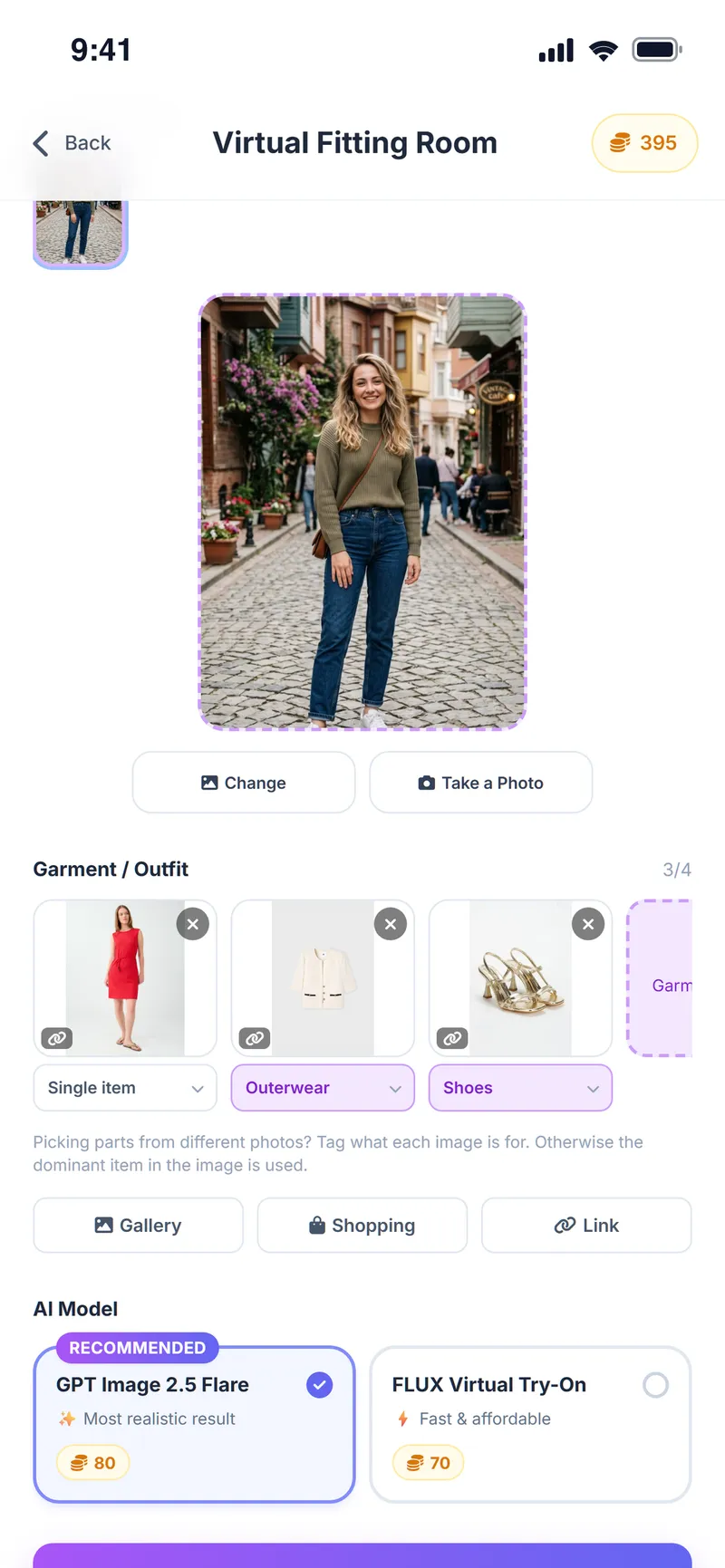
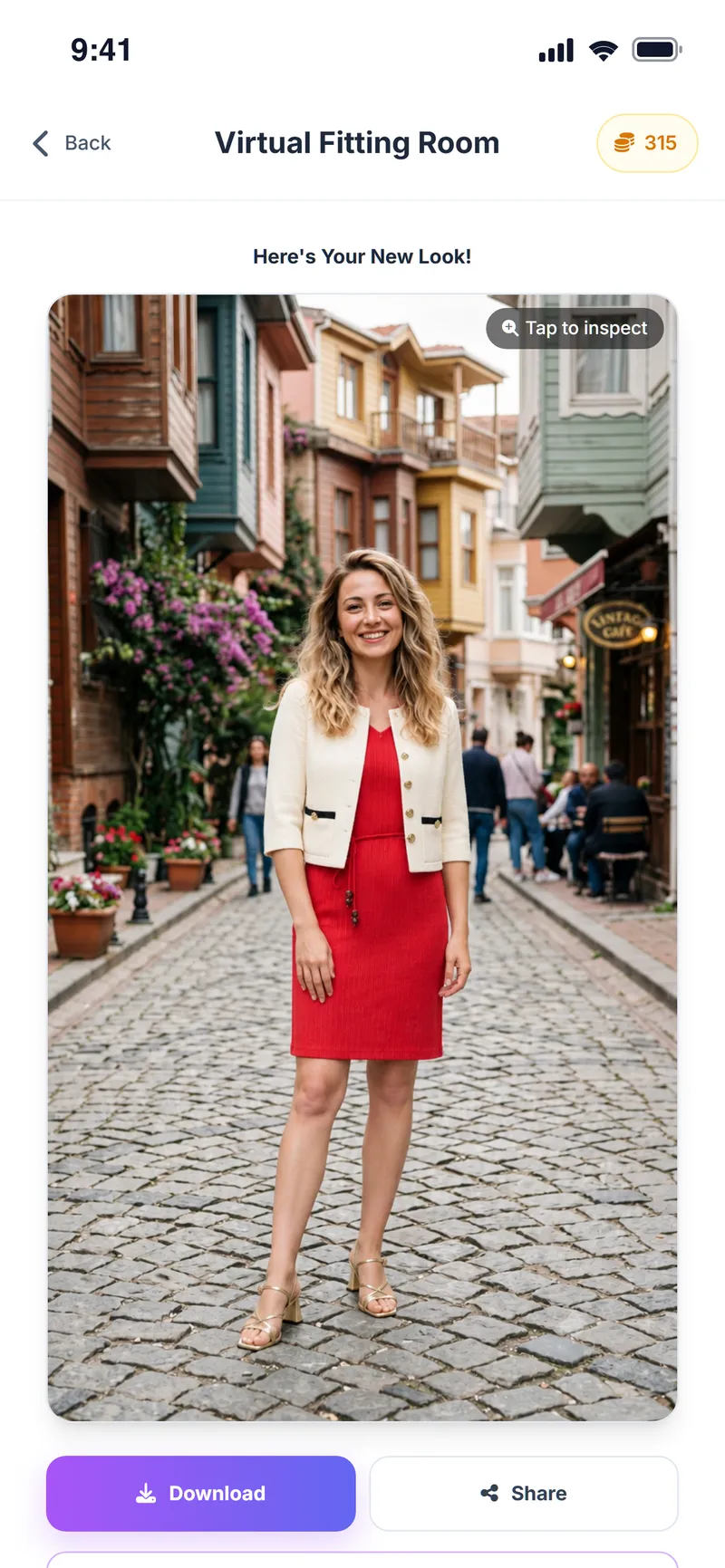
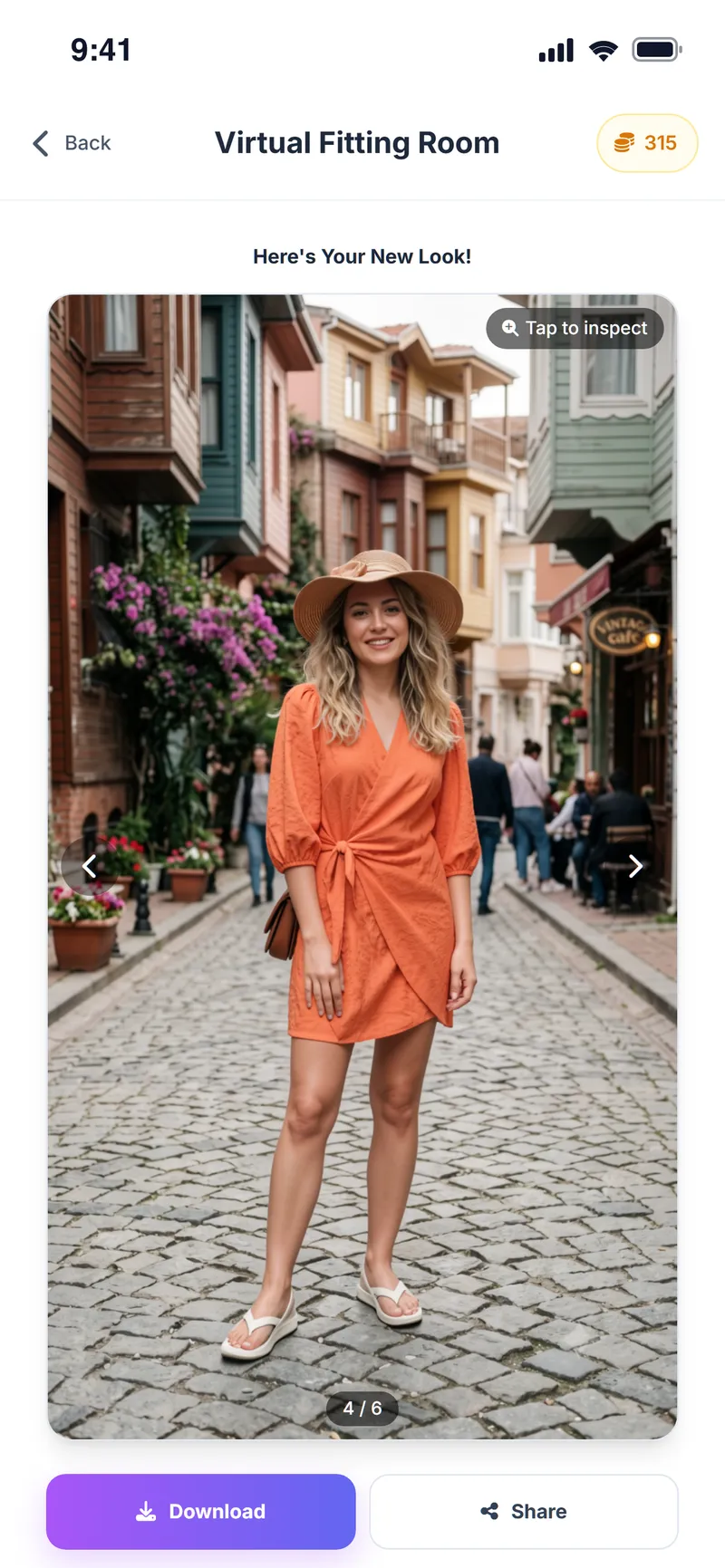
See it on yourself before you decide
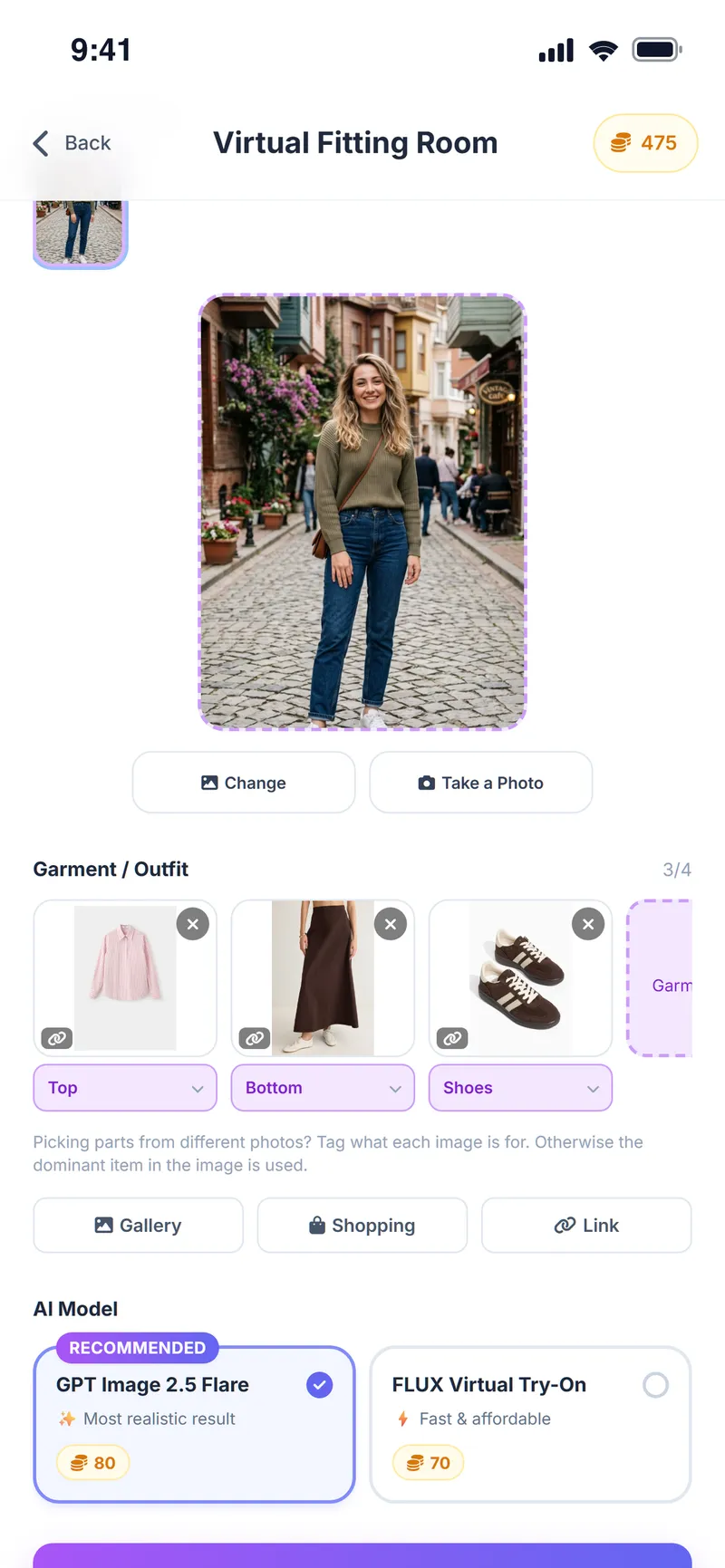
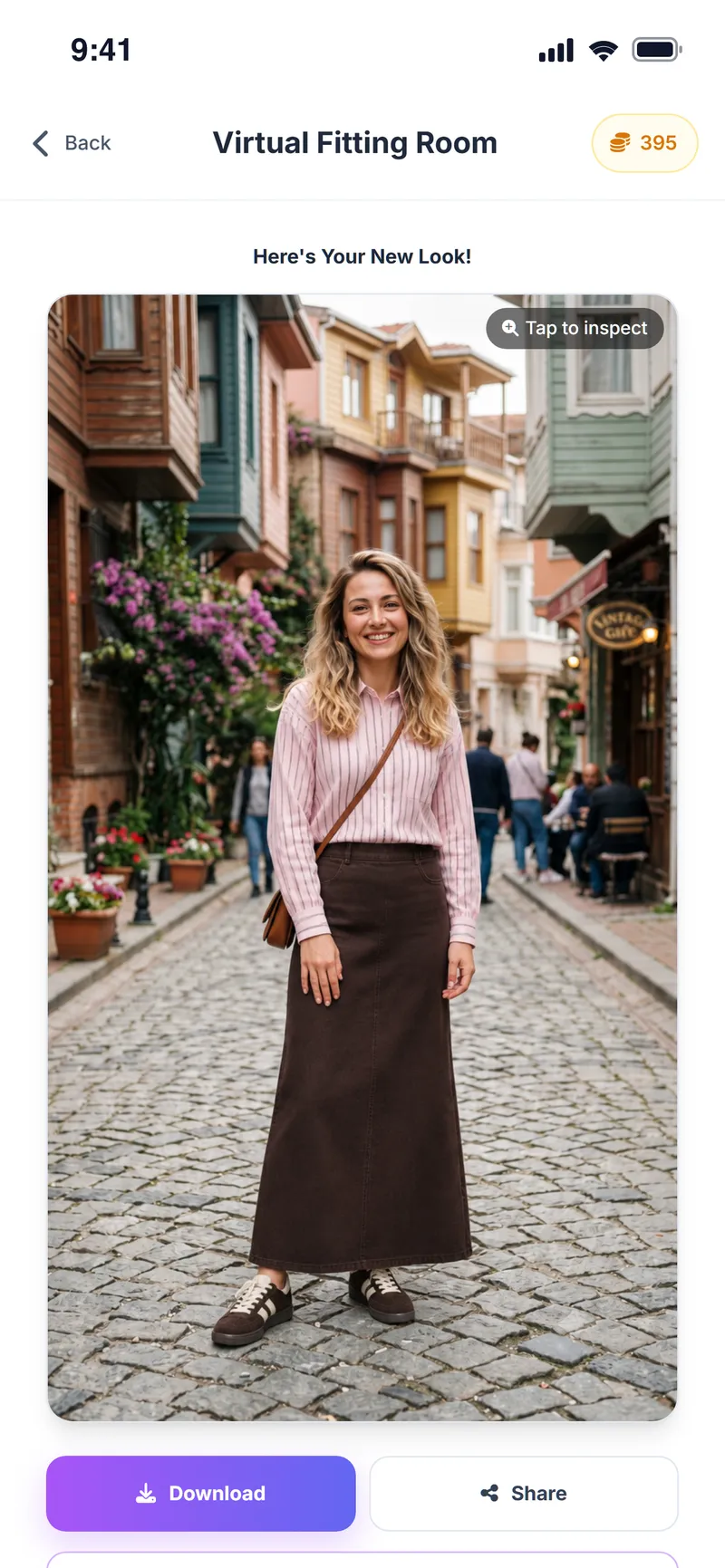
Send a saved product straight to the virtual fitting room, add a full-body photo and see how the piece could look on you. The result is an AI-generated preview; it does not replace a real fitting.
- Try a top, bottom, shoes and accessories together, up to 4 images
- A clear full-body photo is enough, no studio needed
- Choose the most realistic AI model or a faster, more affordable one
- Results are usually ready in 15–30 seconds
Take Weather Style shopping with you
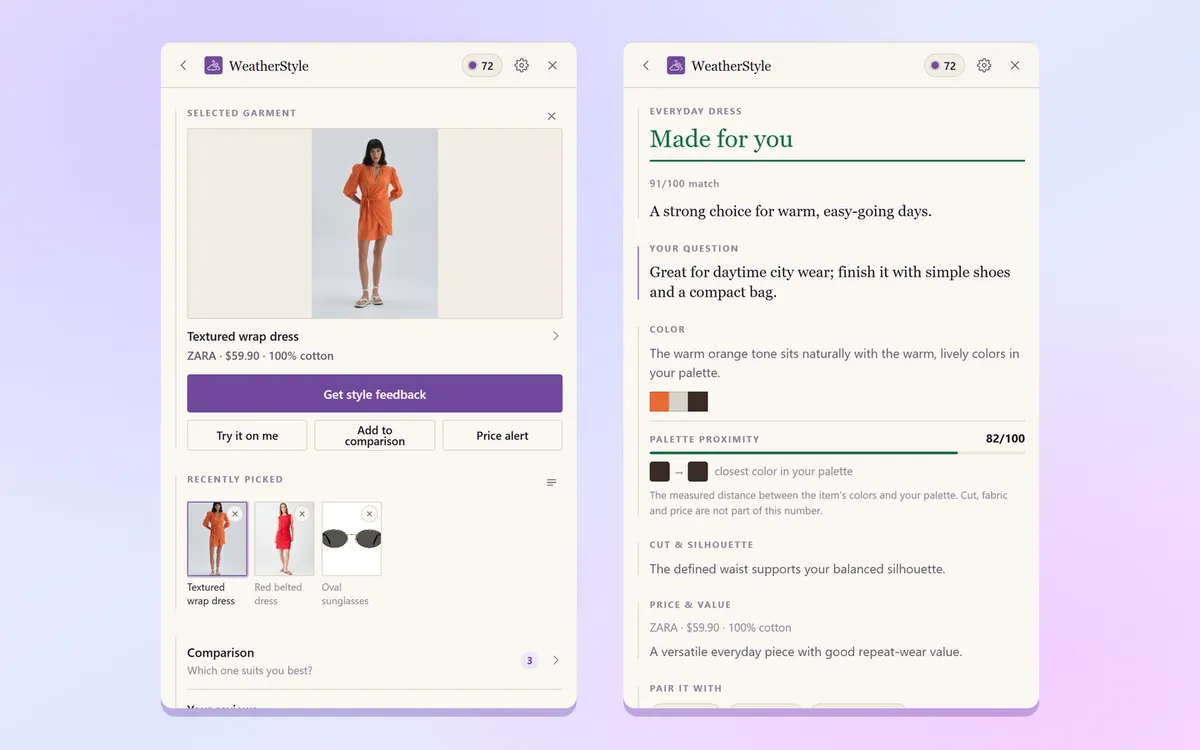
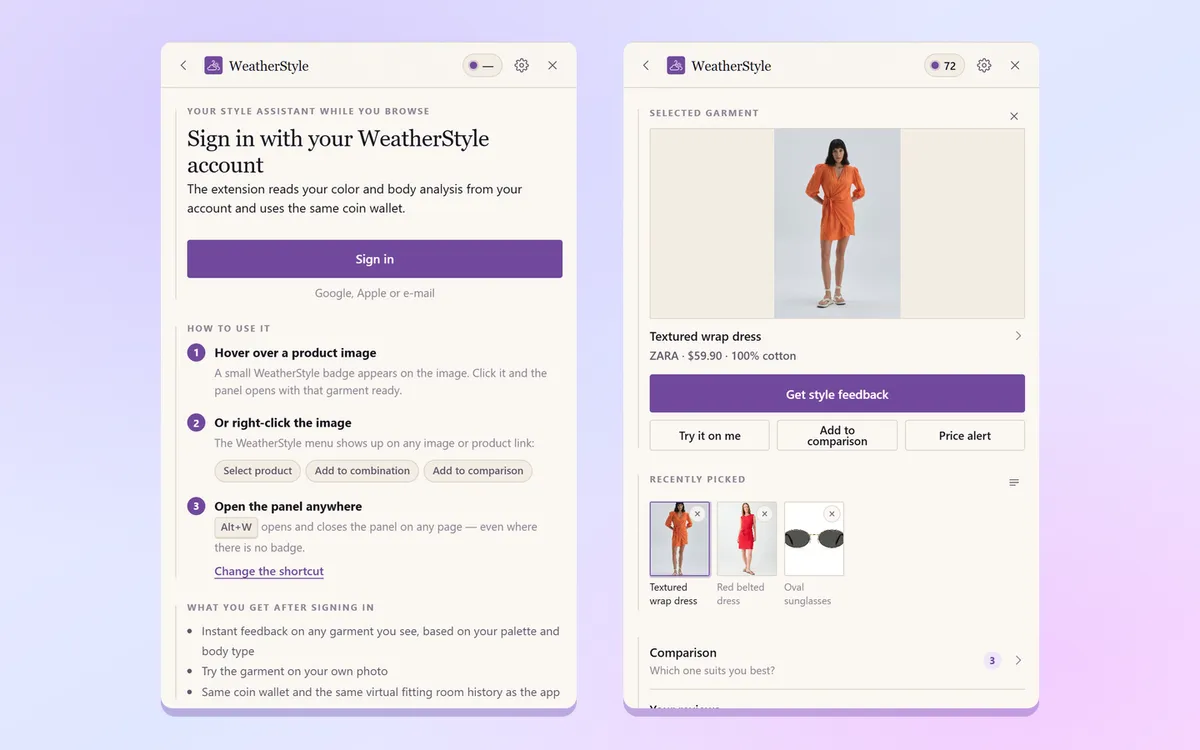
Use the Weather Style Chrome extension while you browse fashion stores. Capture the product you are looking at in one click, get style feedback right there and add it to your list in the app.
- Hover over a product image, or right-click an image or link
- Works without leaving the store page
- Captured products show up in your list on your phone
- Only reads the products you choose
Your weather and your profile, turned into a daily plan
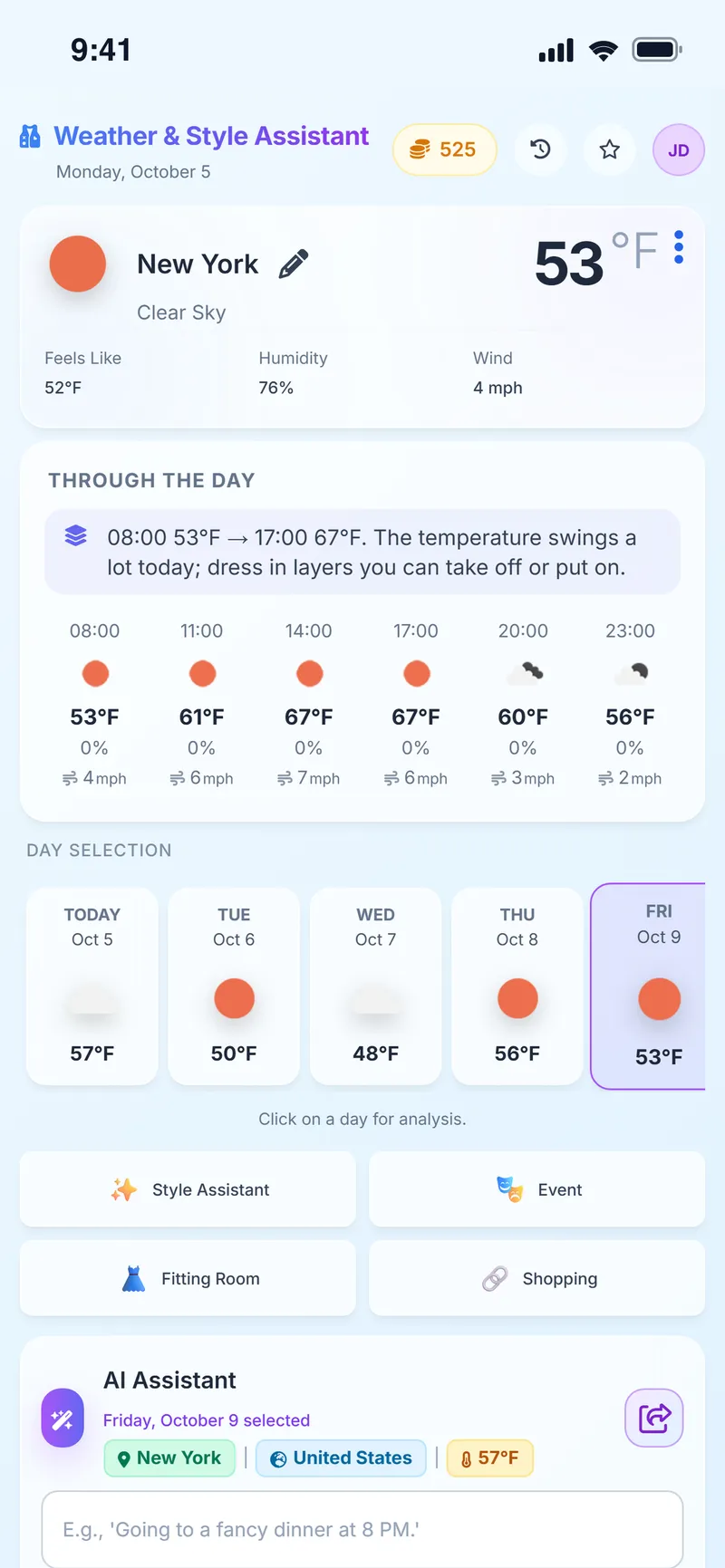
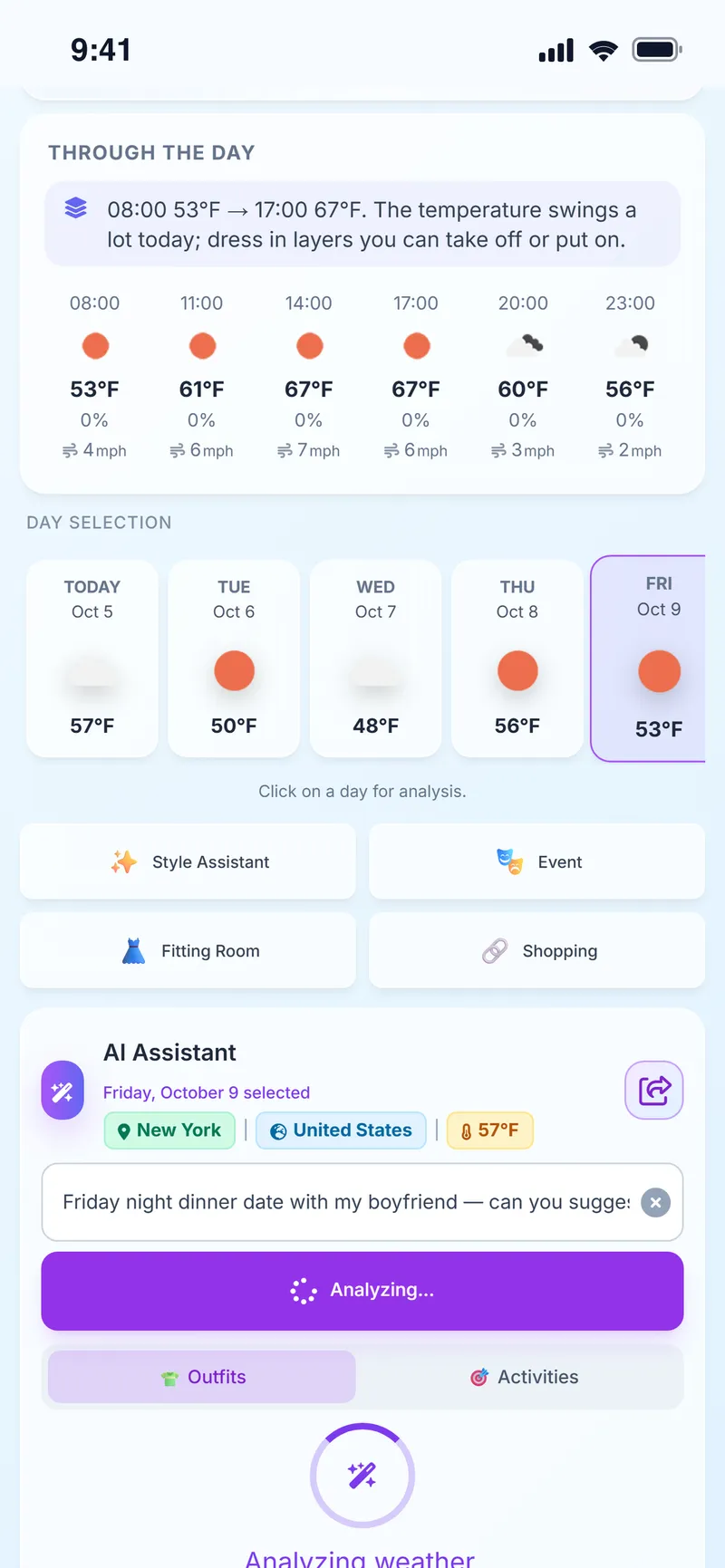
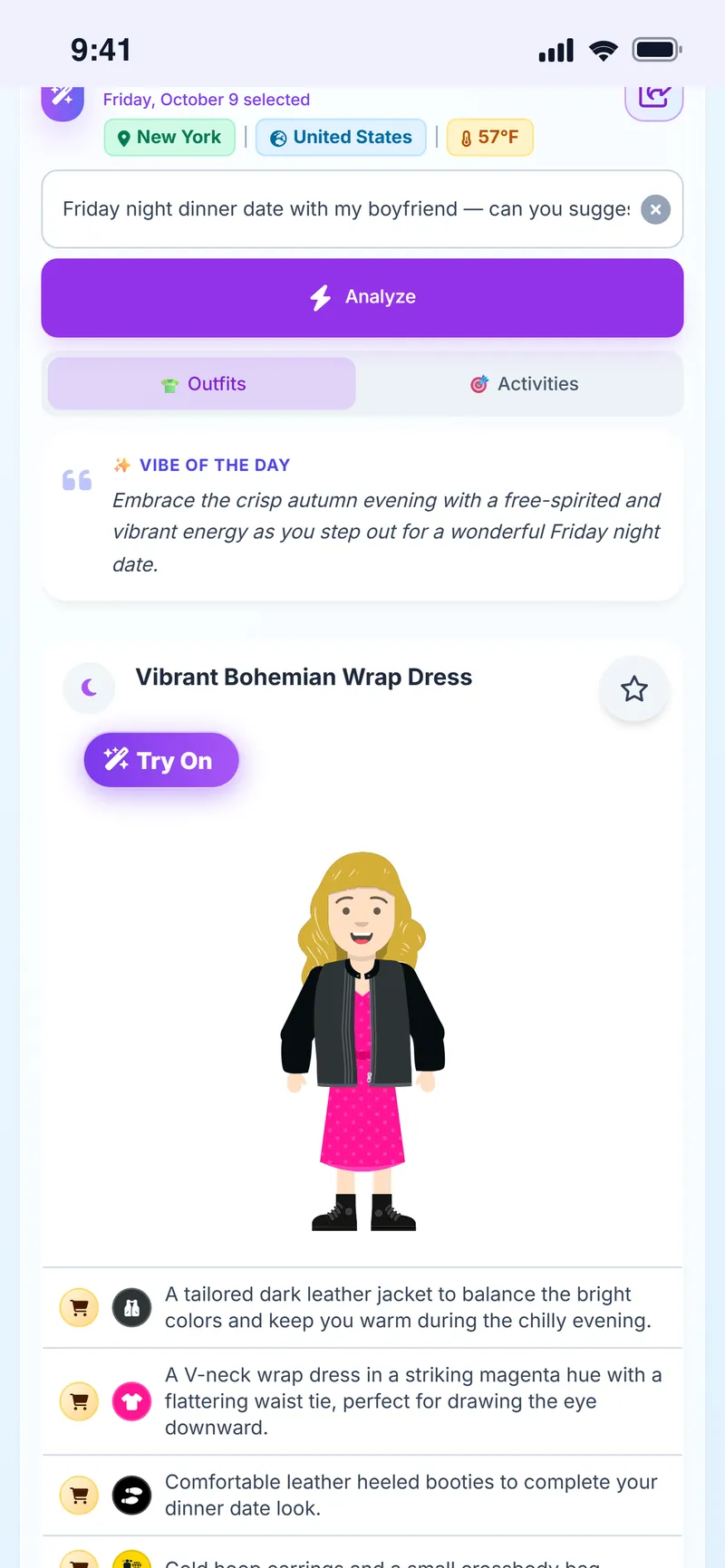
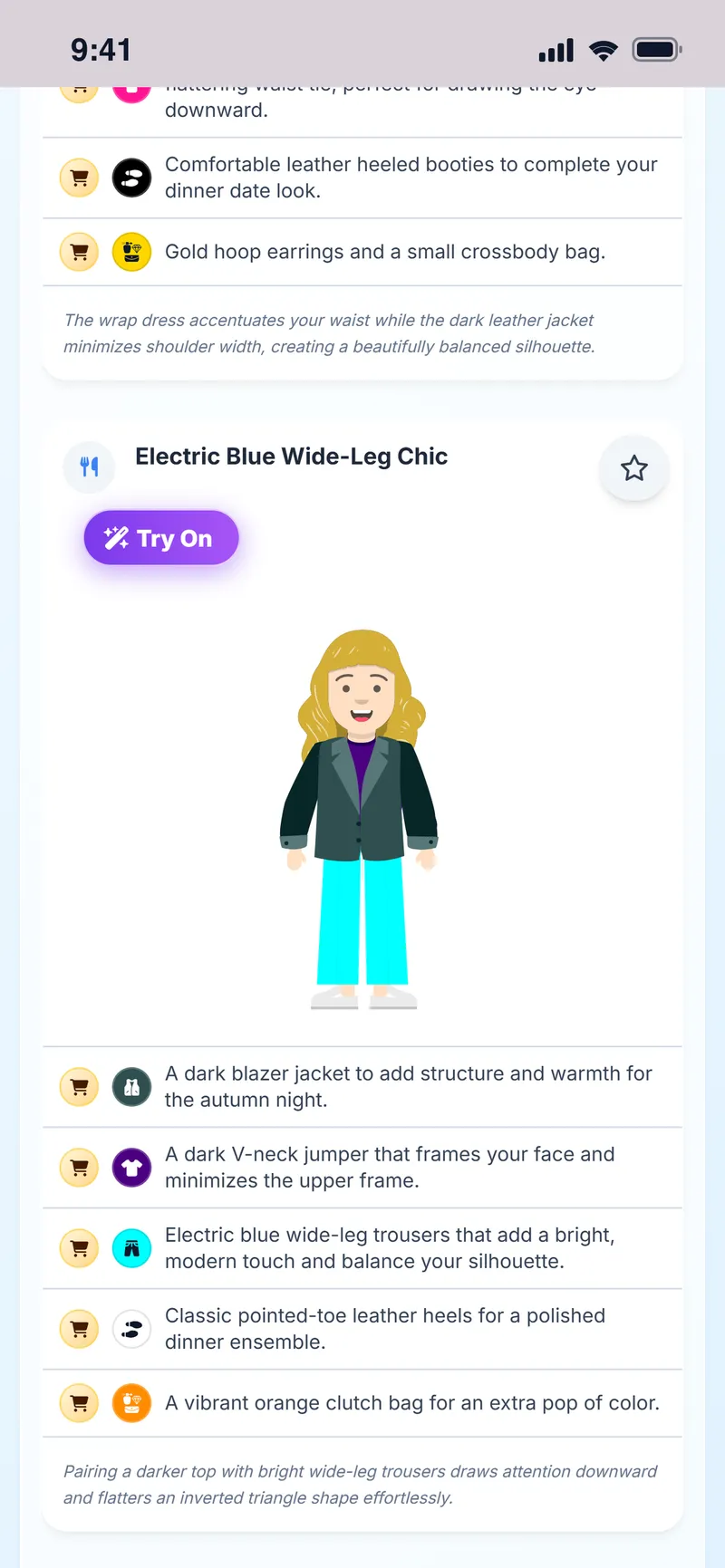
The Weather Style home screen combines the current weather where you are with your profile settings and suggests both an outfit and an activity idea for the day. You can send any outfit you like straight to virtual try-on.
- Suggestions based on current conditions in your chosen location
- Personalized by gender, age range and style preferences
- Send the suggested outfit to virtual try-on in one tap
- Past outfits are saved so you can come back to them
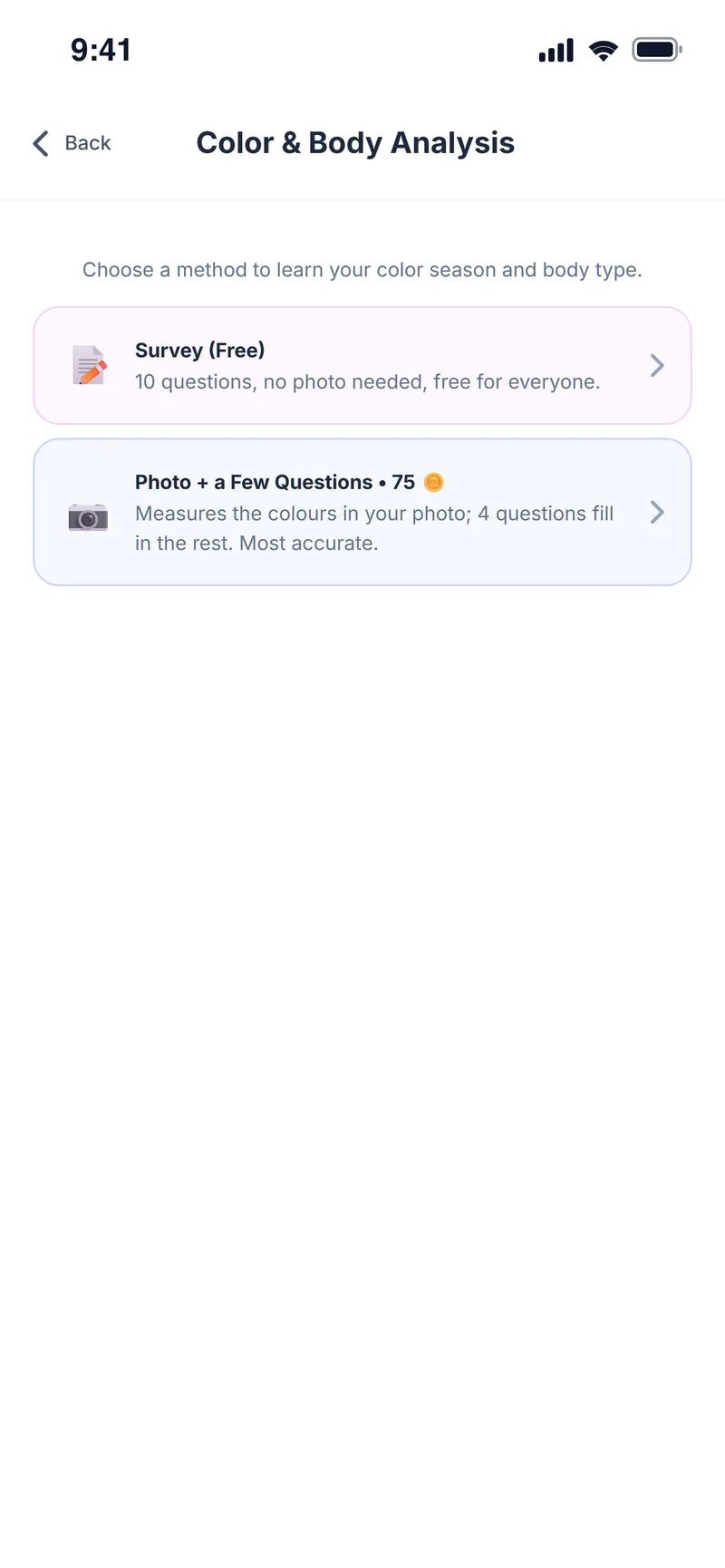
Discover the colors that really suit you
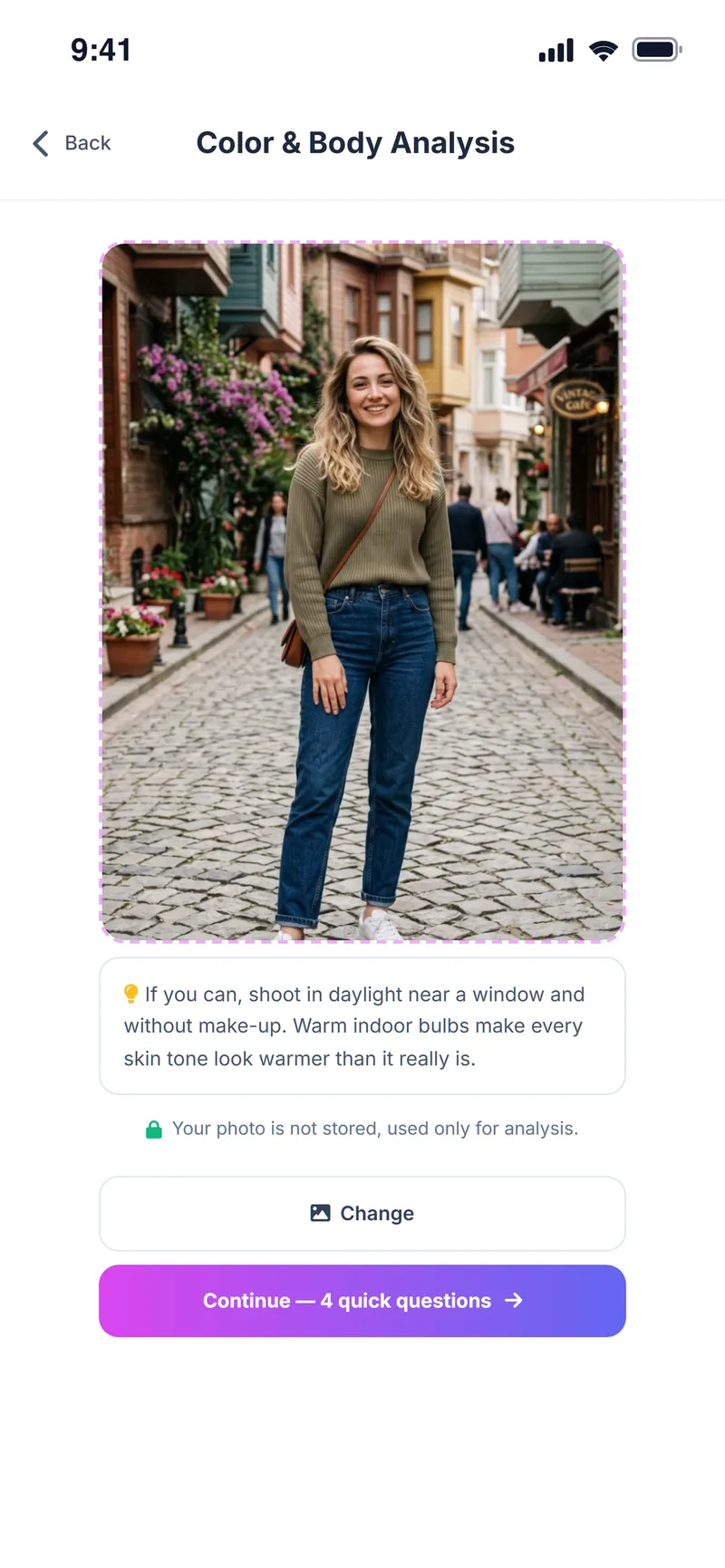
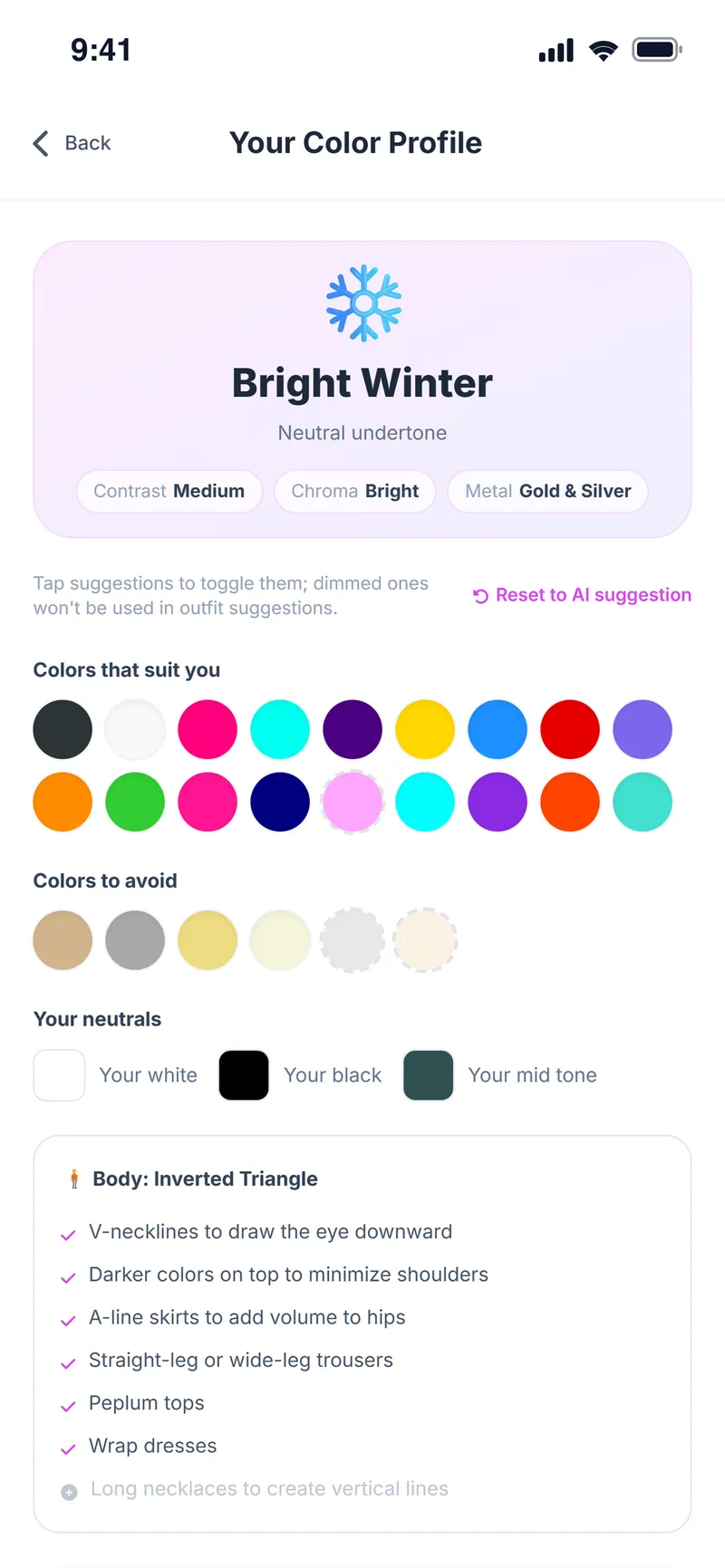
Fill in a short free survey or add a selfie; Weather Style's AI finds your color season, undertone and body type, then gives you a palette and the cuts that flatter you.
- Free survey, no photo required
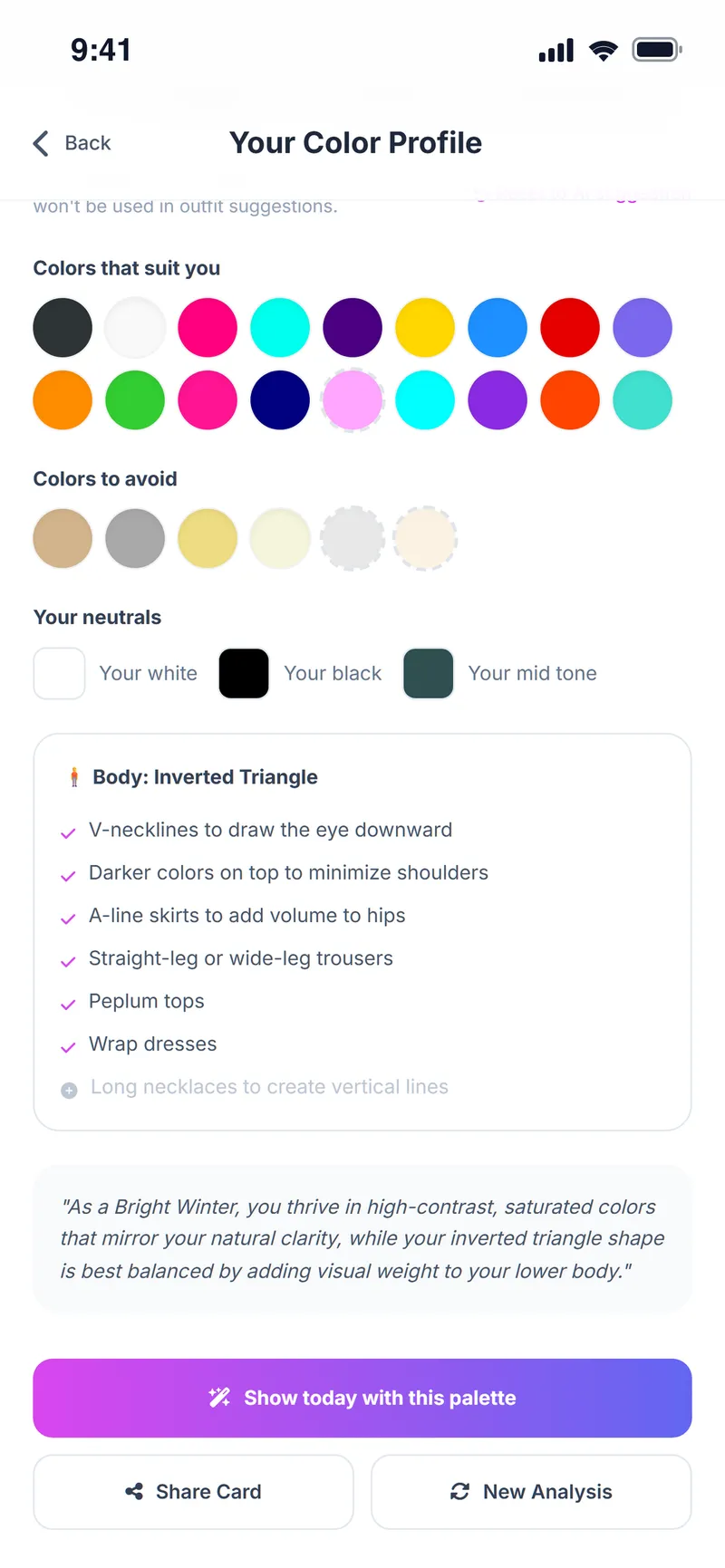
- Your color season, undertone and personal palette
- Colors that suit you and colors to avoid, listed separately
- Cut and silhouette tips for your body type
The right outfit for every occasion
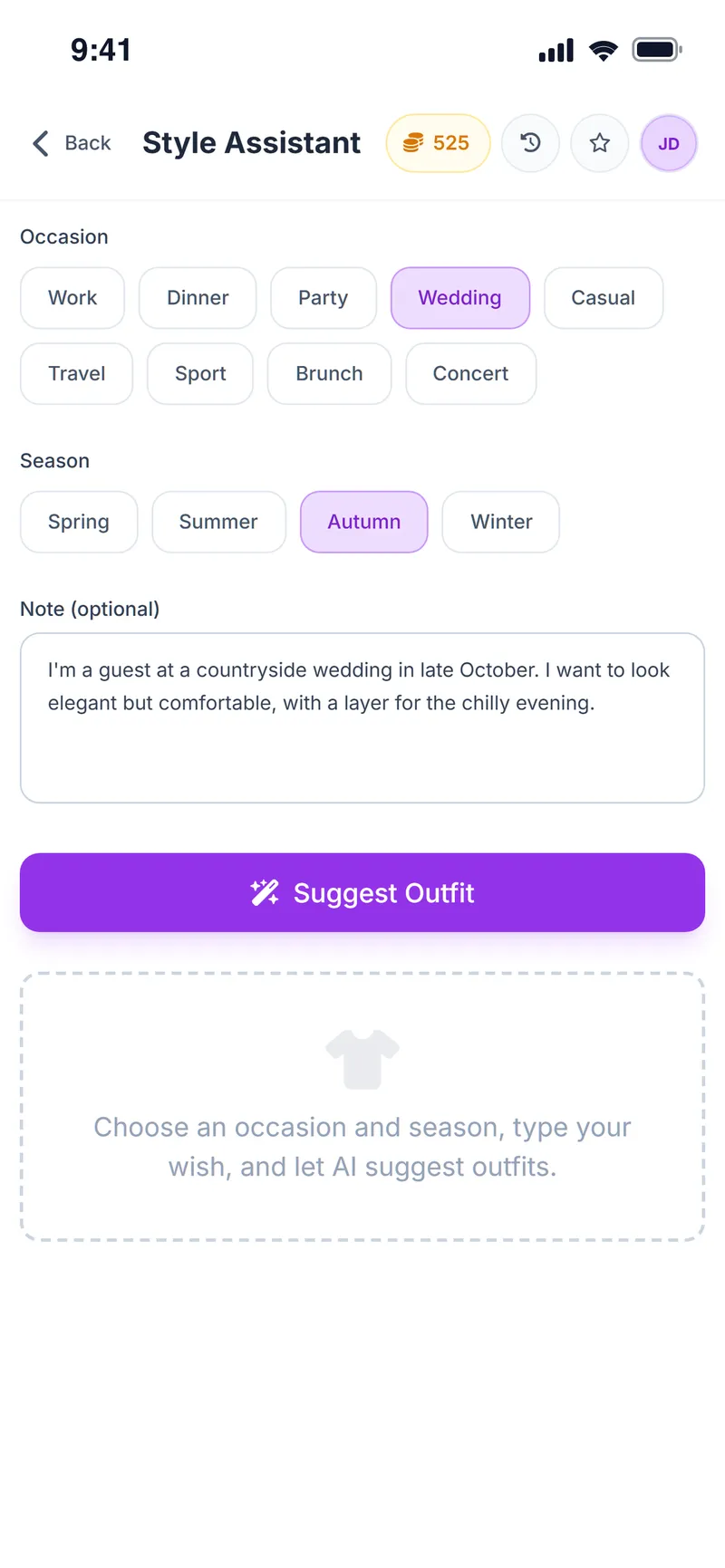
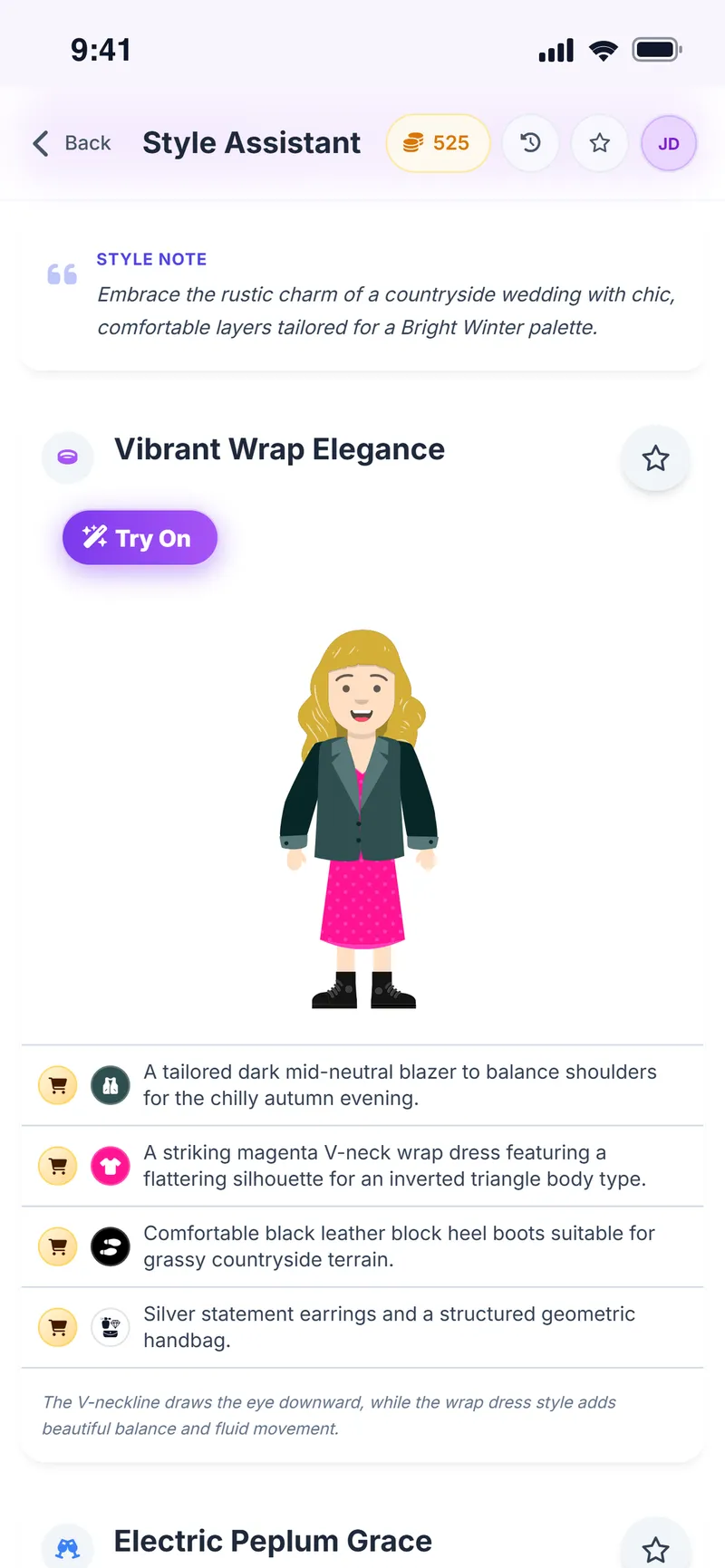
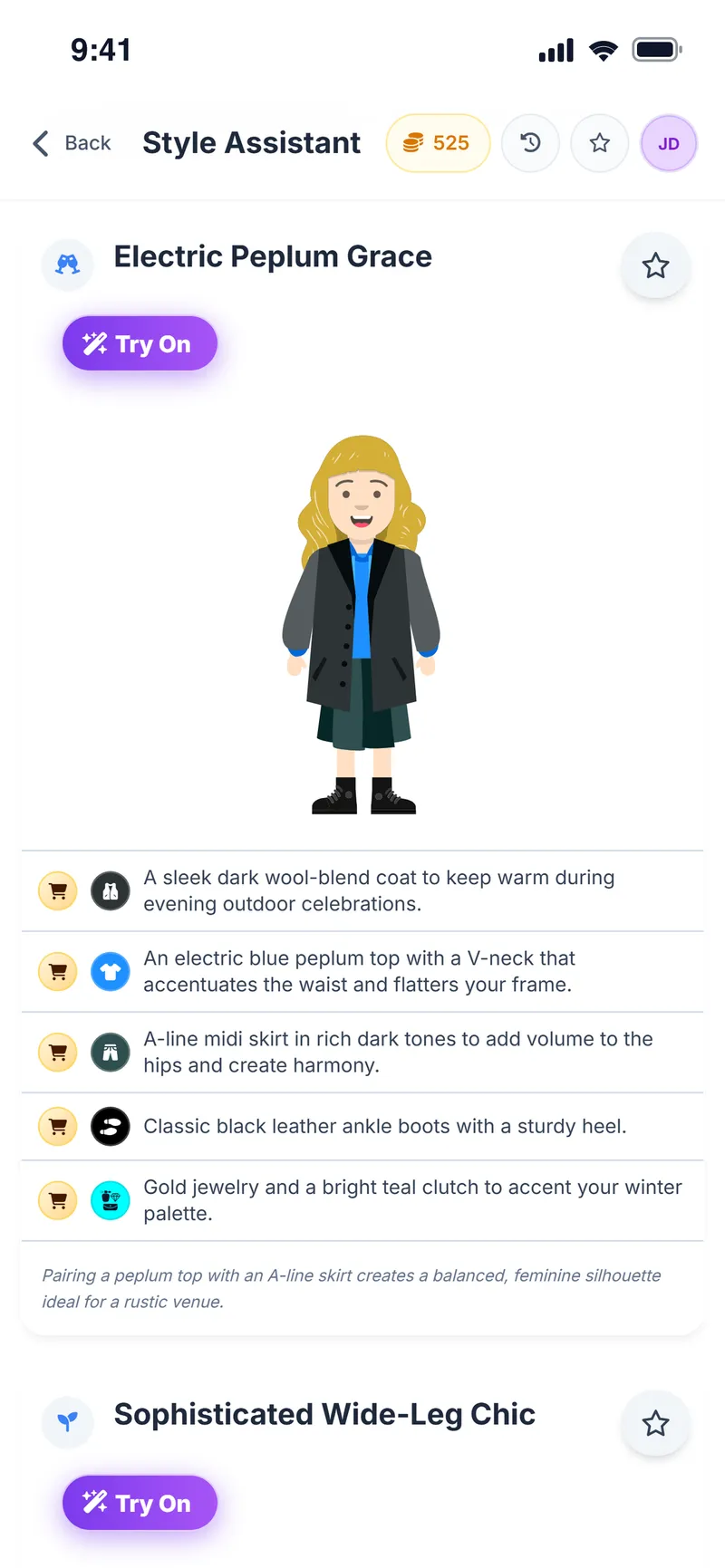
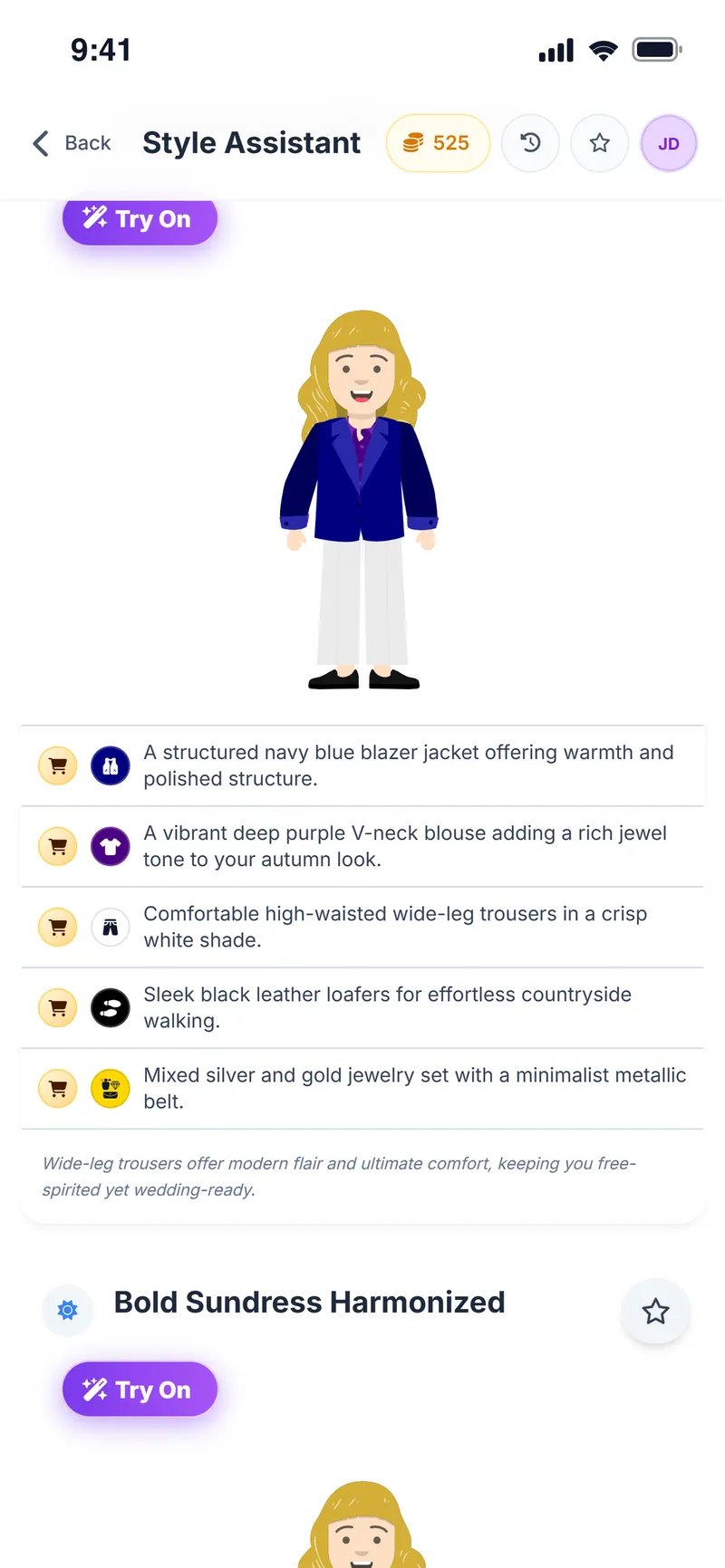
Tell the Style Assistant where you are going, the season and any special request, and it puts together outfits for that occasion. It works independently of the weather, so you can use it for a wedding a month from now.
- Work
- Dinner
- Party
- Wedding
- Casual
- Travel
- Sport
- Brunch
- Concert
Plan where you're going, not just what to wear
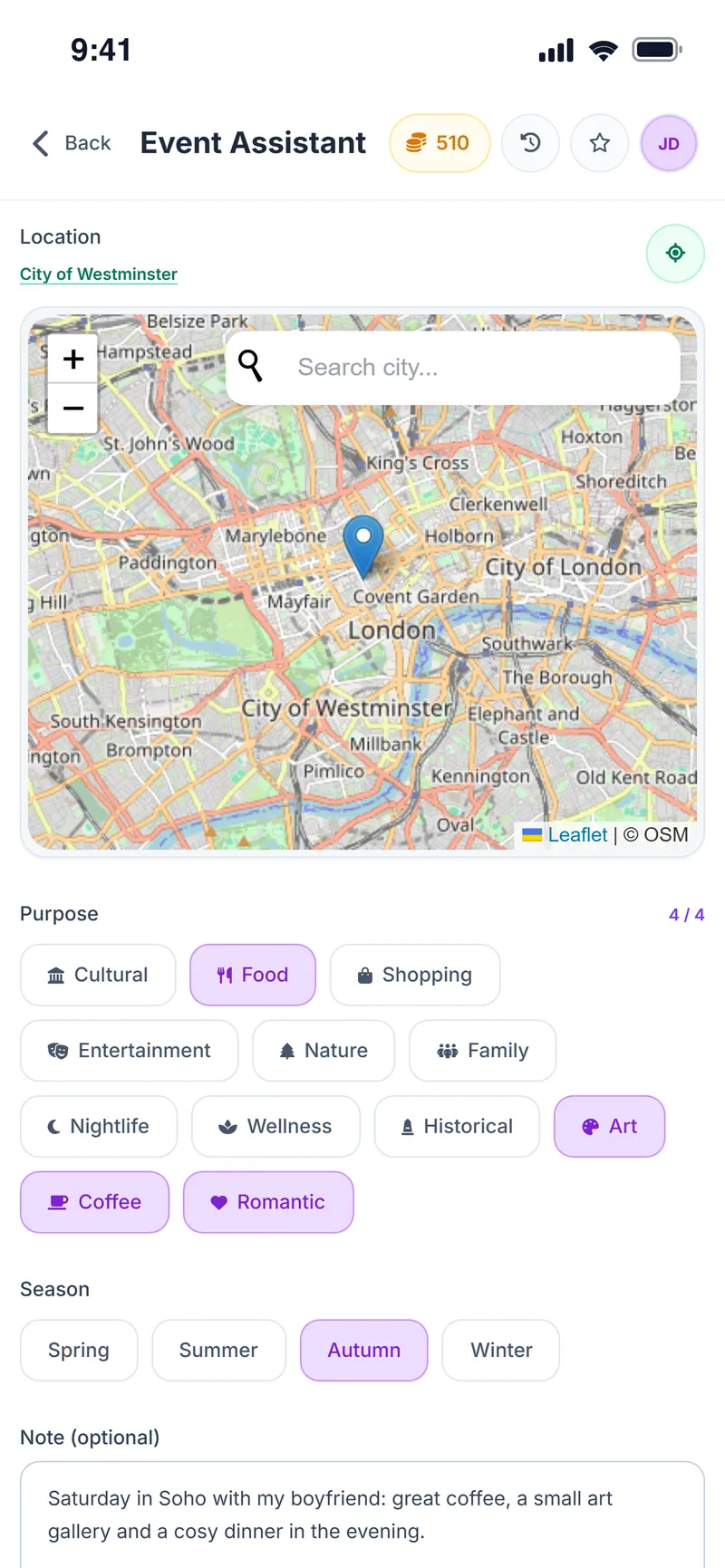
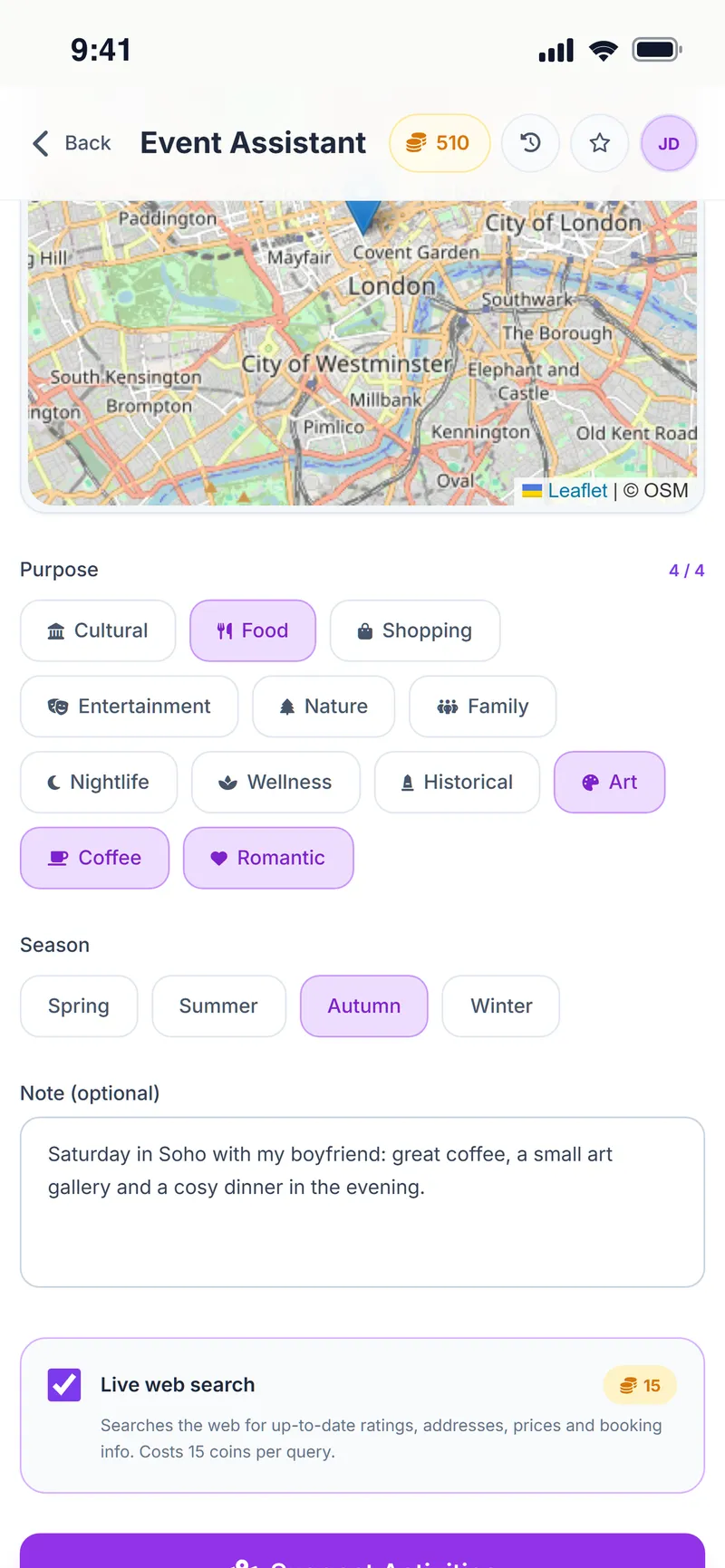
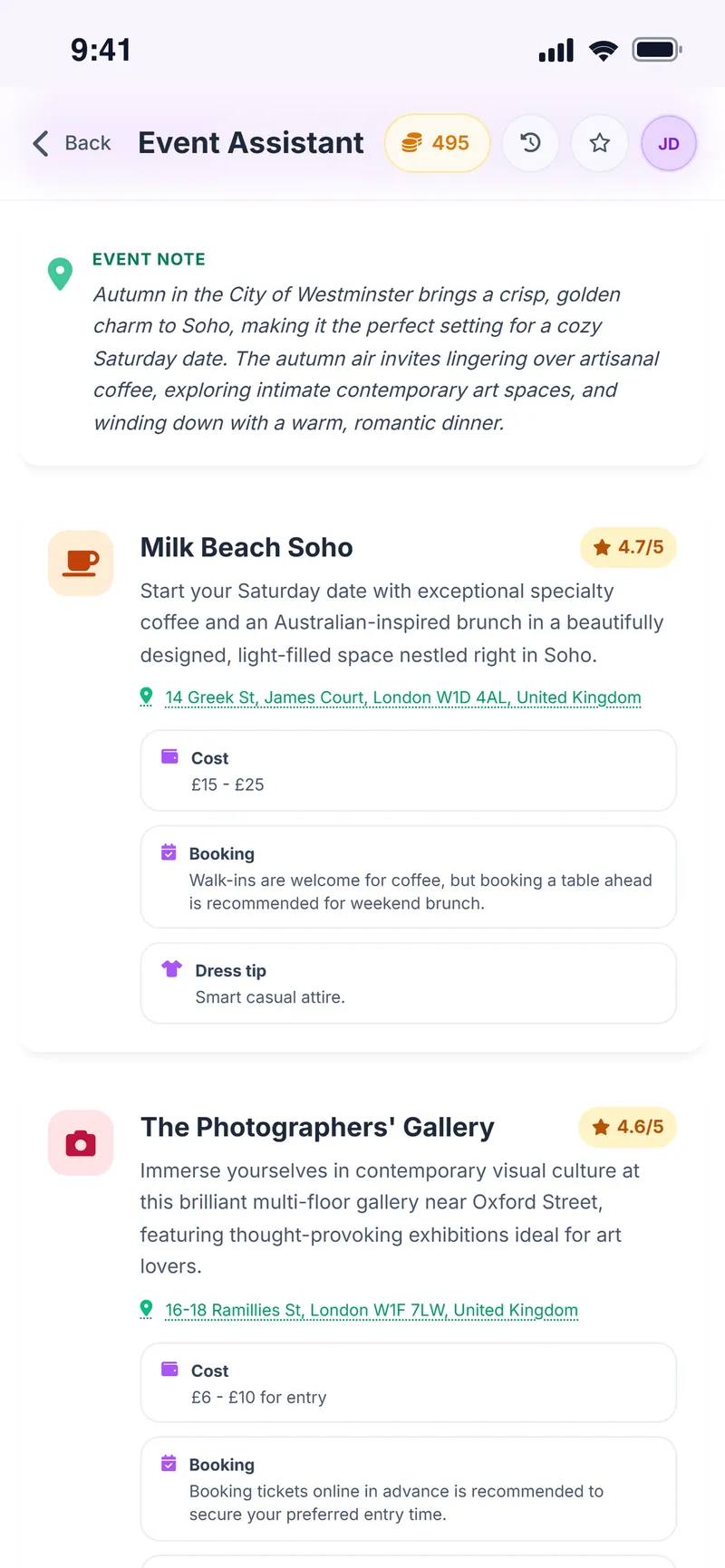
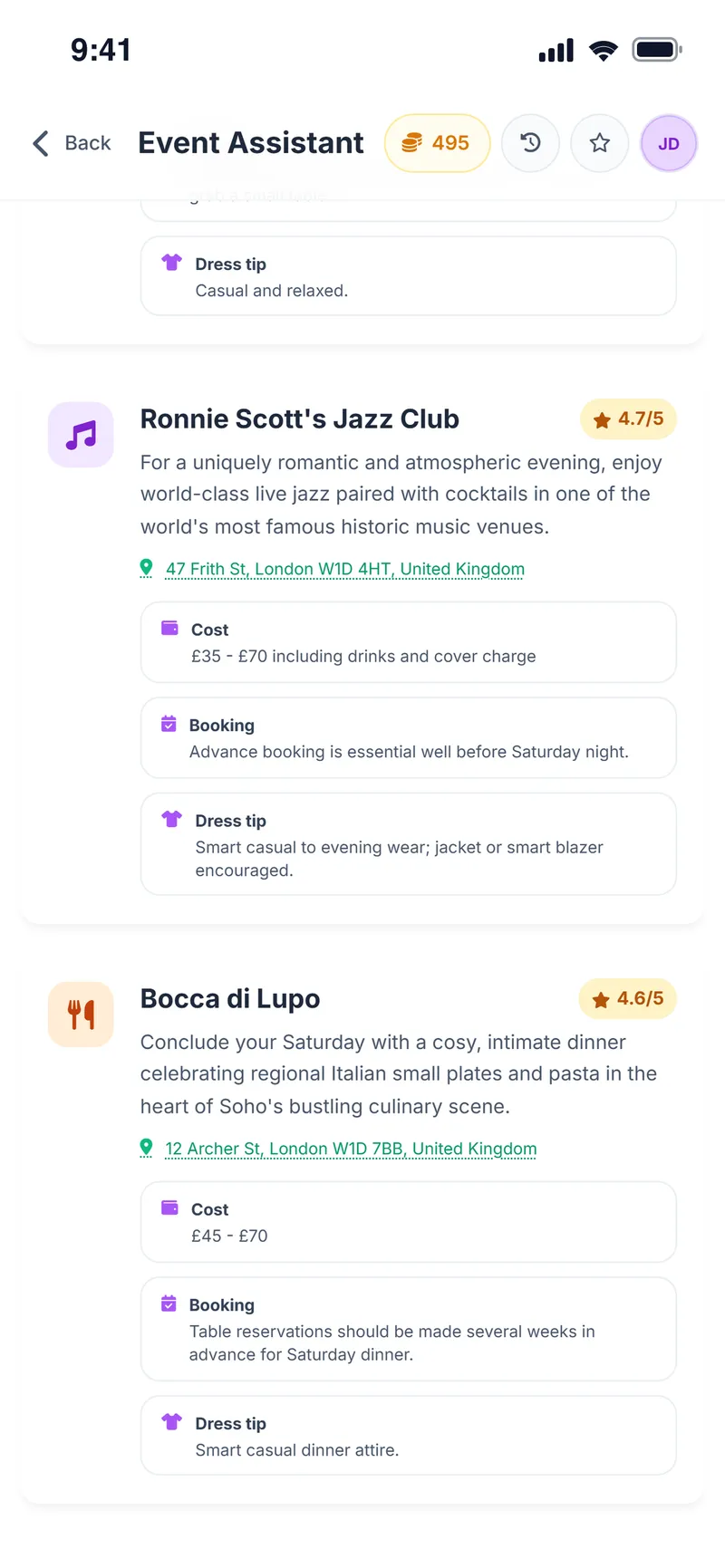
Pick a place on the map, choose up to four purposes, the season and an optional note; the Event Assistant suggests nearby venues and an outfit that fits the plan.
- Pick a city or neighborhood on the map and keep suggestions nearby
- Choose up to four purposes, such as food, art or coffee
- Optional live web search brings in up-to-date venues
- Every plan comes with an outfit tip that fits it
Build your avatar and preview every outfit on it
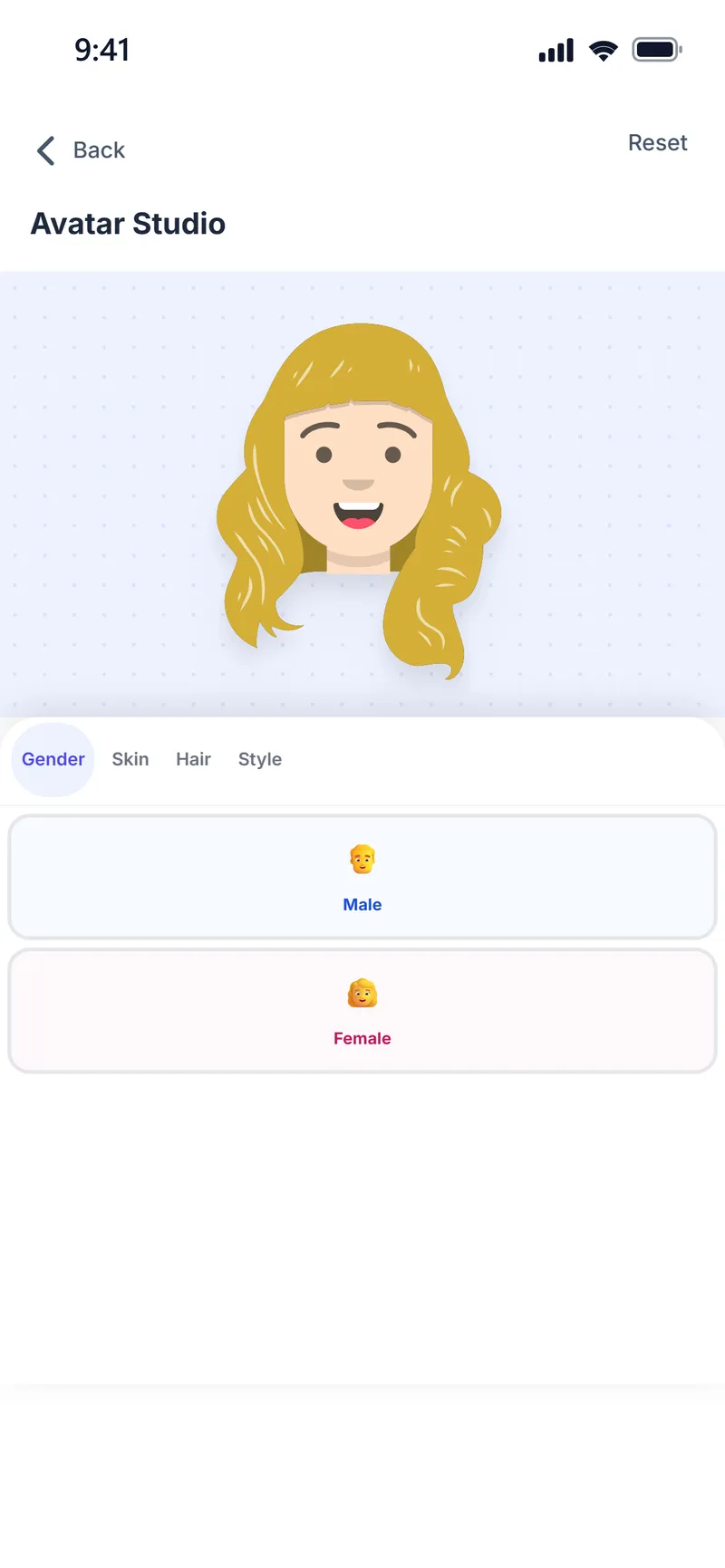
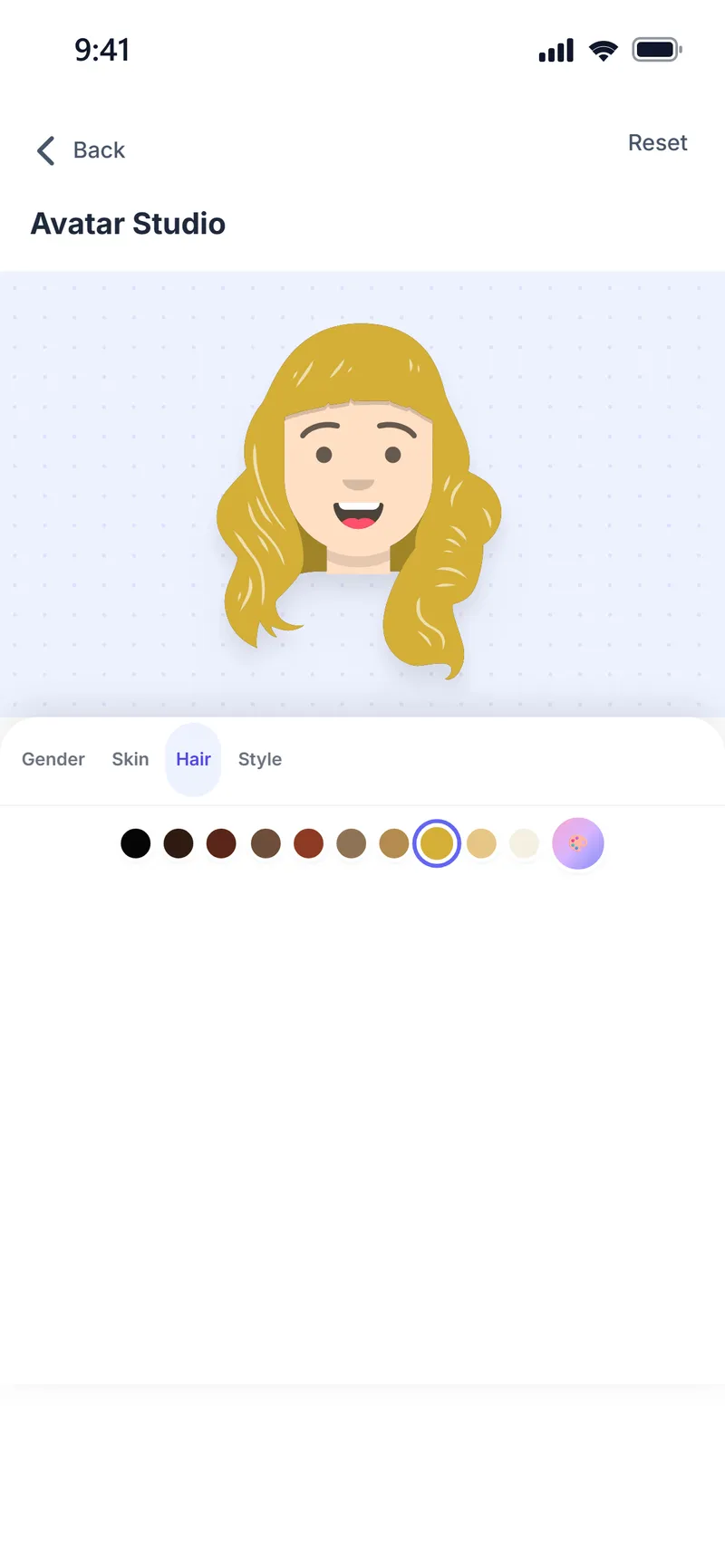
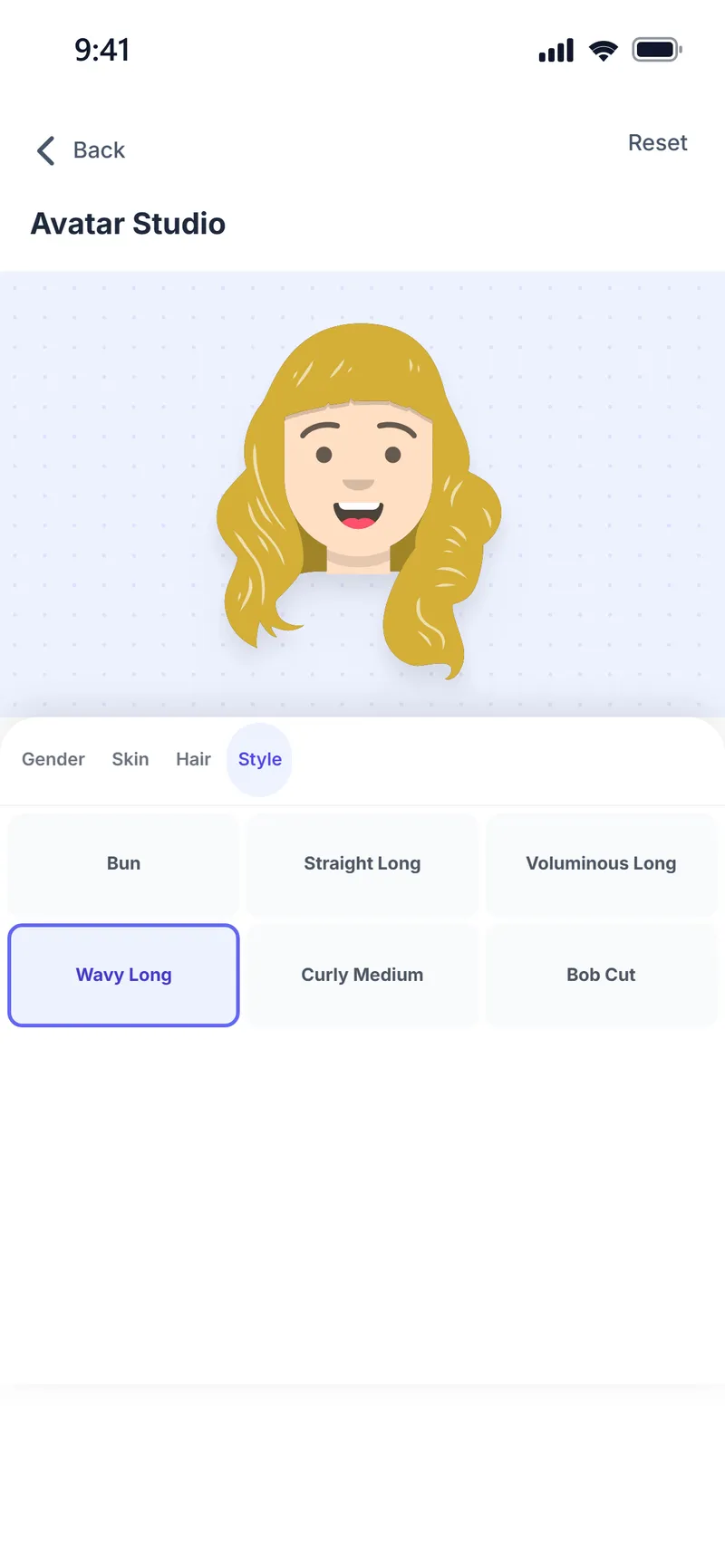
Set your gender, skin tone and hair once; every color palette and outfit the AI suggests appears on your avatar right away. The fastest way to get an idea without uploading a photo.
From product page to your own photo in 3 steps
Keep the whole decision in one flow: add the product, understand it, then see it on yourself.
-
1. Add the product
Save the piece you like from a store, a link, the Share menu or the Chrome extension.
-
2. Ask AI
Read your personal review and compare your options side by side.
-
3. Try it on
Send your favorite to the virtual fitting room and see it on your own photo.
Everything else that comes with the app
Weather Style keeps growing. Here's what else is inside the app.
-
Weather & profile suggestions
Daily outfit and activity ideas based on the forecast and your profile settings.
-
Favorites & lists
Save the outfits and products you like and come back to them any time.
-
Daily reminders
Optional morning weather and outfit tip, plus an evening reminder for your daily reward.
-
Sharing
Share a try-on result or an outfit in one tap.
-
8 languages
Available in English, Turkish, German, French, Spanish, Italian, Japanese and Korean.
-
Daily rewards
Open the app every day to collect free coins, or invite a friend and you both earn coins.
Every feature. No paywall.
AI outfits, virtual try-on, shopping reviews, color analysis and the Event Assistant all run on in-app coins you earn every day. Premium is optional, never required.
-
Daily reward
Open the app every day and collect your free coins.
-
Watch & earn
Earn extra coins by watching a short video.
-
Premium is optional
Ad-free with a daily coin chest; no feature is locked behind Premium.
-
No hidden fees
Downloading is free. In-app purchases are clearly shown.
Frequently asked questions
What people ask most before downloading.
Is Weather Style really free?
Yes. Every feature, including AI outfit suggestions, the virtual fitting room, shopping reviews and comparisons, runs on in-app coins you earn every day. Premium is optional and is never required to unlock a feature.
How does Weather Style work?
You add a product you like from a store link, your phone's Share menu or the Chrome extension. AI reviews it against your color palette and body type, and you can compare 2–6 products side by side. Finally, you send your favorite to the virtual fitting room and see it on your own photo.
What are coins and how do I earn them?
Coins are the in-app unit that runs AI actions. You can collect a free daily reward, earn extra coins by watching short videos or inviting a friend, or buy them if you want. Each action shows how many coins it uses before you start.
What does Premium include?
Premium is for people who want more coins: it is ad-free and adds a daily coin chest. No feature is locked behind Premium; everything also works with the free coins you earn every day.
Which devices does it work on?
Weather Style is available as an app on iPhone and Android, and as a Chrome extension on desktop. Check the App Store or Google Play page for device and OS compatibility.
Which languages is the app available in?
The app is available in English, Turkish, German, French, Spanish, Italian, Japanese and Korean. You can change the language in your profile settings.
Can I use Weather Style on my computer?
Yes. On desktop, the Chrome extension lets you capture a product without leaving the store page, get a style review, compare products and try them on. Products you add also appear in your list on your phone.
What kind of photo do I need for virtual try-on?
A clear, well-lit photo that shows your whole body works best. An ordinary phone photo is enough as long as your face and body are clearly visible; no studio or professional shoot is needed.
How long does a virtual try-on take?
Most try-ons are ready in 15–30 seconds. You can choose the most realistic AI model or a faster, more affordable one.
How many pieces can I try on at once?
You can try a top, bottom, shoes and accessories together; a single try-on uses up to 4 garment images.
Does virtual try-on show the real fit?
No. Virtual try-on is an AI-generated visual preview. Size, how the fabric drapes and the exact colors may look different in real life; it does not replace a real fitting or your measurements.
Are my photos stored?
The full-body photos you save for the virtual fitting room are kept only in your account, and you can delete them at any time. The photo you use for color analysis is not stored; it is used only for the analysis. See the privacy policy for details.
Does every store link work?
You can add products from most online stores, and you can also paste an image link from sites like Pinterest. Some stores' page structure or access restrictions mean not every link can be read; if a link doesn't work, upload the product image directly and use it in the fitting room.
Do I check out inside Weather Style?
No. Weather Style helps you choose; you complete the purchase on the store's own website. Always check the current price, stock and size information with the store.
How many products can I compare?
You can compare between 2 and 6 products at once. The comparison puts them side by side on color harmony, cut and how you plan to wear them.
How do weather-based outfit suggestions work?
The current weather and 5-day forecast for your chosen location are combined with your gender, age range, style preferences and color palette. You get a few outfits and weather-appropriate activity ideas for the day; preview the outfits on your avatar or send them to virtual try-on.
What does the color analysis tell me?
It shows your color season (for example Light Summer or Bright Winter), your undertone, colors that suit you and colors to avoid, your personal neutrals and cut recommendations for your body type. The survey is free; the photo analysis uses coins.
Do I need a photo for the color analysis?
No. A short survey is enough to find your color season and palette. Adding a photo makes the result a little more personal, but it is optional.
What is the difference between the Style Assistant and the Event Assistant?
The Style Assistant creates outfits for the occasion (work, a wedding, dinner) and season you choose; it does not depend on the weather. The Event Assistant suggests venues for the area you pick on the map and adds an outfit tip to every venue card.
What's the difference between the avatar and virtual try-on?
The avatar shows an outfit on a cartoon character instantly, with no photo needed. Virtual try-on uses AI to apply the outfit to your own photo.
Does the Chrome extension cost extra?
No. The Chrome extension is free too and uses the same list as your account in the app. A product you add from the extension shows up in your list on your phone right away.
How do I delete my account and data?
Fill in the form on the account deletion page with your name and the email address linked to your account. Your account and all of your data will be deleted within 30 days.
From the blog
All posts →-

Transitional Dressing 101: What to Wear When It's Too Cold
A practical layering guide for the trickiest weather of the year.
-

Cute Rainy Day Outfits & Stylish Rainy Day Fashion Trends
Stay dry without sacrificing style on grey days.
-

Travel Style Guide: How to Look Chic on 20,000 Steps
Comfortable, photogenic outfits for a full day of sightseeing.
Found it online?
See if it suits you.
Add the product, ask AI, compare your options and try your favorite on your own photo, all in one Weather Style flow.
Some AI features use coins. In-app purchases are available.