Event Assistant: plan where to go and what to wear
Pick a city or neighborhood on the map, choose up to four purposes and the season; the Event Assistant suggests nearby venues and outfit tips that fit the plan.
What is the Weather Style Event Assistant?
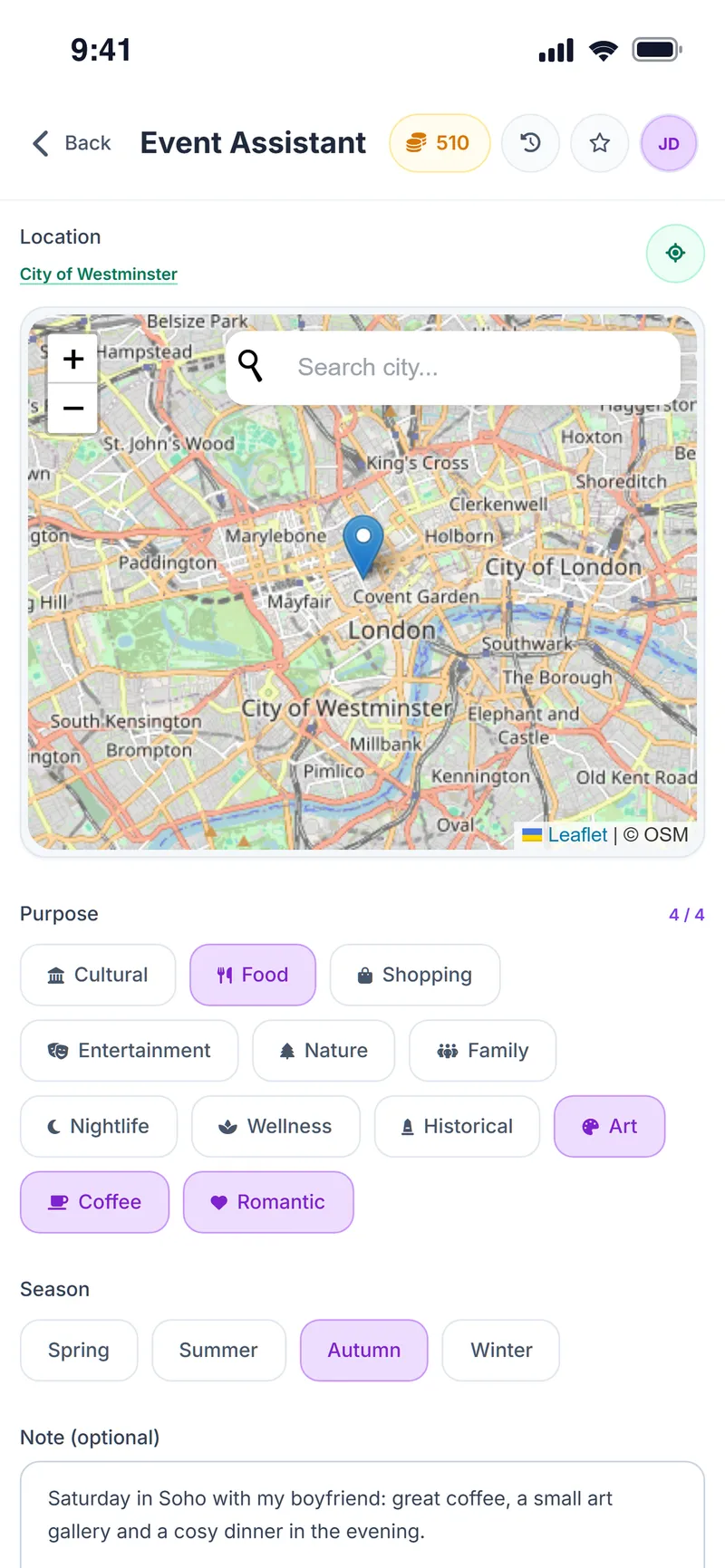
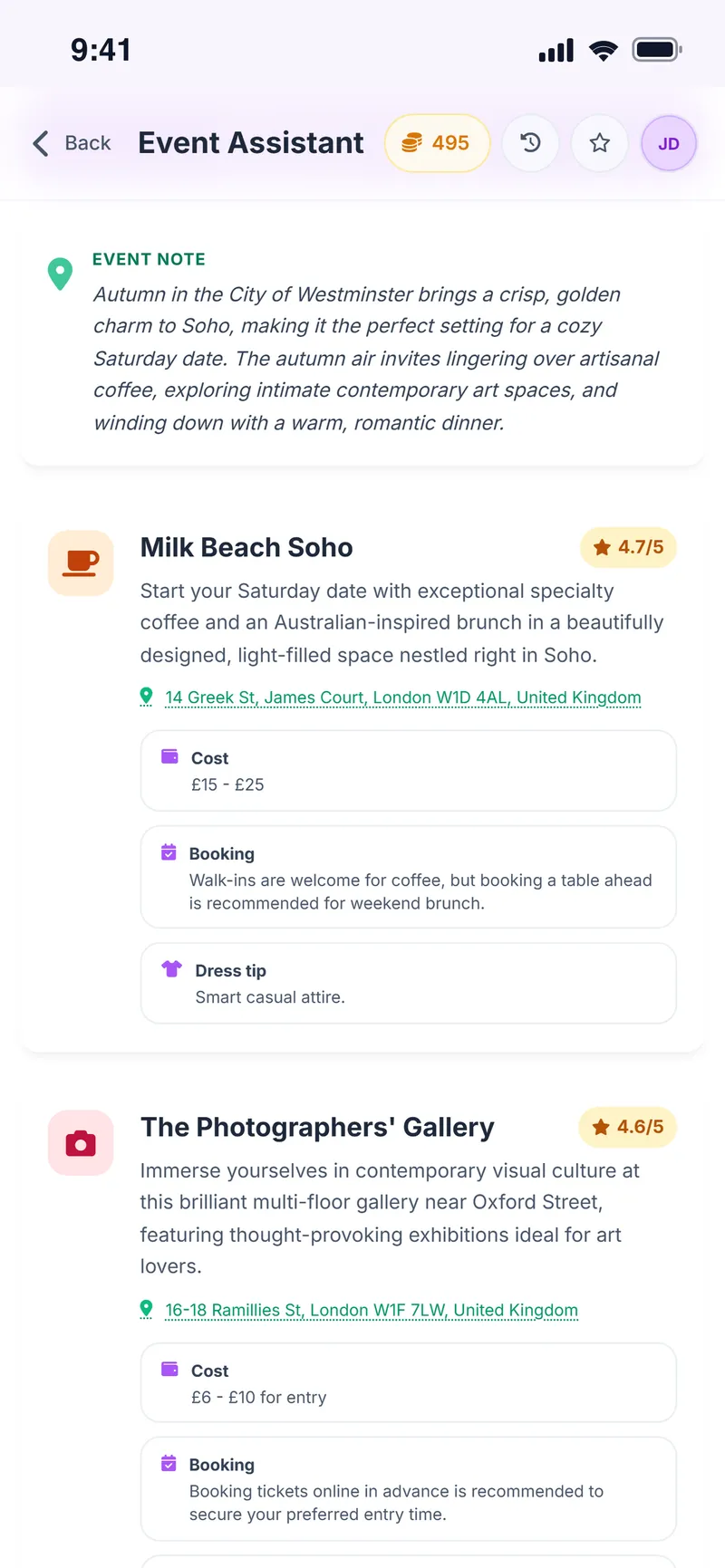
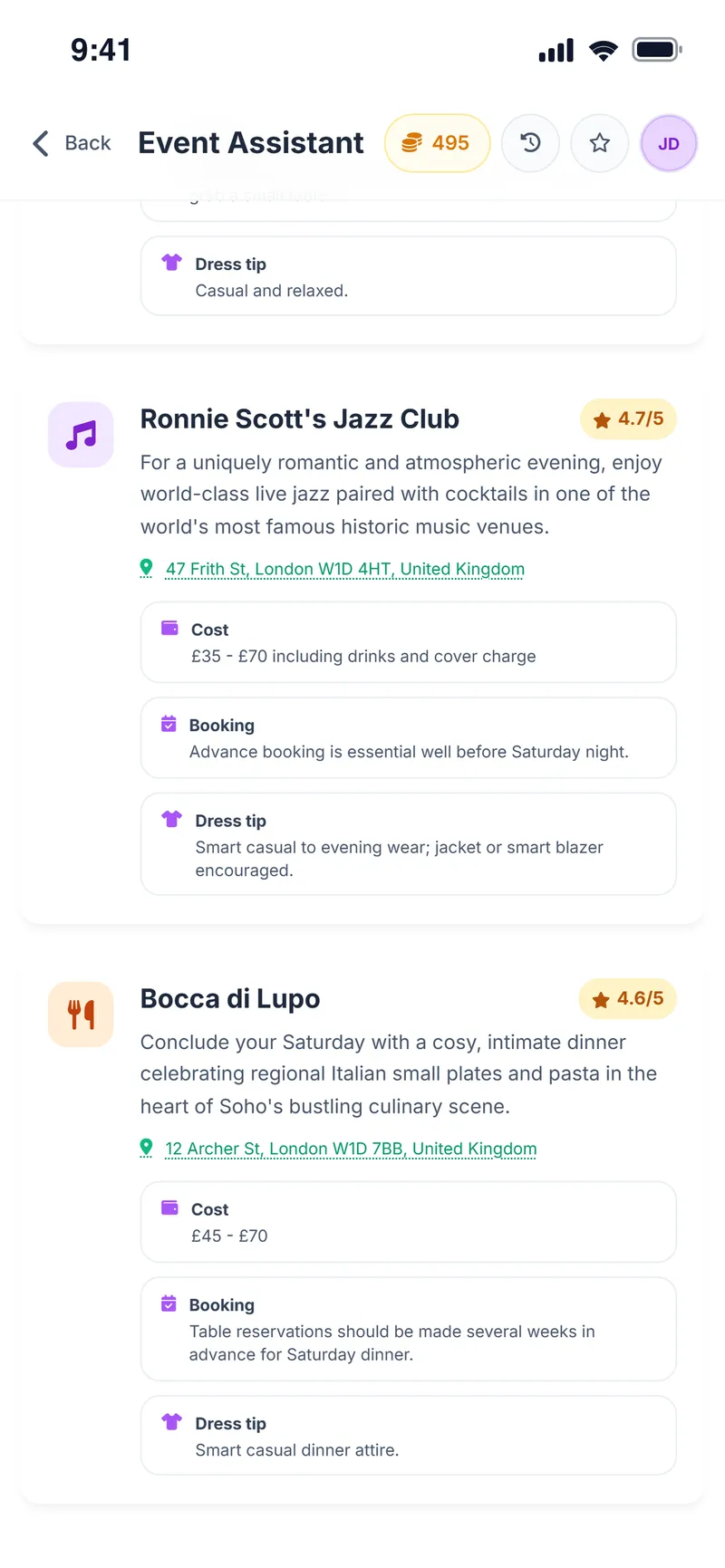
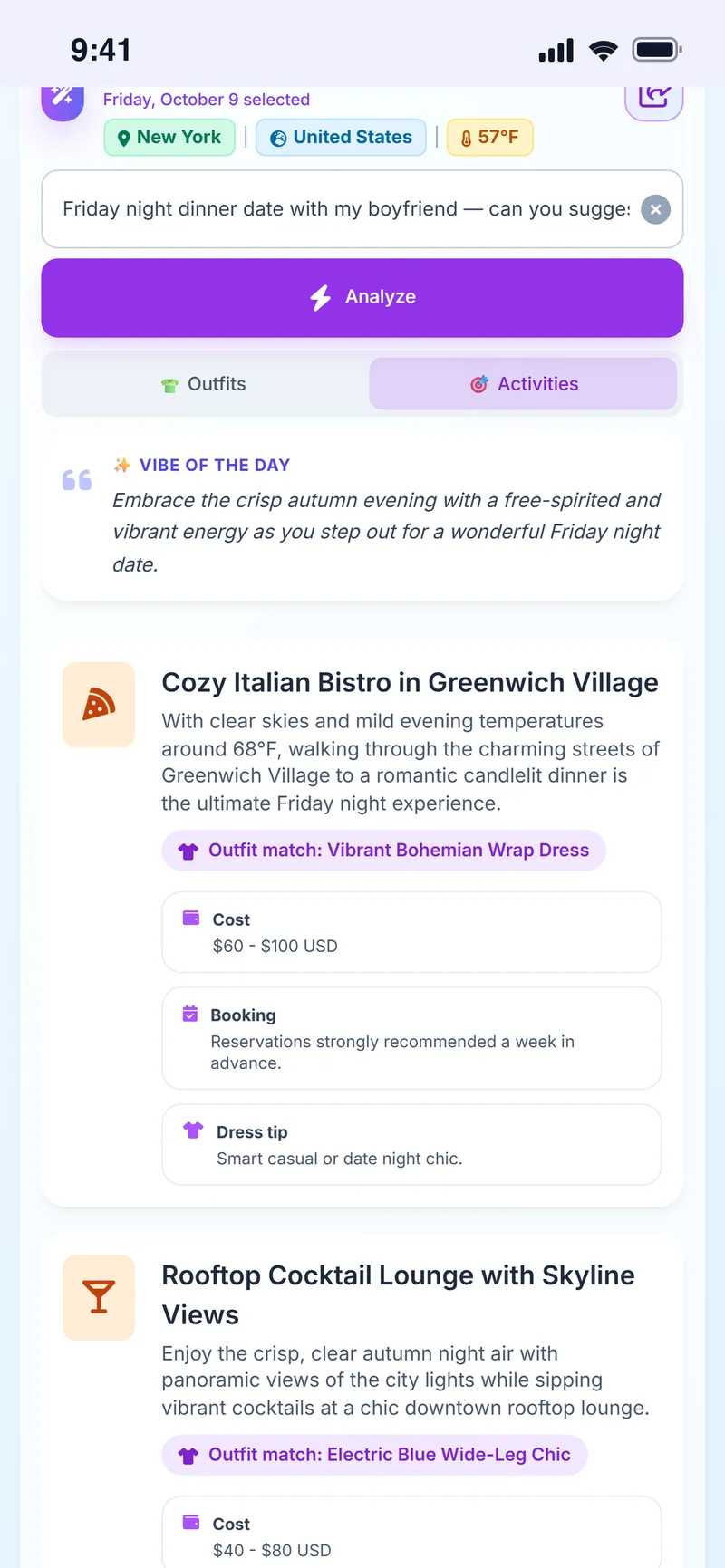
The Weather Style Event Assistant is an AI feature that suggests nearby venues based on a location chosen on a map, up to four purposes (such as culture, food, shopping, nature, art or coffee), the season and an optional note, each with its address, hours, approximate cost, booking information and a dress tip.
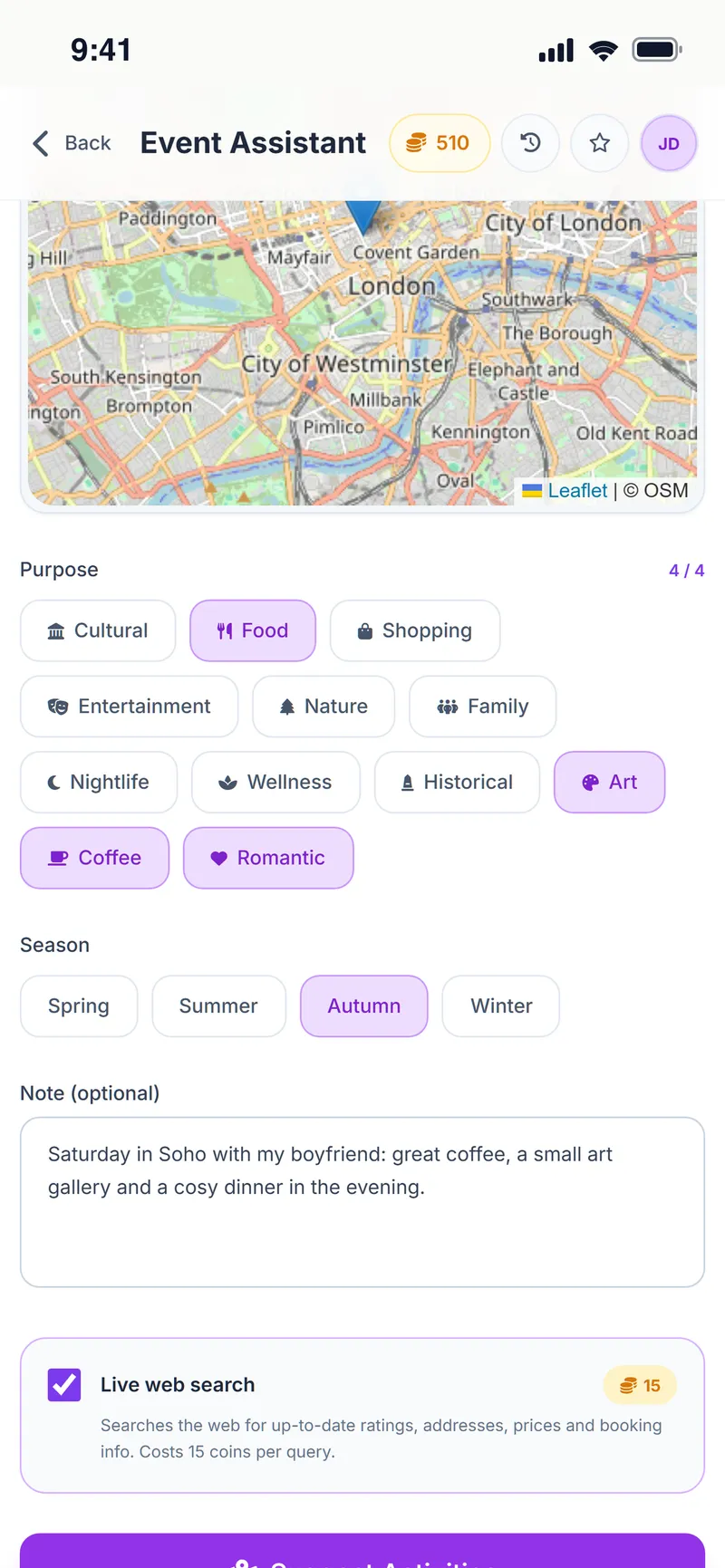
When the optional live web search is on, current ratings, addresses, prices and booking details are pulled from the web; if no information is found, the coins spent are refunded. Venue details can change, so check with the venue before you go.
Why people use it
Pick on the map
Choose a city or neighborhood; suggestions stay in that area.
Up to 4 purposes
Culture, food, shopping, nature, family, art, coffee, romantic and more.
Live web search
Optionally pull current ratings, addresses and prices from the web.
Practical details
Hours, approximate cost and booking notes on one card.
Dress tip
A short note on what to wear for every venue.
Saved plans
Your event requests stay in history so you can come back to them.
How do you use the Event Assistant?
Open the Event Assistant
Tap Event on the home screen.
Choose the location
Tap a point on the map or search for a city.
Purposes and season
Choose up to four purposes and the season; add a note if you like.
Live search (optional)
Turn on live web search for up-to-date information.
Suggest Activities
Tap Suggest Activities and review the venue cards.
Screens from the app
Let us help with where to go, too
Pick the place, say what you want to do, and your plan is ready.
Event Assistant FAQ
Is the Event Assistant free?
Yes. Live web search is optional and uses in-app coins; if no information is found, the coins are refunded.
How many purposes can I choose?
Up to four.
Is the venue information up to date?
With live web search on, current information is pulled from the web. Opening hours and prices can still change, so we recommend checking with the venue before you go.
Can I plan for another city?
Yes. Pick any city or neighborhood on the map; it works for trip planning too.
Do I get outfit suggestions too?
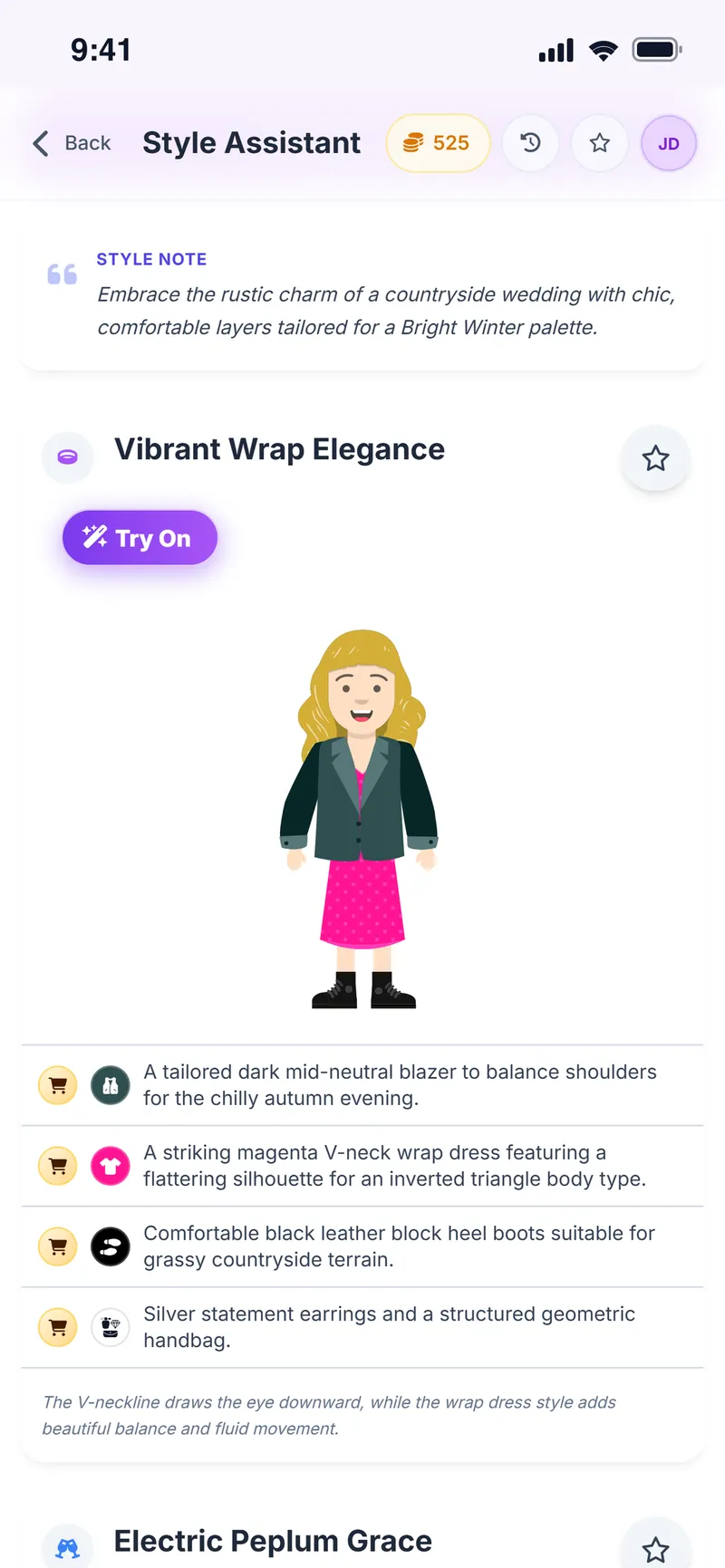
Yes. Every venue card includes a short dress tip that fits the plan.
What is live web search?
It is an optional setting. When it is on, current ratings, addresses, prices and booking details are pulled from the web. It uses coins; if no information is found, the coins spent are refunded.
What's on a venue card?
The address, opening hours, approximate cost, booking information and a short dress tip for that venue.
Can I go back to earlier plans?
Yes. Your event requests stay in history so you can come back to them any time.
More Weather Style features
Shopping Assistant
Turn every store find into a clearer decision
Virtual Try-On
See it on yourself before you decide
Chrome Extension
Take Weather Style shopping with you
Weather & Daily Plan
Your weather and your profile, turned into a daily plan
Color & Body Analysis
Discover the colors that really suit you
Style Assistant
The right outfit for every occasion
Avatar Builder
Build your avatar and preview every outfit on it



Plan where you're going, not just what to wear
Download Weather Style and create your first event plan.
Some AI features use coins. In-app purchases are available.