Virtual Try-On: see clothes on your own photo before you buy
Add a full-body photo, pick the pieces you like, and Weather Style's AI shows the outfit on your own photo. About 15–30 seconds, no studio needed.
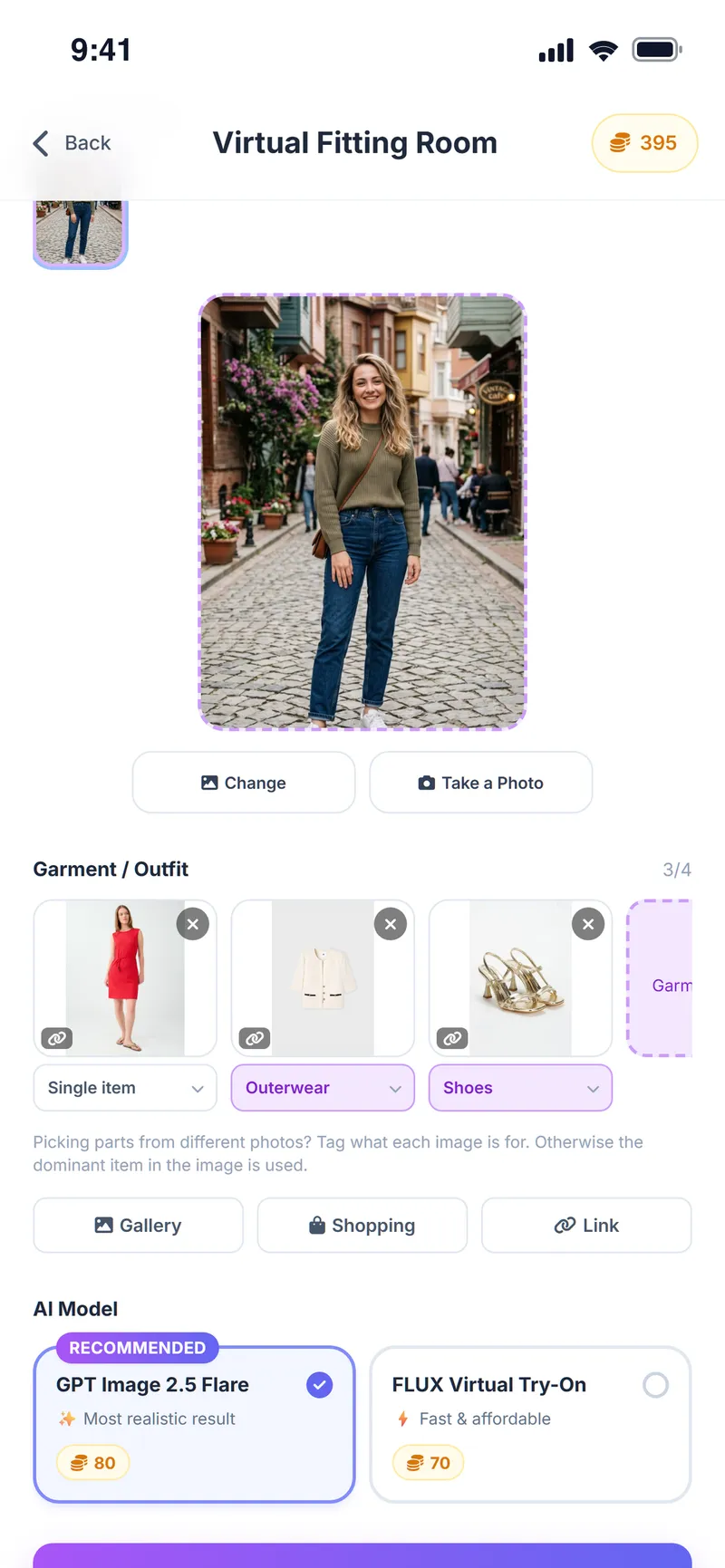
What is Weather Style virtual try-on?
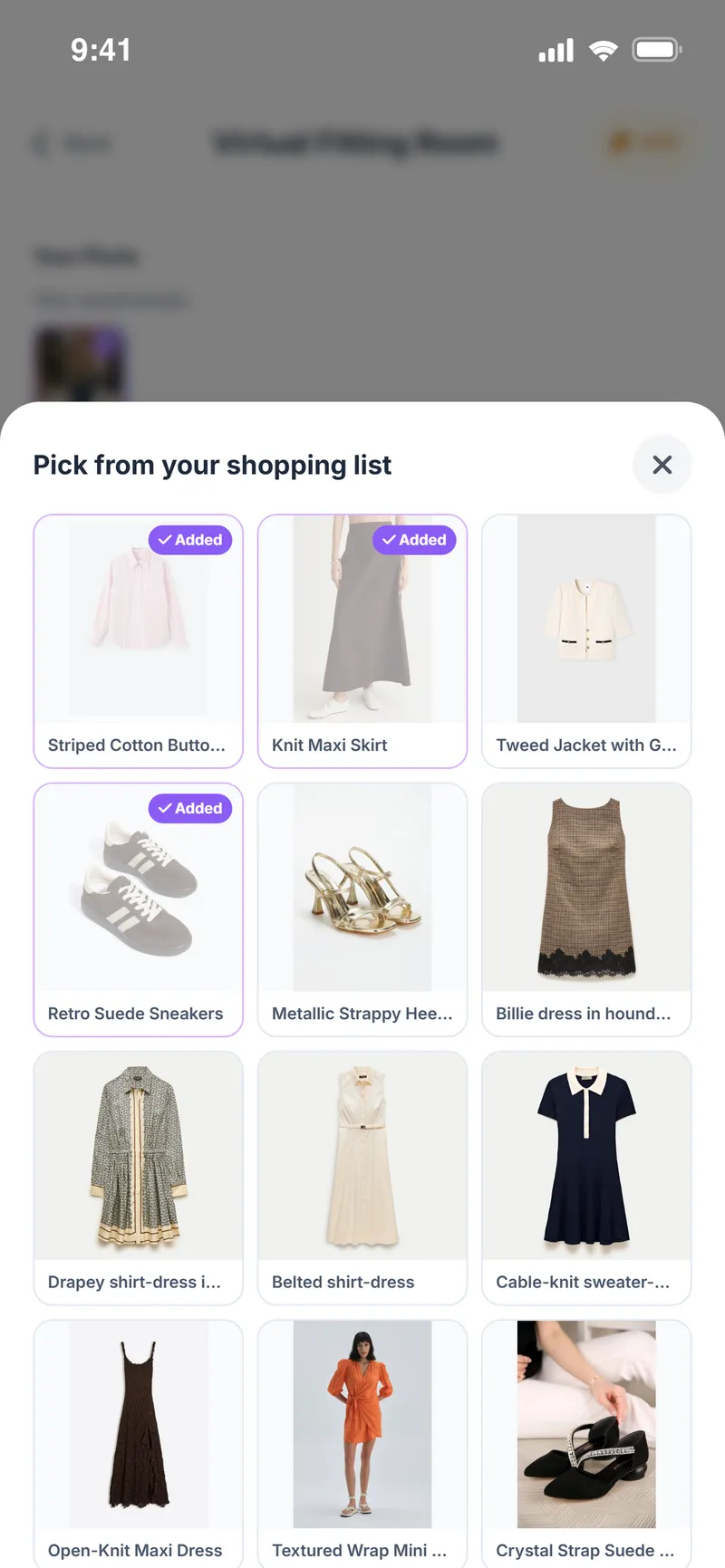
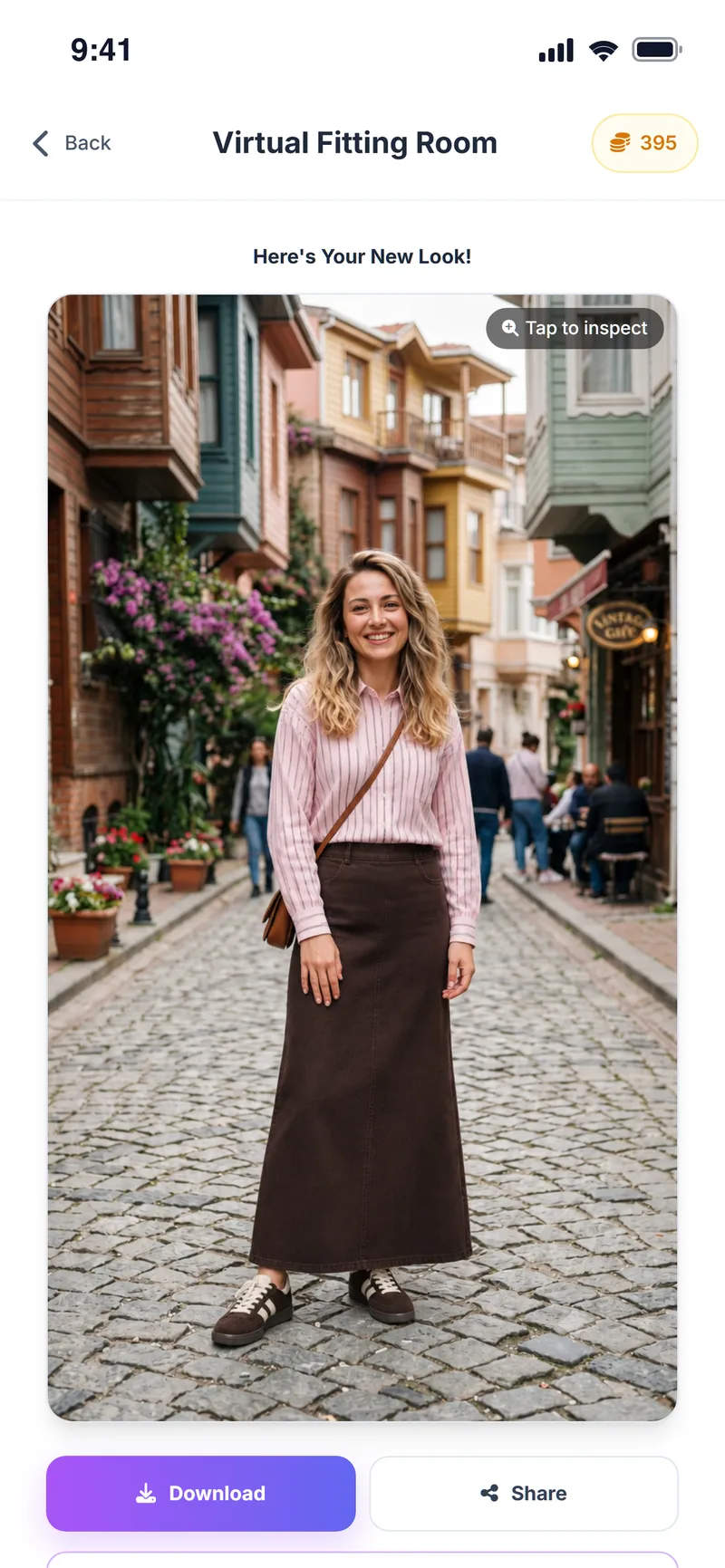
Weather Style virtual try-on (the virtual fitting room) is a free AI feature that takes a photo of the user and images of clothing items and generates a realistic image of the person wearing them. The clothes can come from the app's outfit suggestions, the user's photo gallery, a shopping list saved from online stores, or a product link.
Results are usually ready in 15–30 seconds. The generated image is an AI preview: it does not show the real fit, how the fabric drapes or the exact color, and it does not replace a real fitting.
Why people use it
Works with any link
Add an image from a store page, a link, your shopping list or your gallery; no screenshots needed.
Fast results
Most try-ons finish in 15–30 seconds.
Two AI models
Pick the most realistic model, or a faster and more affordable one.
Layered outfits
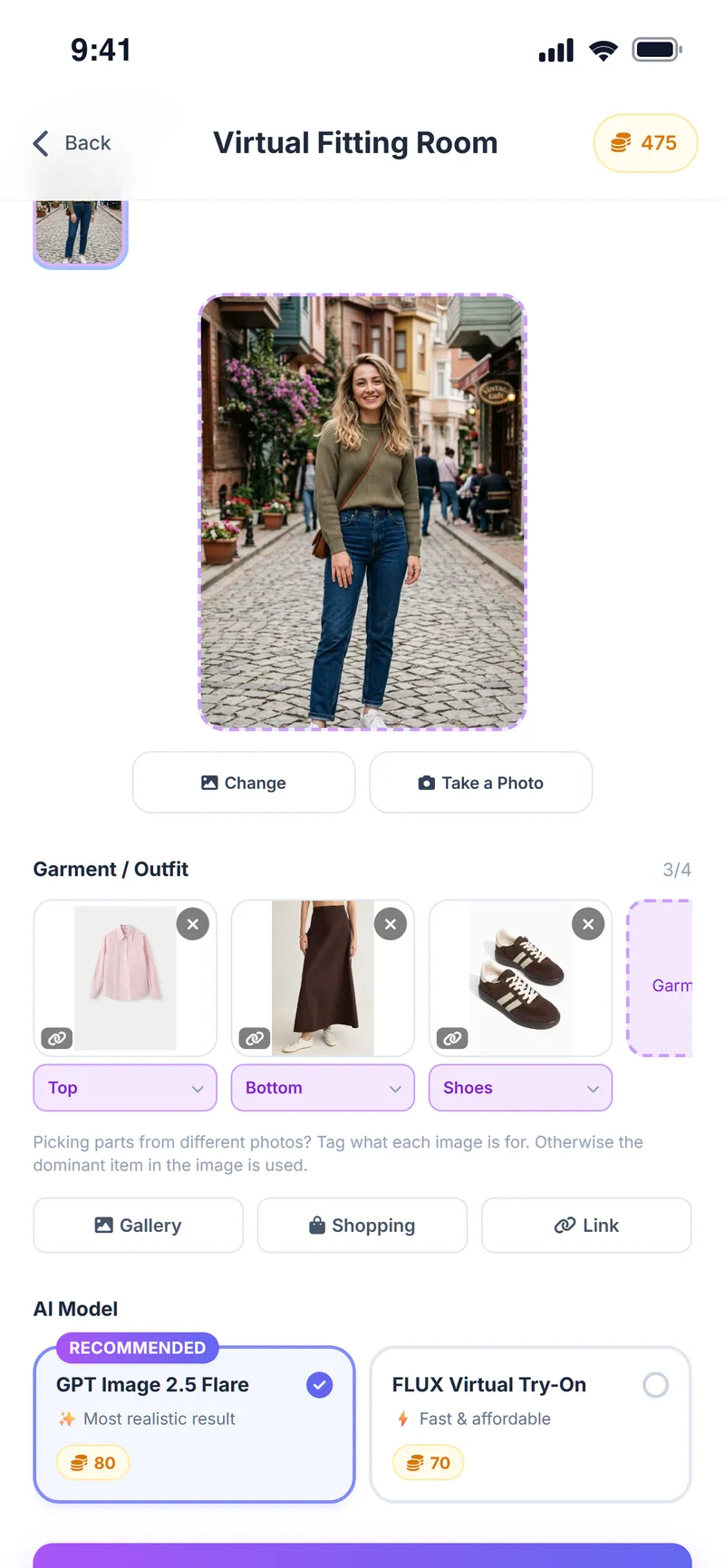
Try a top, bottom, shoes and accessories at once, up to 4 images.
Easy sharing
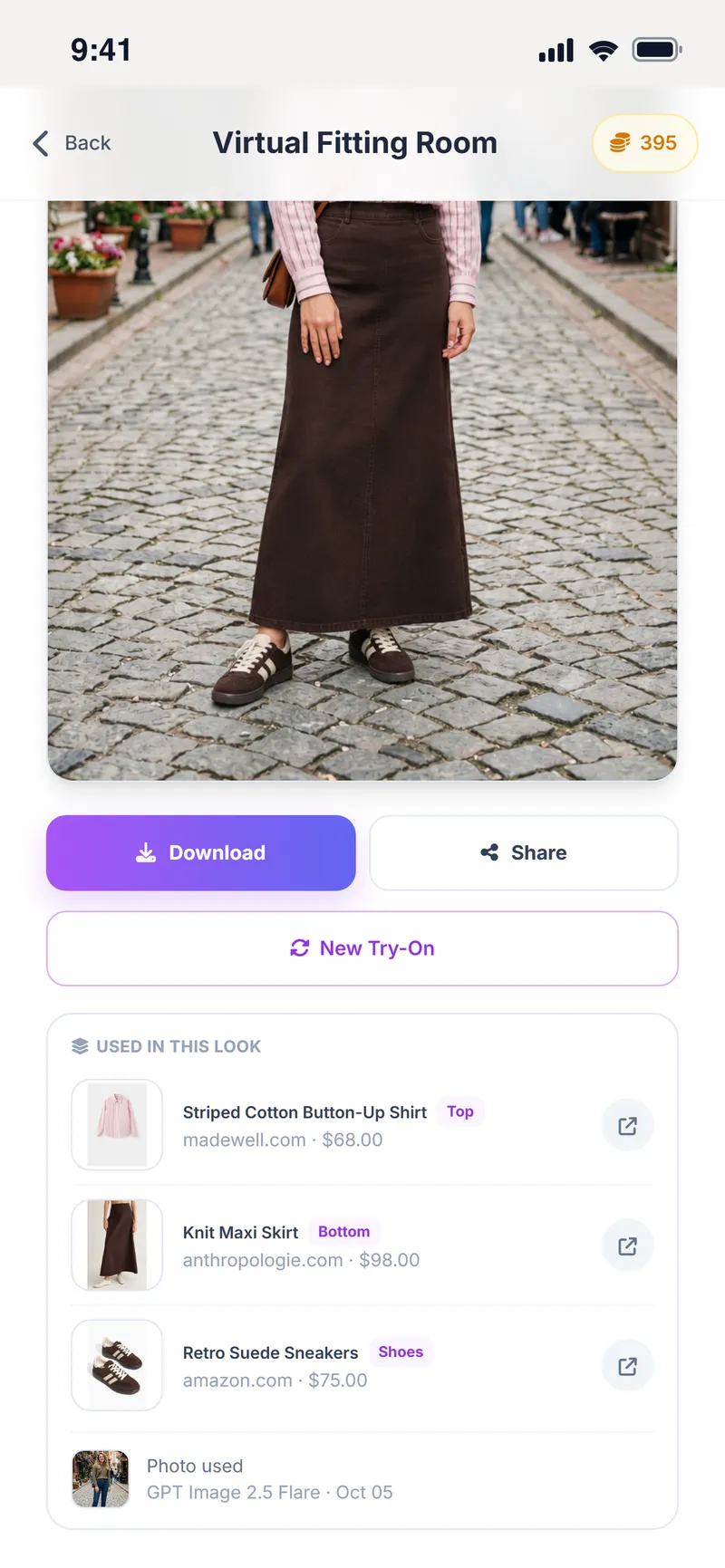
Download or share the result in one tap.
Free
Runs on coins you earn every day; no subscription required.
How does virtual try-on work?
Open the fitting room
Tap Fitting Room on the home screen.
Add your photo
Pick a clear full-body photo from your gallery or take a new one.
Choose the clothes
Use an outfit the AI suggested, pick from your shopping list or gallery, or paste a store link.
Pick a model and apply
Choose the AI model and tap Try It On Me.
Check the result
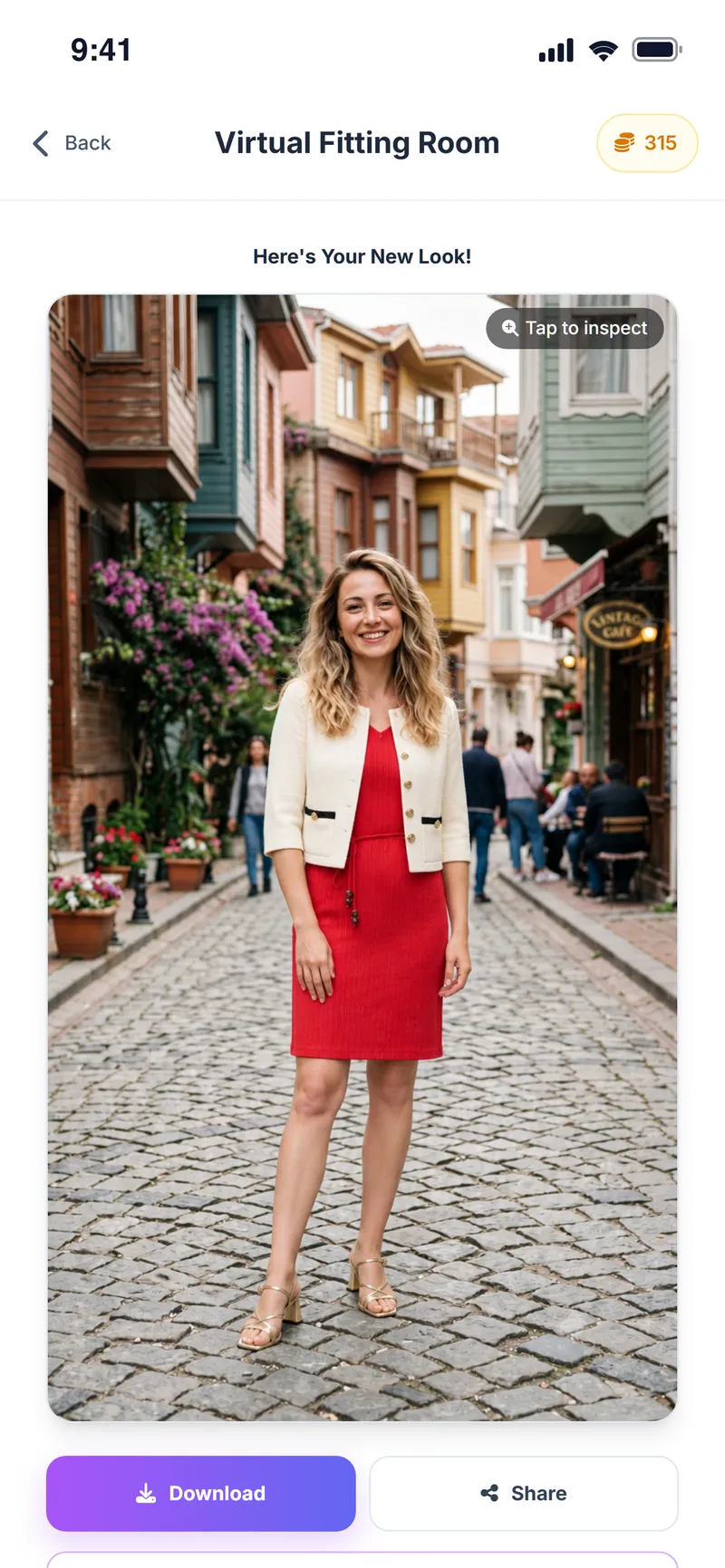
In about 15–30 seconds you see yourself in that outfit; download or share it if you like it.
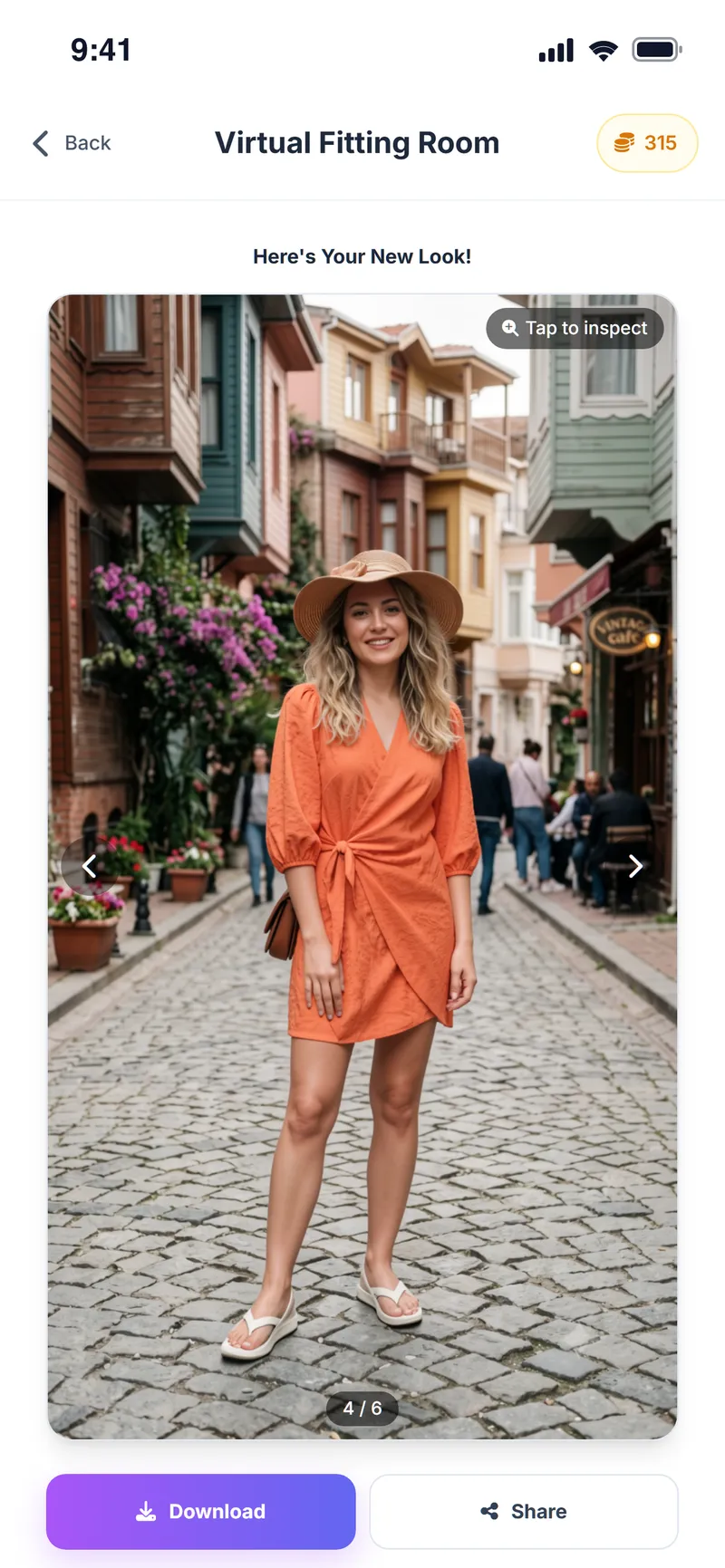
Example results
Ready to see it on your own photo?
One clear photo and about 30 seconds is all it takes.
Virtual try-on FAQ
Is virtual try-on free?
Yes. Virtual try-on runs on in-app coins you earn every day. No subscription is required; Premium is optional.
What kind of photo gives the best result?
A clear, well-lit photo that shows your whole body against a background that is not too busy works best. An ordinary phone photo is enough.
Can I try on a product from a store link?
Yes. Paste the product link or upload the product image directly. Some stores' access restrictions mean not every link can be read; in that case upload the image yourself.
How long does it take?
Most try-ons finish in about 15–30 seconds. The time can vary with the AI model you choose and your connection speed.
Are my photos stored?
Full-body photos you save for the fitting room are kept only in your account, and you can delete them at any time. See the privacy policy for details.
Does it show my real fit?
No. Virtual try-on is an AI-generated visual preview. Size, drape and color tone may be different in real life. For sizing, check the store's size chart.
What if the AI can't detect the person in my photo?
If your body outline is not clear, the result may come out distorted. Try again with a clearer, full-length photo showing only one person.
How many pieces can I try on at once?
You can try a top, bottom, shoes and accessories together; a single try-on uses up to 4 garment images.
What's the difference between the two AI models?
One model aims for the most realistic result; the other is faster and uses fewer coins. You choose the model each time, before you tap Try It On Me.
Can I try on a suggested outfit directly?
Yes. In weather-based outfit suggestions and in the Style Assistant, the Try On button sends the outfit to your avatar or the virtual fitting room.
Can I save and share the result?
Yes. Download or share the result in one tap. Your previous try-ons stay in the app so you can browse through them.
More Weather Style features
Shopping Assistant
Turn every store find into a clearer decision
Chrome Extension
Take Weather Style shopping with you
Weather & Daily Plan
Your weather and your profile, turned into a daily plan
Color & Body Analysis
Discover the colors that really suit you
Style Assistant
The right outfit for every occasion
Event Assistant
Plan where you're going, not just what to wear
Avatar Builder
Build your avatar and preview every outfit on it
Related articles
All posts →

Try it on, then decide
Download Weather Style and see the outfit you love on your own photo.
Some AI features use coins. In-app purchases are available.