Chrome Extension: get AI style feedback while you shop
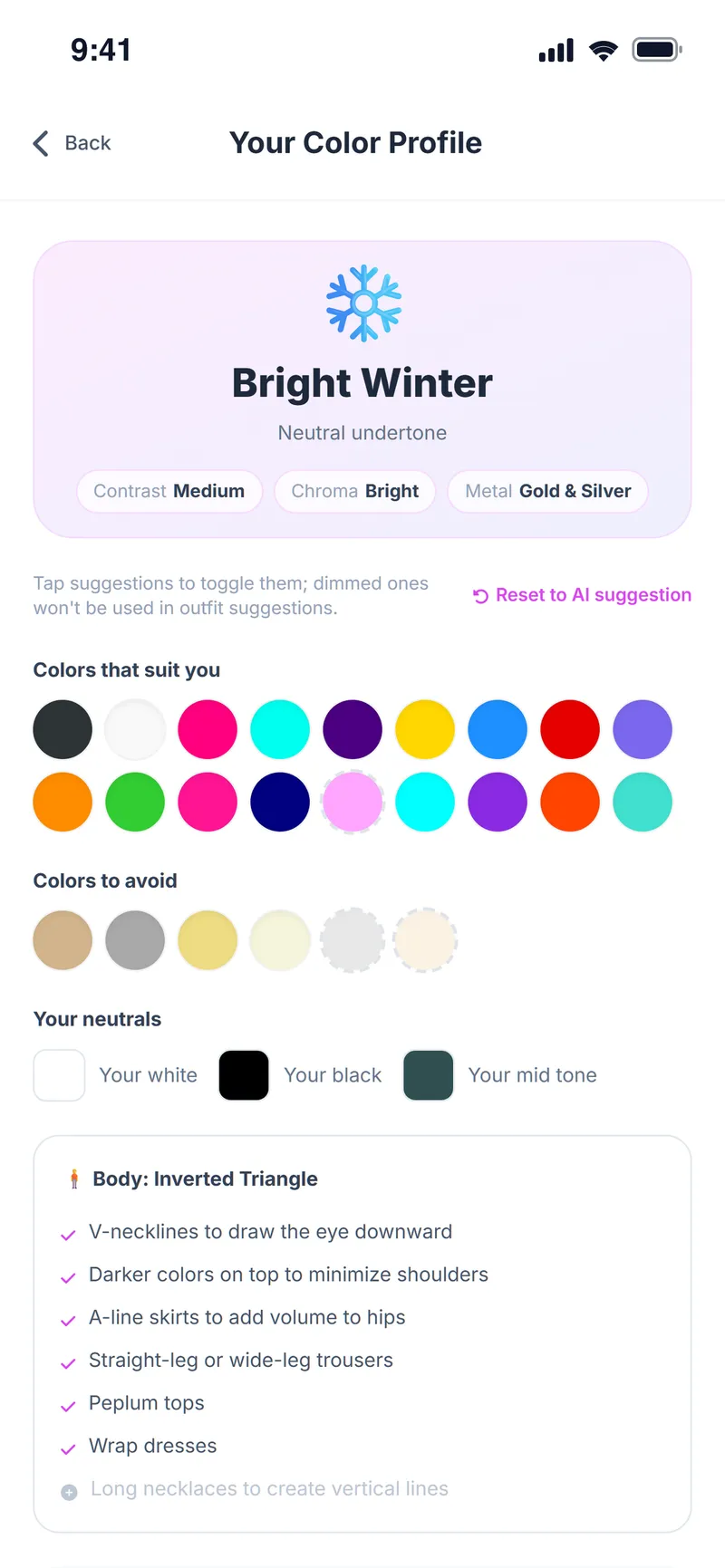
Capture the product without leaving the store page, see whether it suits you and add it to your list on your phone. The extension uses the color profile and coin wallet of your Weather Style account.
What is the Weather Style Chrome extension?
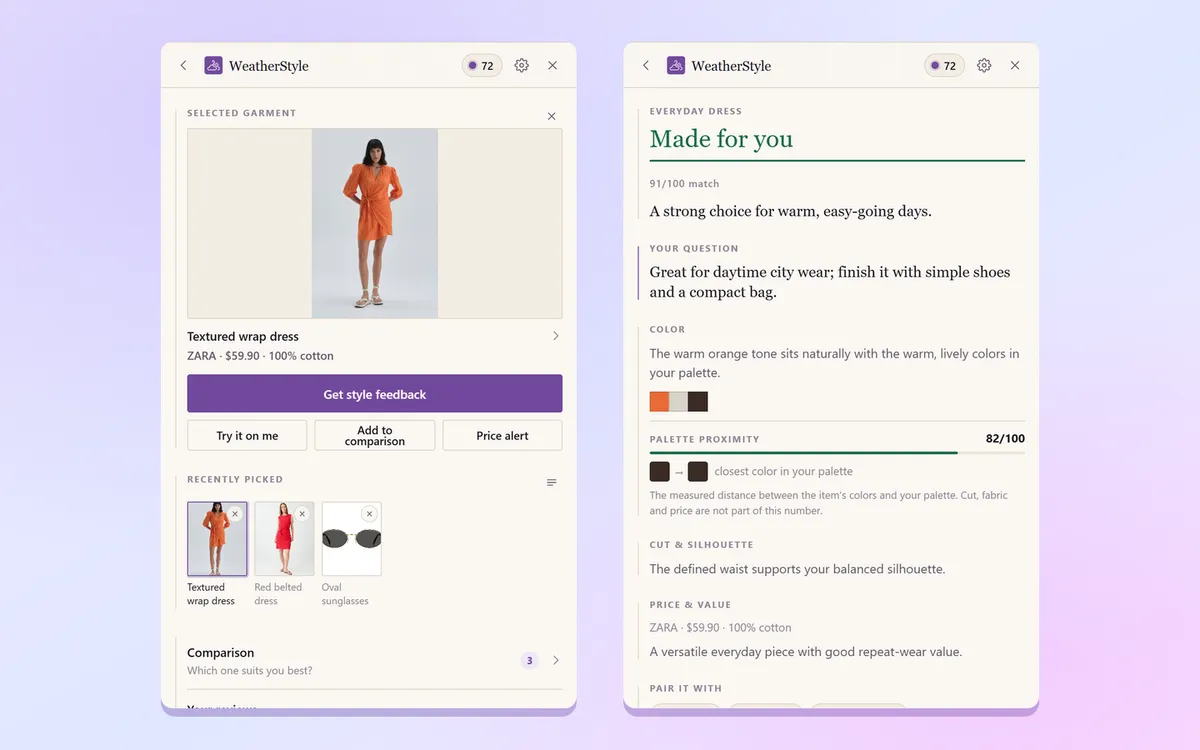
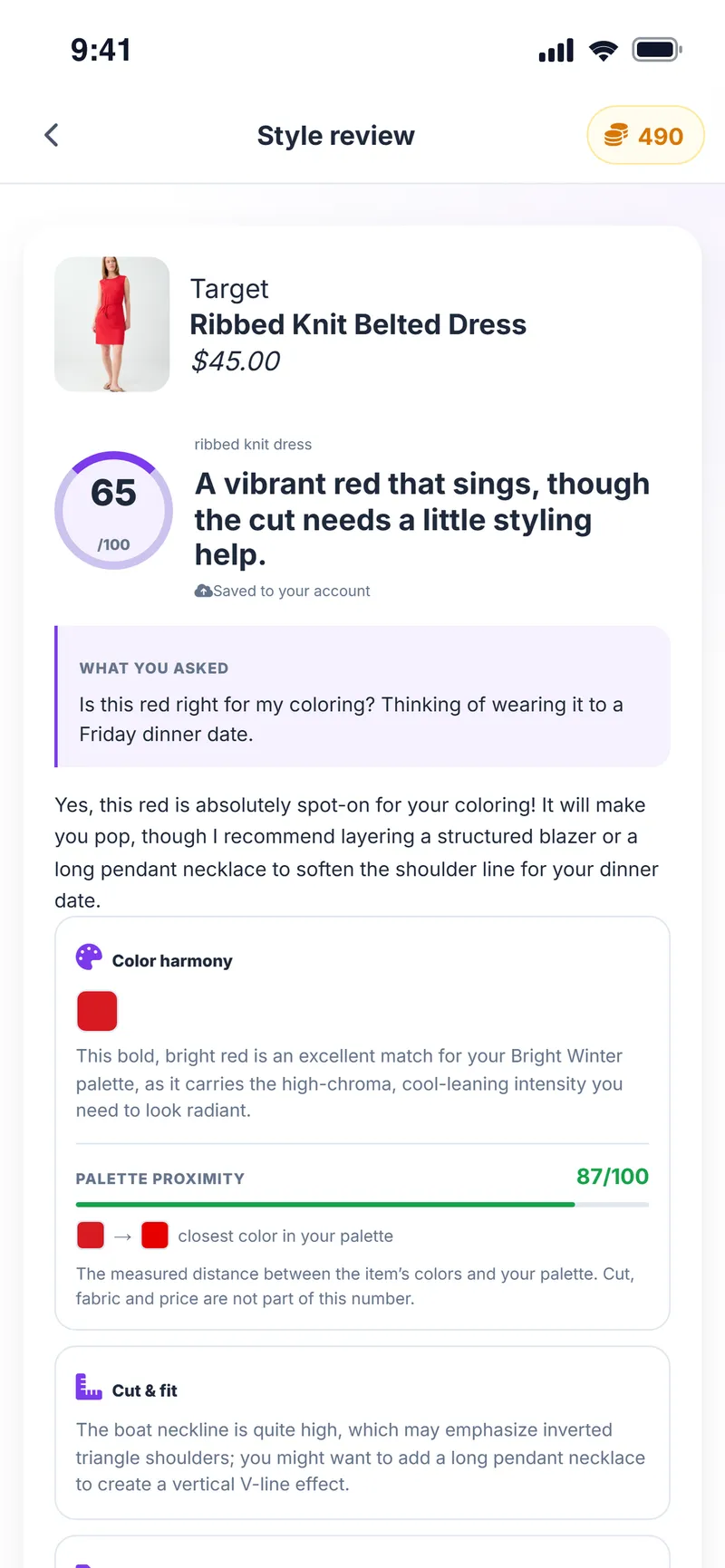
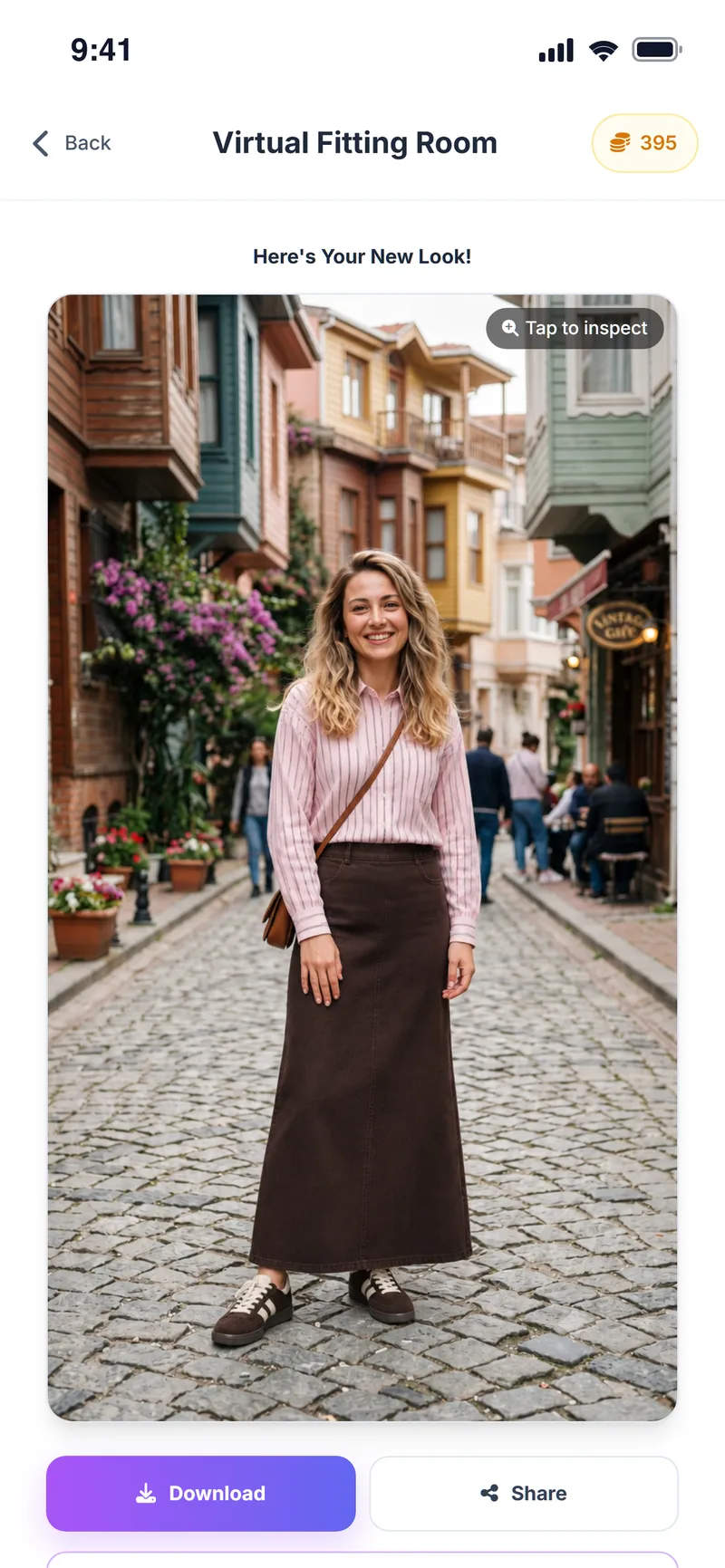
The Weather Style Chrome extension is a free browser extension that lets shoppers pick a product on any online store with a badge on the product image or the right-click menu, get an AI style review based on their color palette and body type, compare products and send them to virtual try-on.
The extension uses the same color profile, coin wallet and shopping list as the Weather Style app account. It only reads the products you choose; the photo you upload for try-on is stored in your browser and only sent to the server while the try-on is generated.
Why people use it
Capture in one click
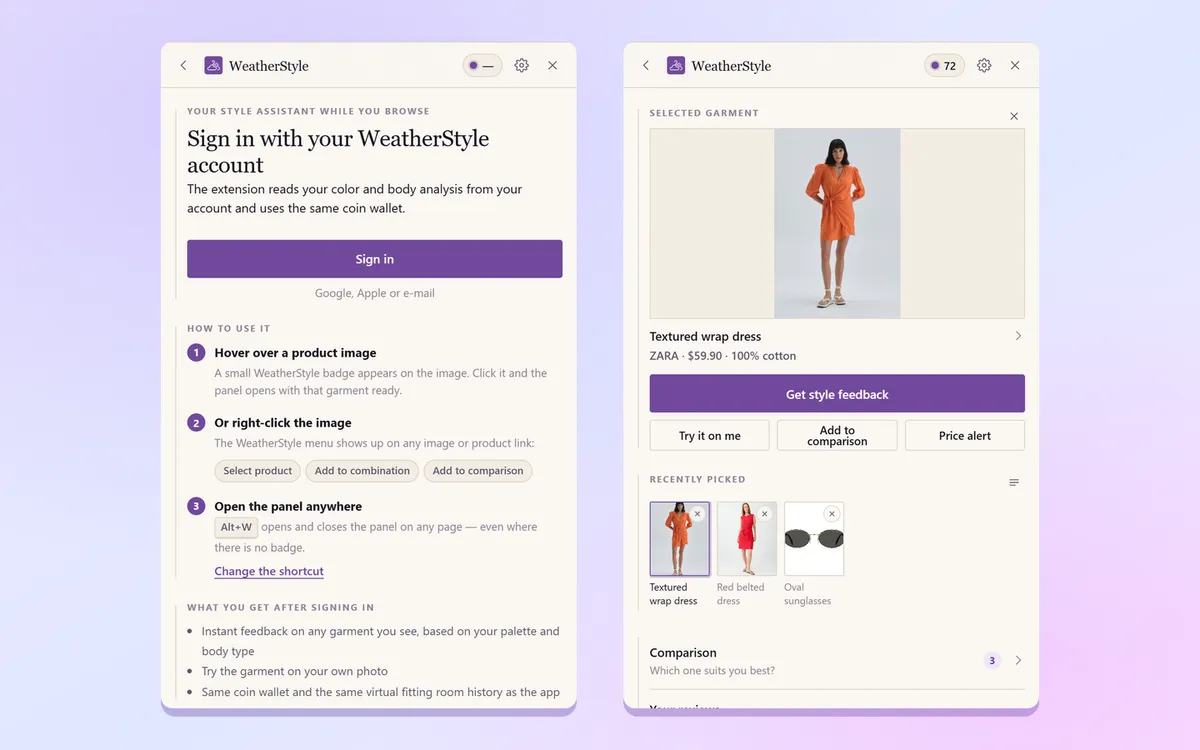
Click the badge on a product image or right-click the image.
Stay on the page
The panel opens next to the store page, so your shopping is not interrupted.
Instant style feedback
The piece is scored and explained for your palette and silhouette.
Comparison
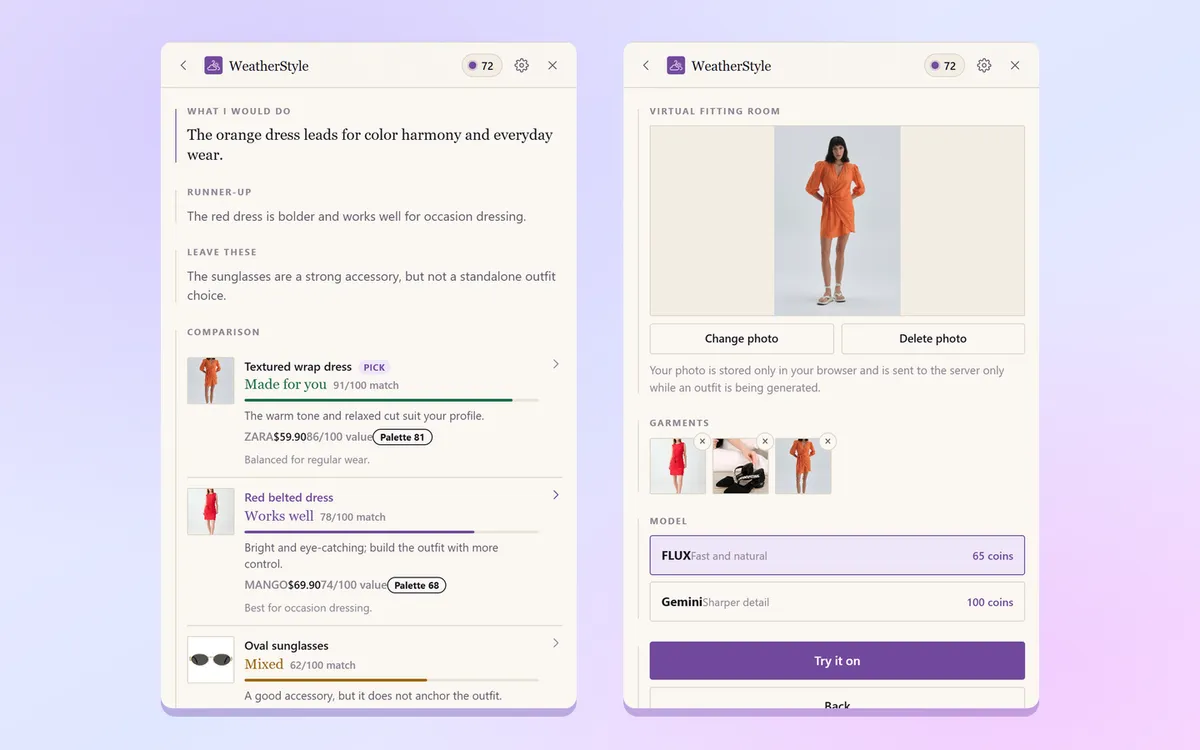
Review products from different stores side by side in the same list.
Synced with your phone
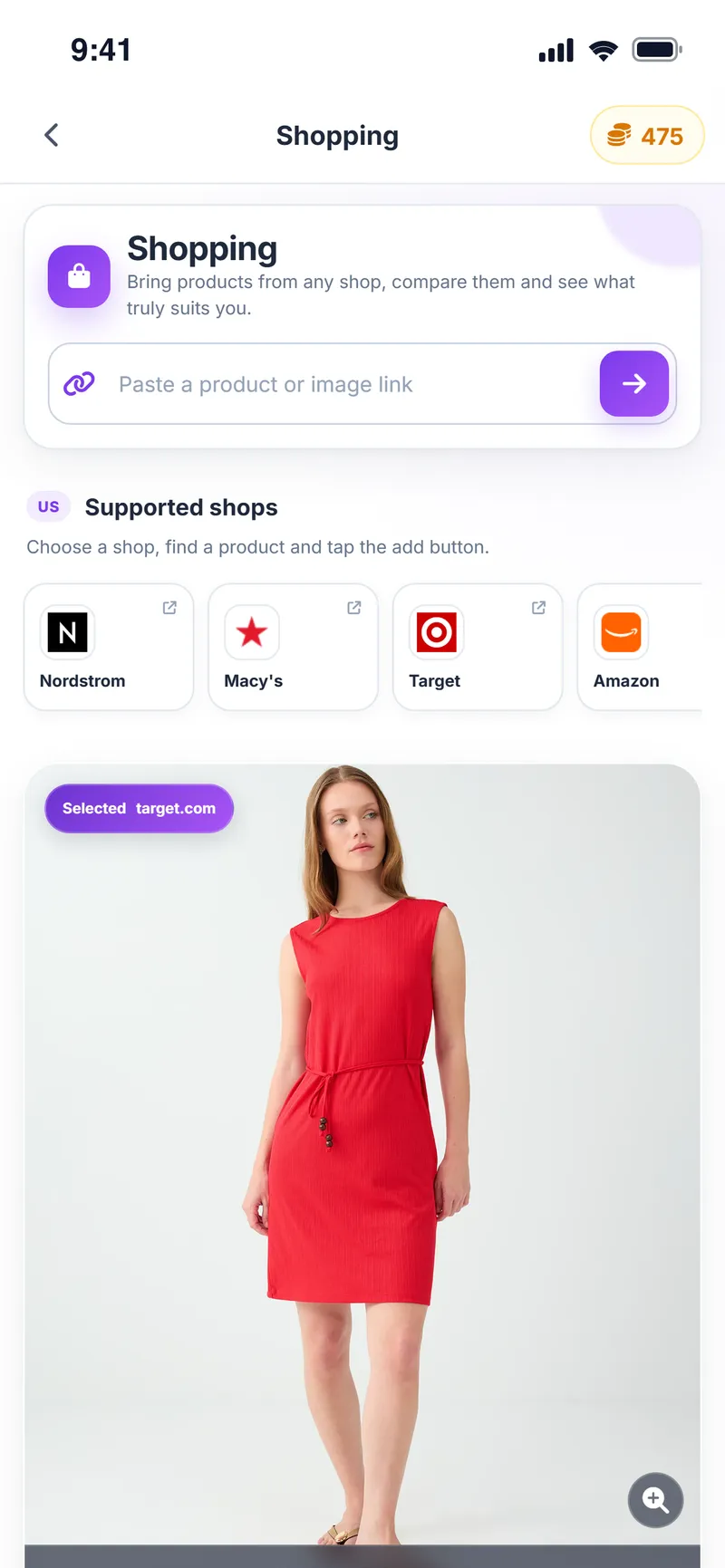
Products you add also appear in your shopping list in the app.
Only what you pick
The extension only reads the details of products you select.
How do you use the Chrome extension?
Install the extension
Add the Weather Style extension from the Chrome Web Store.
Sign in
Sign in with your Weather Style app account (Google, Apple or email).
Pick the product
On the store, hover over the product image and click the badge, or right-click the image.
Get feedback or compare
Click Get style feedback; you can add several products to a comparison.
Try it on if you like
Try the product on your photo from the virtual try-on panel in the extension.
Same account, in the app too
Bring your style assistant shopping
The extension is free and works with your account in the app.
Download the appChrome extension FAQ
Is the extension paid?
No, the extension is free. AI actions such as style feedback, comparison and virtual try-on use the same coin wallet as your account in the app.
Do I need to download the app?
You sign in to the extension with your Weather Style account. If you do the color and body analysis in the app and save your profile, the extension feedback becomes personal to you.
Which sites does it work on?
The extension works on store pages with product images. On pages where the badge doesn't appear, right-click the product image or open the panel with the keyboard shortcut.
Does it read my browsing history?
No. The extension only reads the details of the product you select.
Where is my try-on photo stored?
The photo you upload in the extension is stored in your browser and only sent to the server while the try-on is generated. You can delete it from the panel at any time.
How do I sign in to the extension?
With your Weather Style app account: Google, Apple or email.
Do products I add in the extension show up on my phone?
Yes. The extension uses the same shopping list as your account in the app, so products you add show up in your list on your phone.
Can I compare products from different stores?
Yes. Add products from different stores to the same comparison list and review them side by side.
More Weather Style features
Shopping Assistant
Turn every store find into a clearer decision
Virtual Try-On
See it on yourself before you decide
Weather & Daily Plan
Your weather and your profile, turned into a daily plan
Color & Body Analysis
Discover the colors that really suit you
Style Assistant
The right outfit for every occasion
Event Assistant
Plan where you're going, not just what to wear
Avatar Builder
Build your avatar and preview every outfit on it



Take your style with you while you shop
Download Weather Style and sign in to the extension with the same account.
Some AI features use coins. In-app purchases are available.