Style Assistant: AI outfit ideas for any occasion
Choose where you are going and the season, add a short note if you like, and the Style Assistant prepares a few outfits for that occasion. It works independently of the weather.
What is the Weather Style Style Assistant?
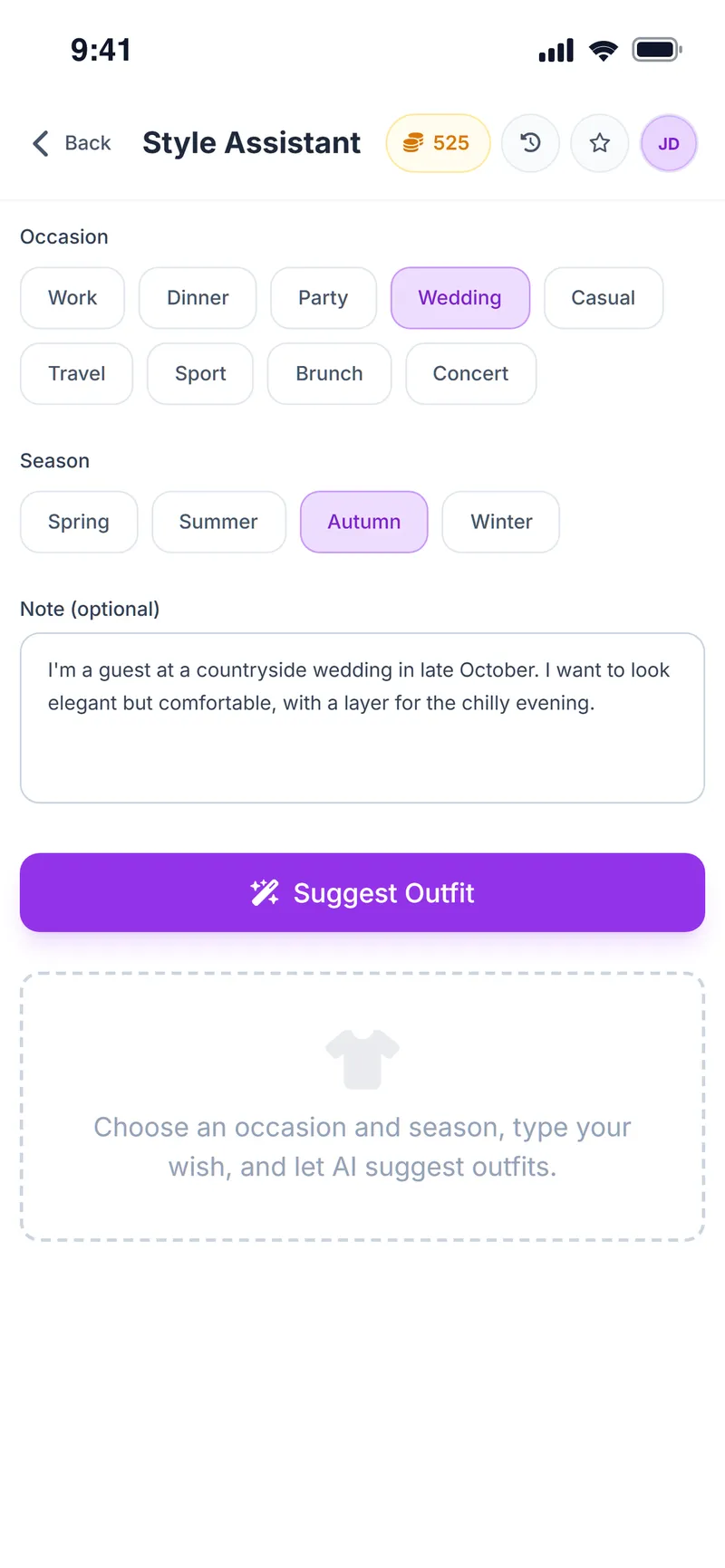
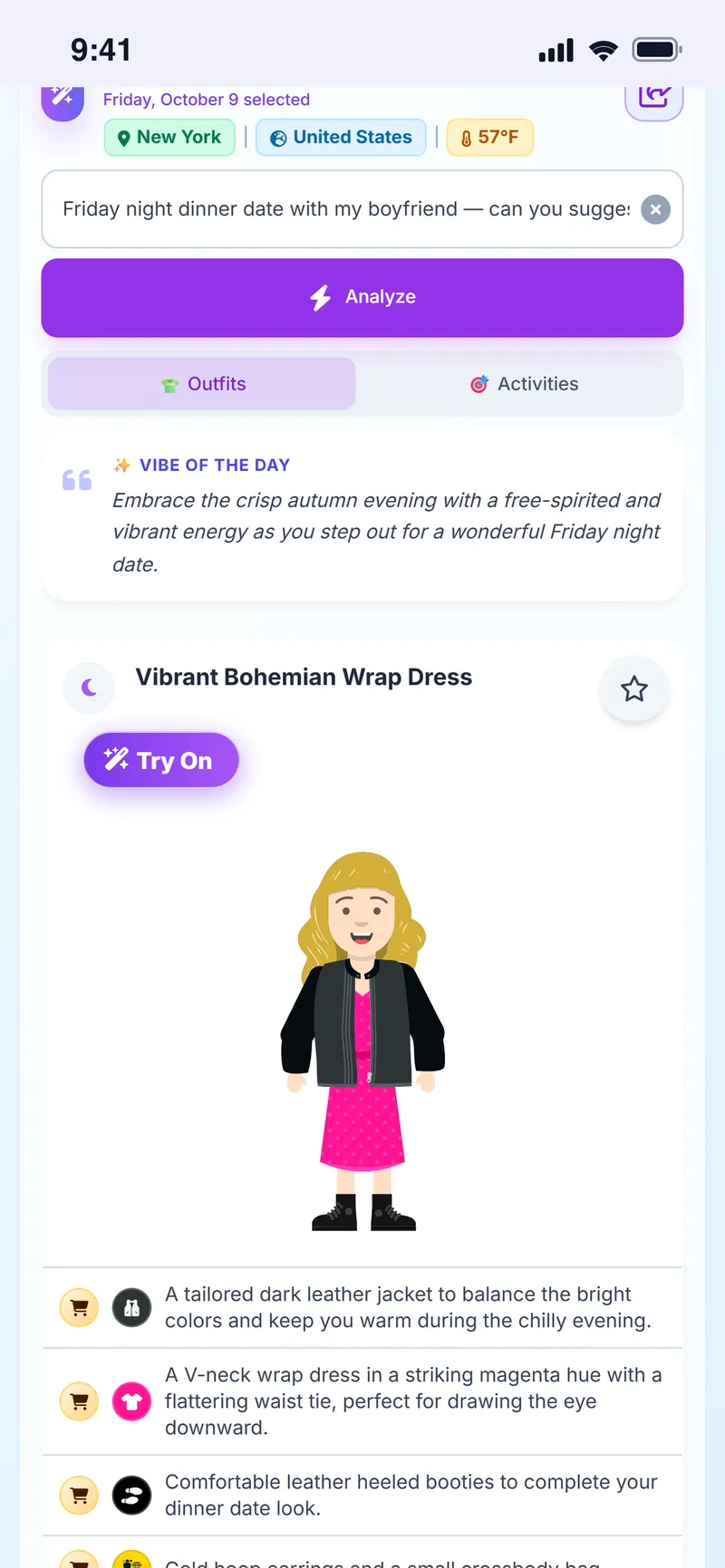
The Weather Style Style Assistant is an AI feature that suggests several outfits matched to the user's profile and color palette, based on the chosen occasion (work, dinner, party, wedding, casual, travel, sport, brunch, concert), season and an optional note.
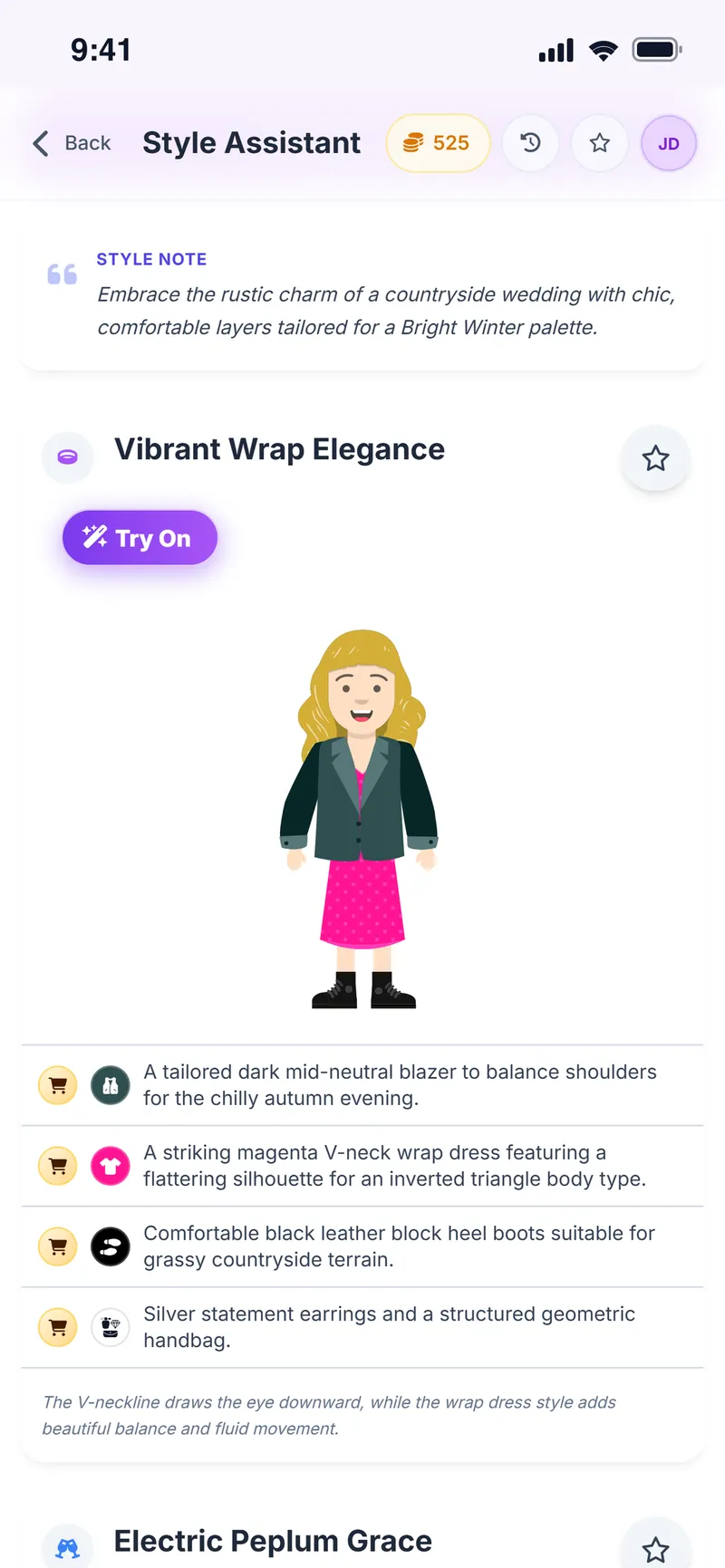
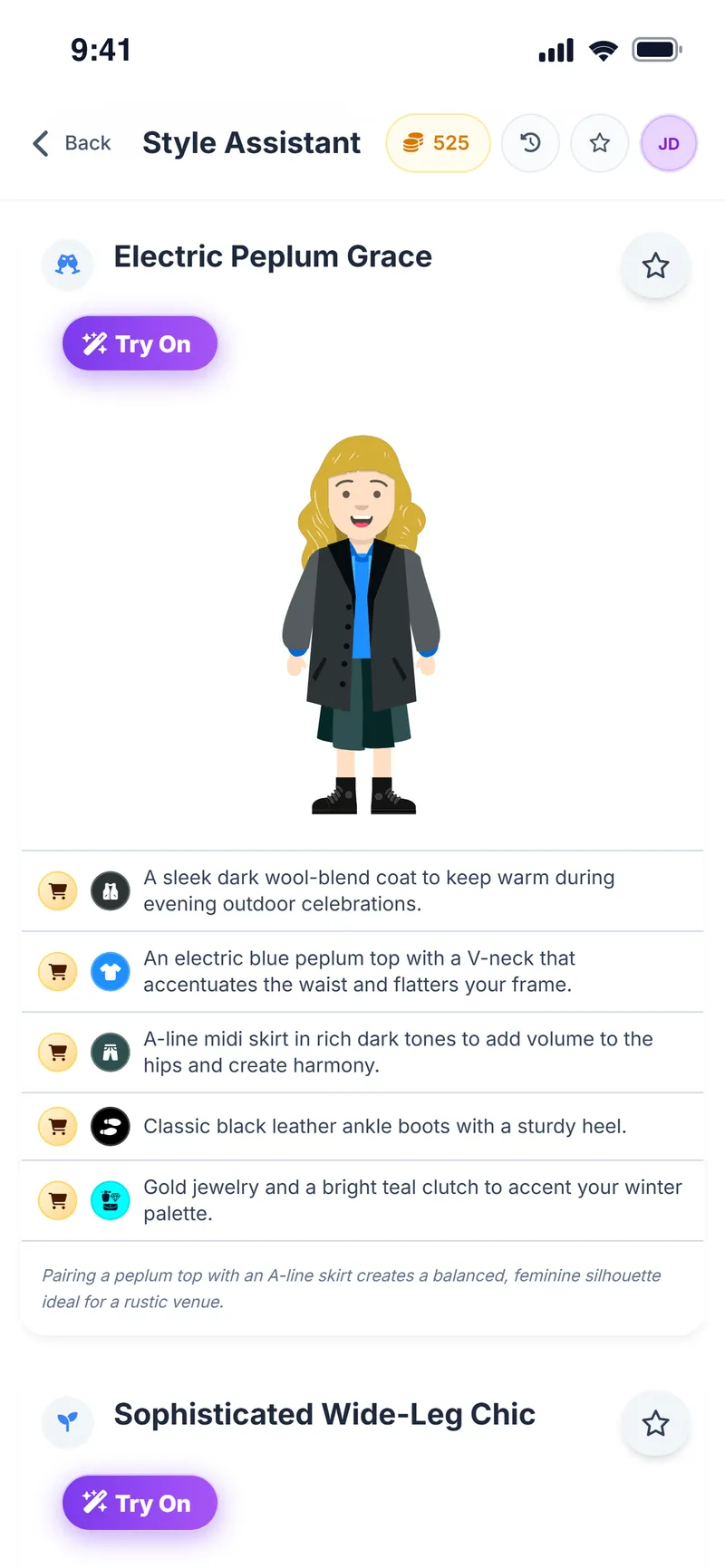
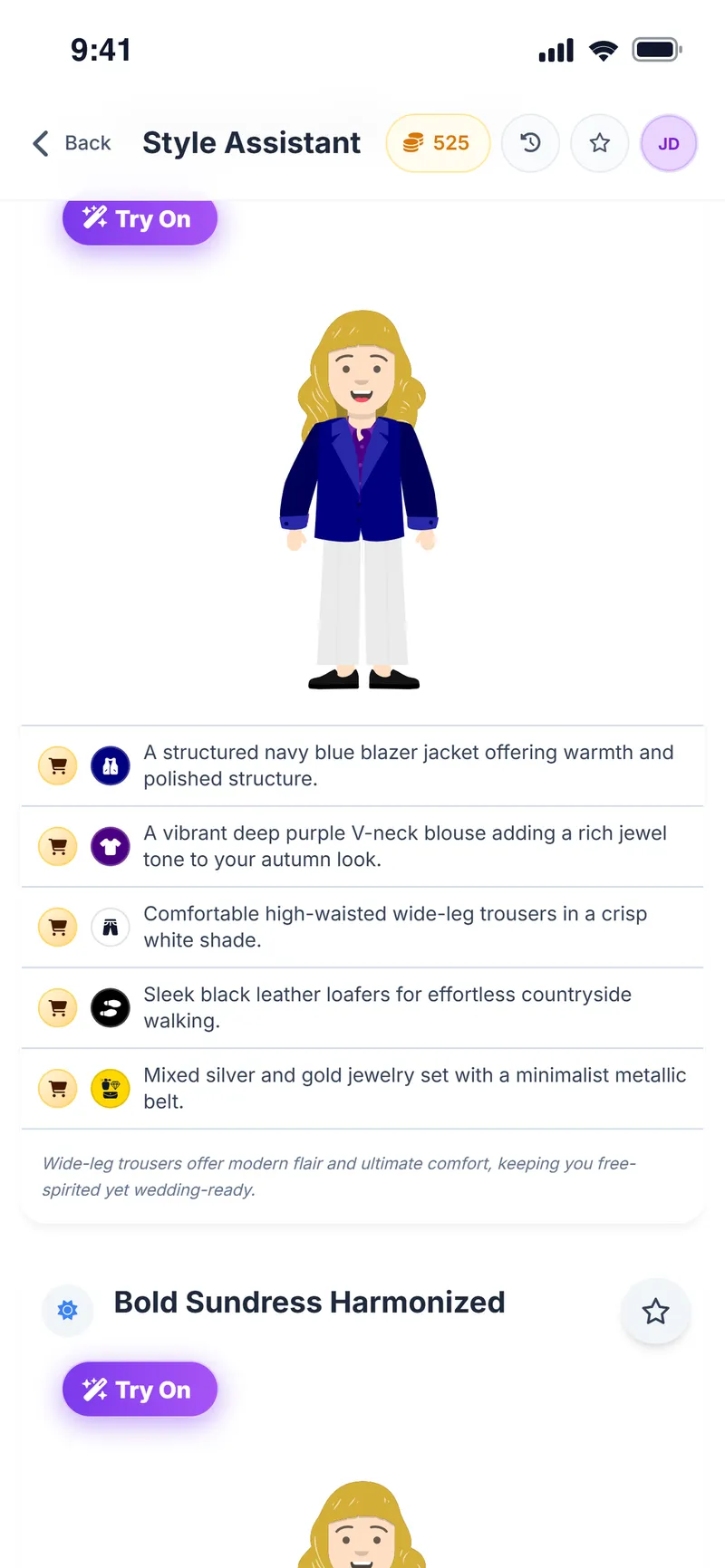
Unlike the daily weather suggestion, the Style Assistant does not depend on the weather, so it works for a wedding or a trip weeks away. Each outfit is shown on the avatar with a list of pieces and a short style note.
Why people use it
Plan ahead
Independent of the weather, so it works for events further out.
9 occasions
Work, dinner, party, wedding, casual, travel, sport, brunch and concert.
Shaped by your note
Write requests such as "separates rather than a dress".
Matches your palette
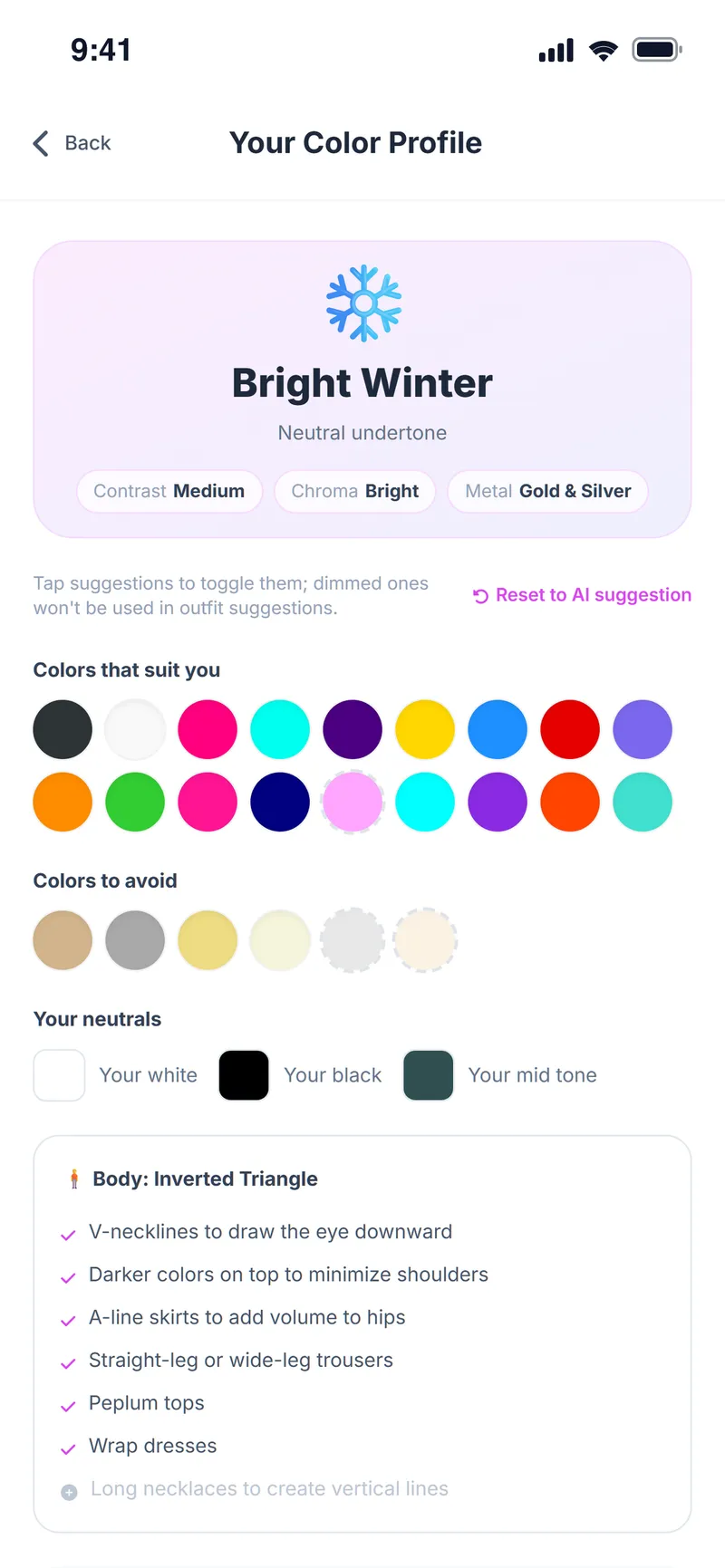
With a color analysis, outfits are built around your palette.
See it on your avatar
Every outfit appears piece by piece on your avatar.
Try it on
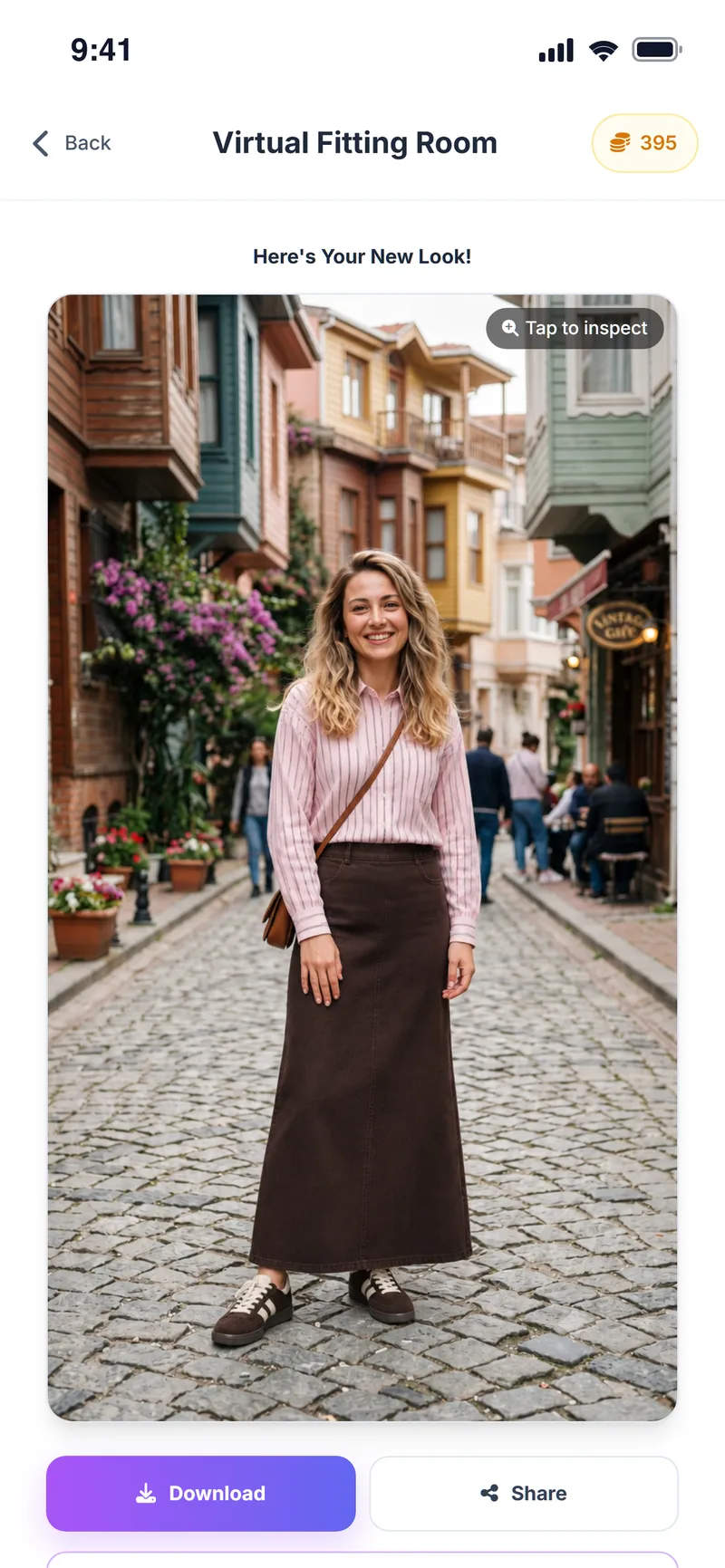
Send the outfit you like to virtual try-on.
How do you use the Style Assistant?
Open the Style Assistant
Tap Style Assistant on the home screen.
Choose the occasion
Pick an occasion such as work, dinner or wedding.
Choose the season
Select the season you will wear the outfit in.
Add a note
Optionally write a short note like "elegant but comfortable".
Suggest Outfit
Tap Suggest Outfit; review the suggestions on your avatar, try on or save the one you like.
Screens from the app
Be ready for the next invitation
Choose the occasion and leave the rest to the Style Assistant.
Style Assistant FAQ
What's the difference between the Style Assistant and daily outfit suggestions?
Daily suggestions use the weather where you are. The Style Assistant works from the occasion and season you choose and does not depend on the weather.
Which occasions are available?
Work, dinner, party, wedding, casual, travel, sport, brunch and concert.
Is it free?
Yes. Some AI actions use in-app coins you earn for free every day; the cost is shown before you start.
Where can I buy the suggested pieces?
Suggestions describe the type, color and cut of each piece and are not tied to a specific store. Add a product you like to the Shopping Assistant to check whether it suits you.
Can I go back to earlier suggestions?
Yes. Your style requests stay in history and the outfits you like stay in your favorites.
Can I get an outfit for a wedding weeks away?
Yes. The Style Assistant does not depend on the weather; pick the season to get an outfit for a future event.
What can I write in the note?
Short requests such as "separates rather than a dress" or "elegant but understated"; the outfits are shaped by them.
How do I try on a suggested outfit?
Every outfit is shown piece by piece on your avatar. Send the one you like to virtual try-on to see it on your own photo.
More Weather Style features
Shopping Assistant
Turn every store find into a clearer decision
Virtual Try-On
See it on yourself before you decide
Chrome Extension
Take Weather Style shopping with you
Weather & Daily Plan
Your weather and your profile, turned into a daily plan
Color & Body Analysis
Discover the colors that really suit you
Event Assistant
Plan where you're going, not just what to wear
Avatar Builder
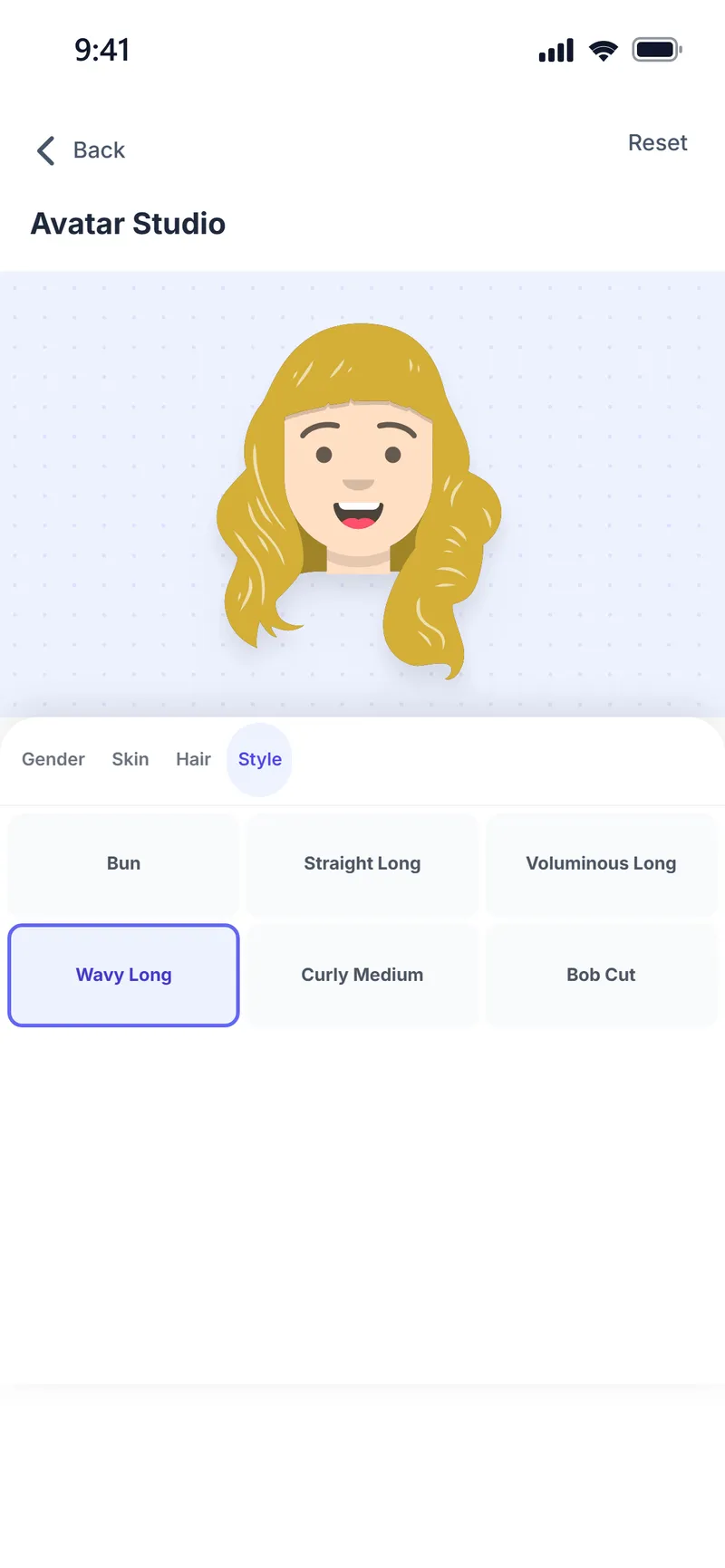
Build your avatar and preview every outfit on it



The right outfit for every occasion
Download Weather Style and plan your first outfit.
Some AI features use coins. In-app purchases are available.