Shopping Assistant: ask AI before you buy clothes online
Add a piece you like from an online store; Weather Style brings in the product details, tells you personally whether it suits you and lines up your options side by side.
What is the Weather Style Shopping Assistant?
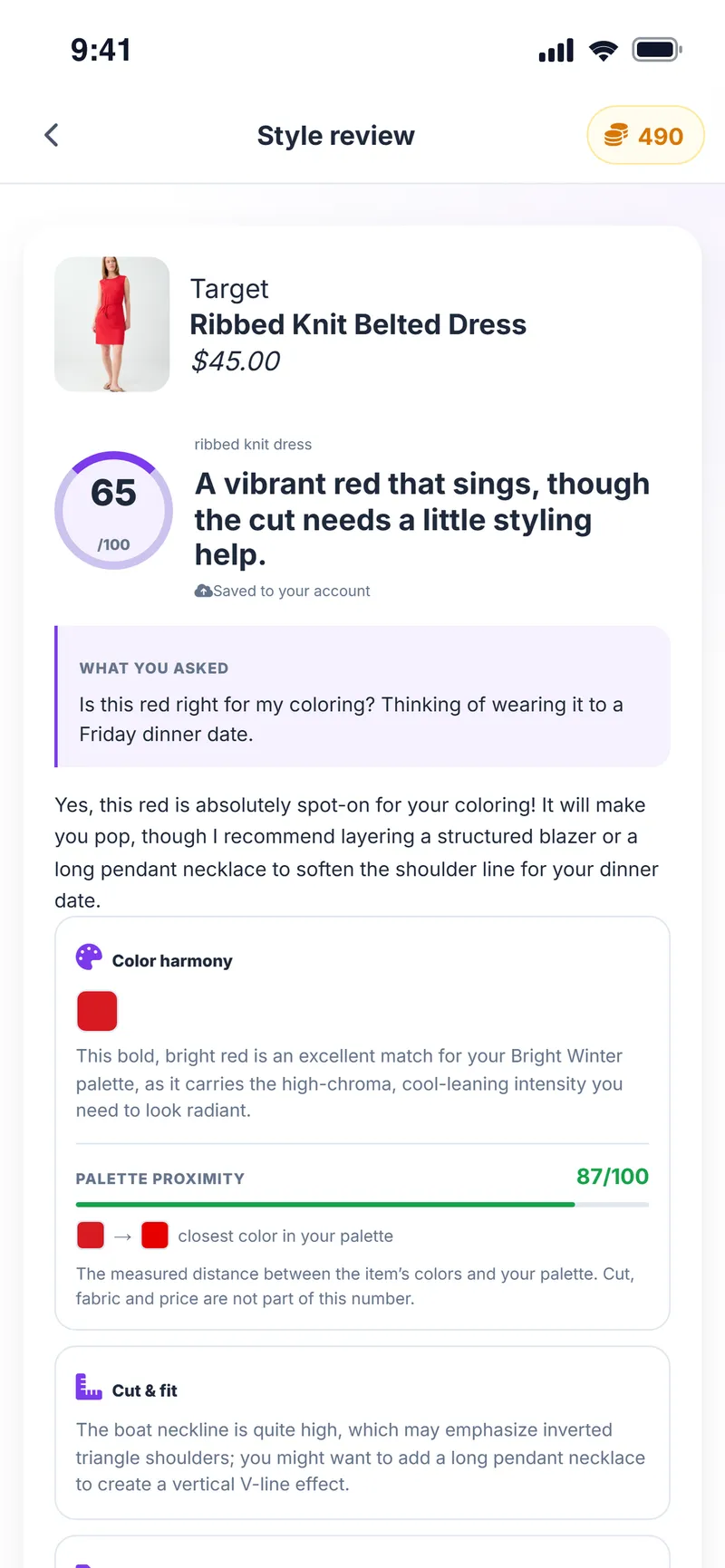
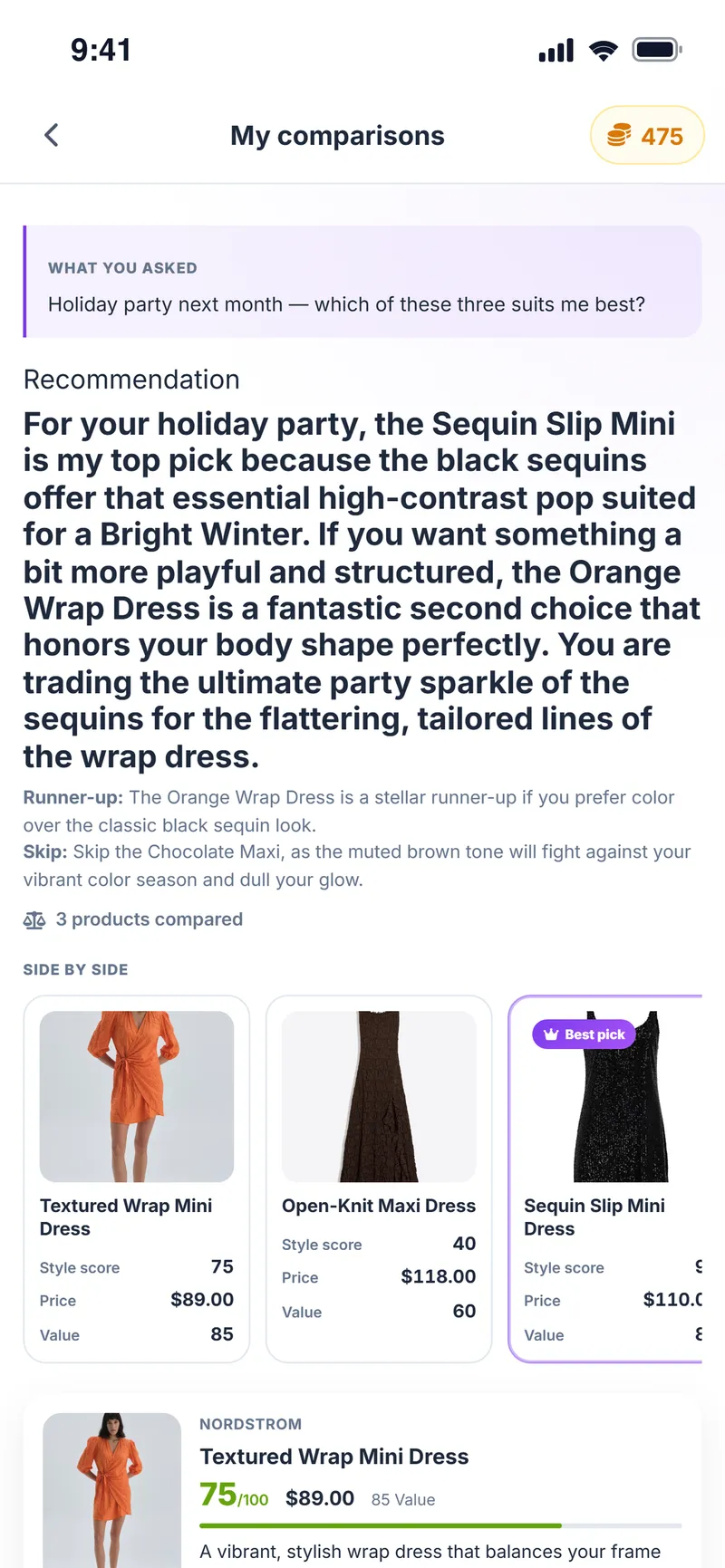
The Weather Style Shopping Assistant is an AI feature that automatically pulls in the name, price and images of clothing and accessories added from online stores, scores each product out of 100 against the user's color palette and body type with a written review, and compares 2 to 6 products side by side.
Purchases are not made inside Weather Style but on the product's own store page. Price, stock and size should be checked with the store; the AI review is a recommendation.
Why people use it
Add from anywhere
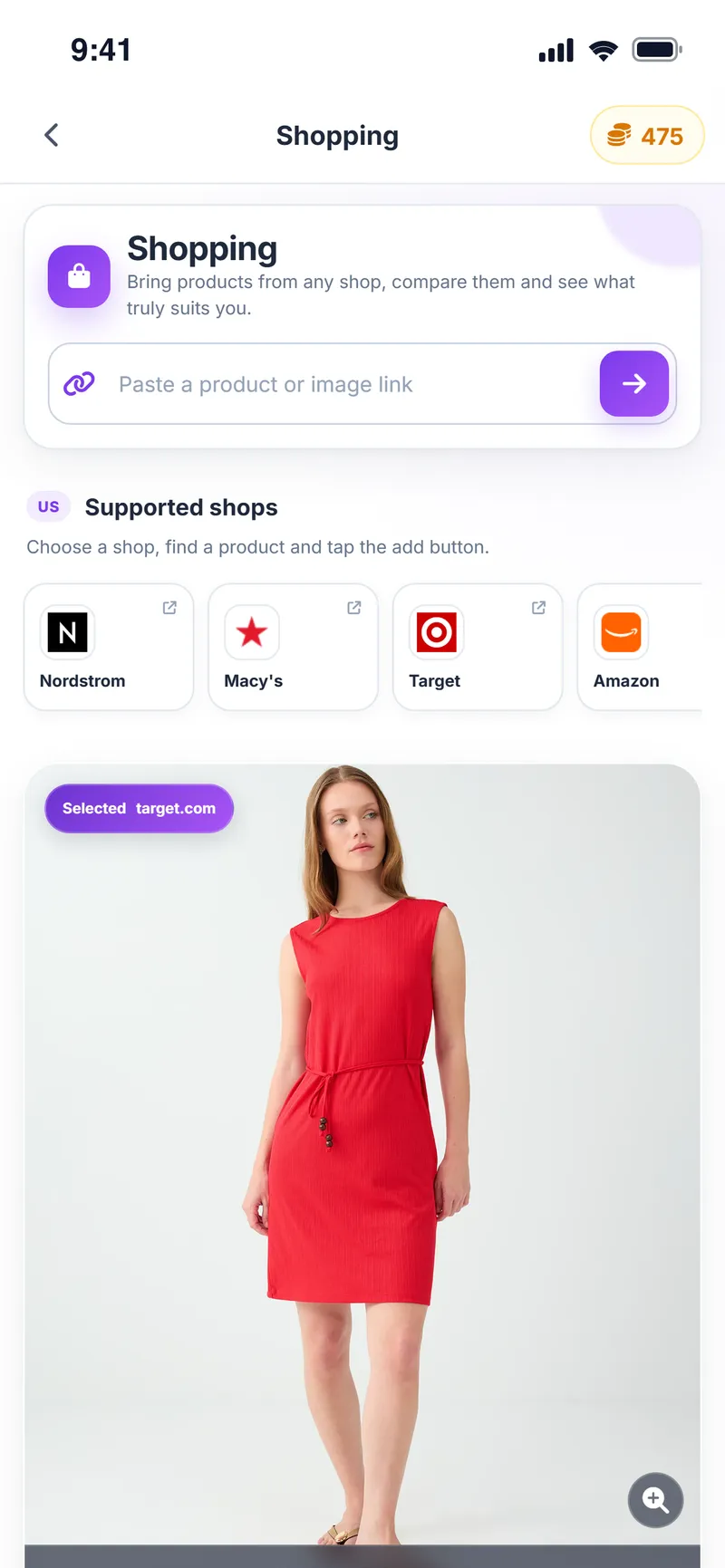
Paste a product link, use your phone's Share menu, or capture it on desktop with the Chrome extension.
Details fill in themselves
Product name, price, store and images are filled in automatically.
A review just for you
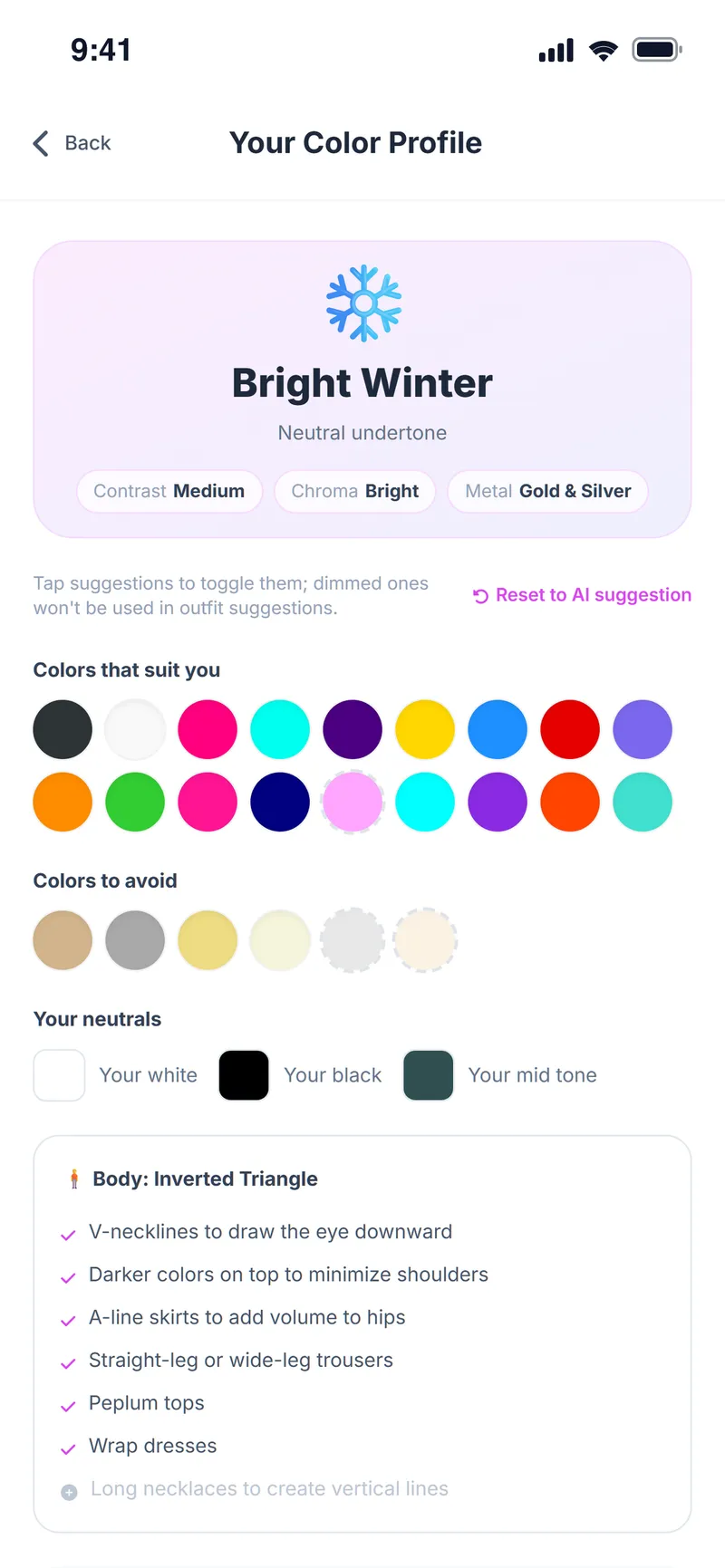
The piece is reviewed against your color palette, body type and the question you ask.
Palette proximity
The distance between the product colors and your palette is measured and shown as a score.
Compare 2–6 products
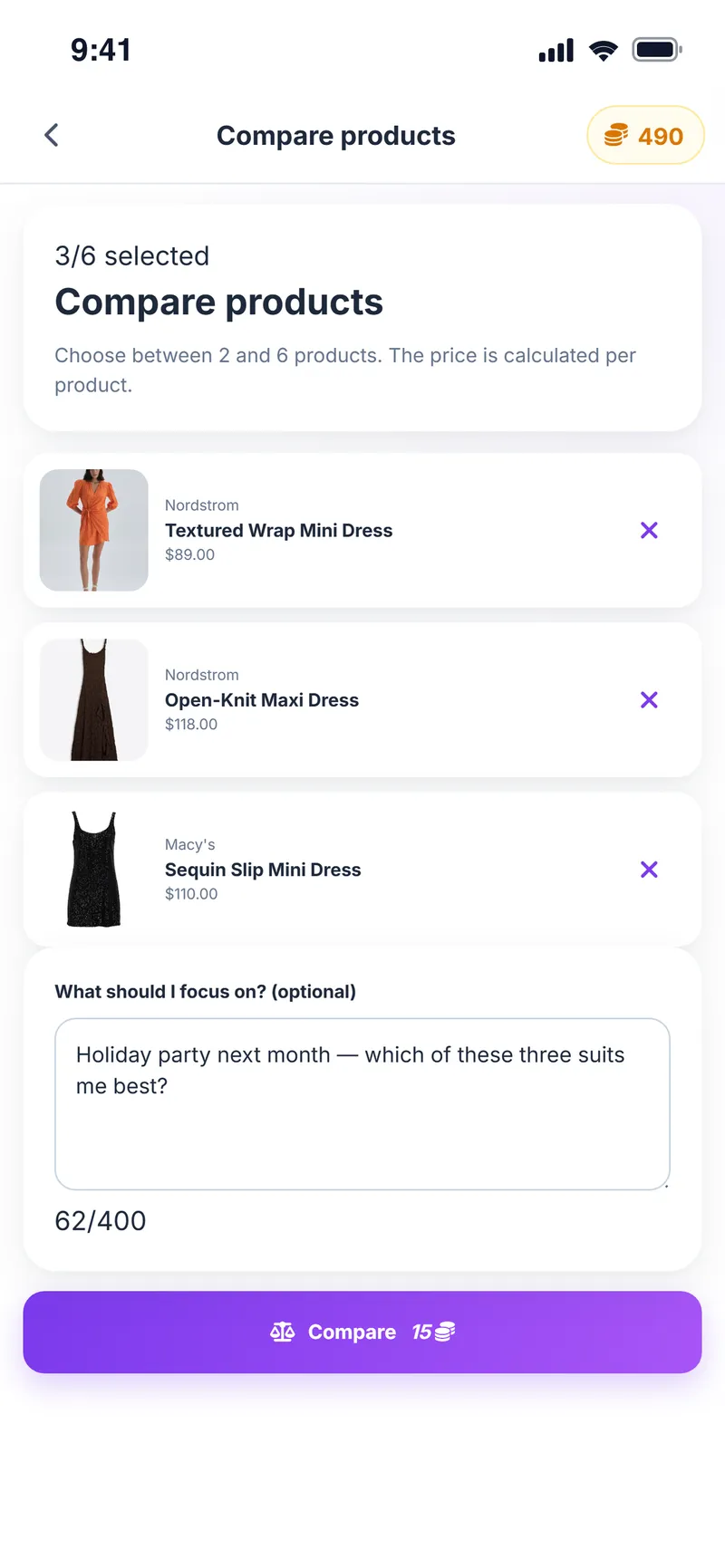
See the pieces you are torn between side by side on color, cut and use.
Then try it on
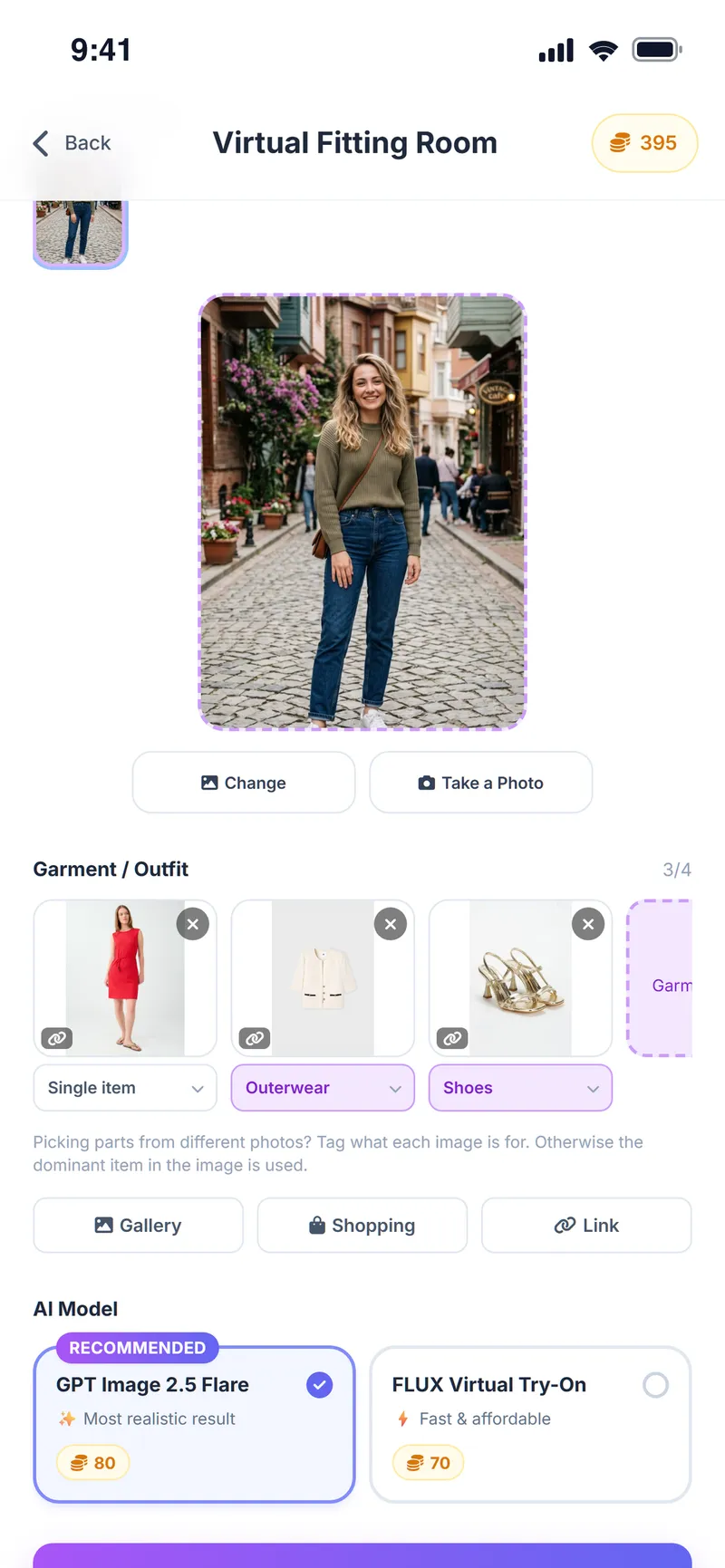
Send the product you like to the virtual fitting room in one tap.
How does the Shopping Assistant work?
Open Shopping
Tap Shopping on the home screen.
Add the product
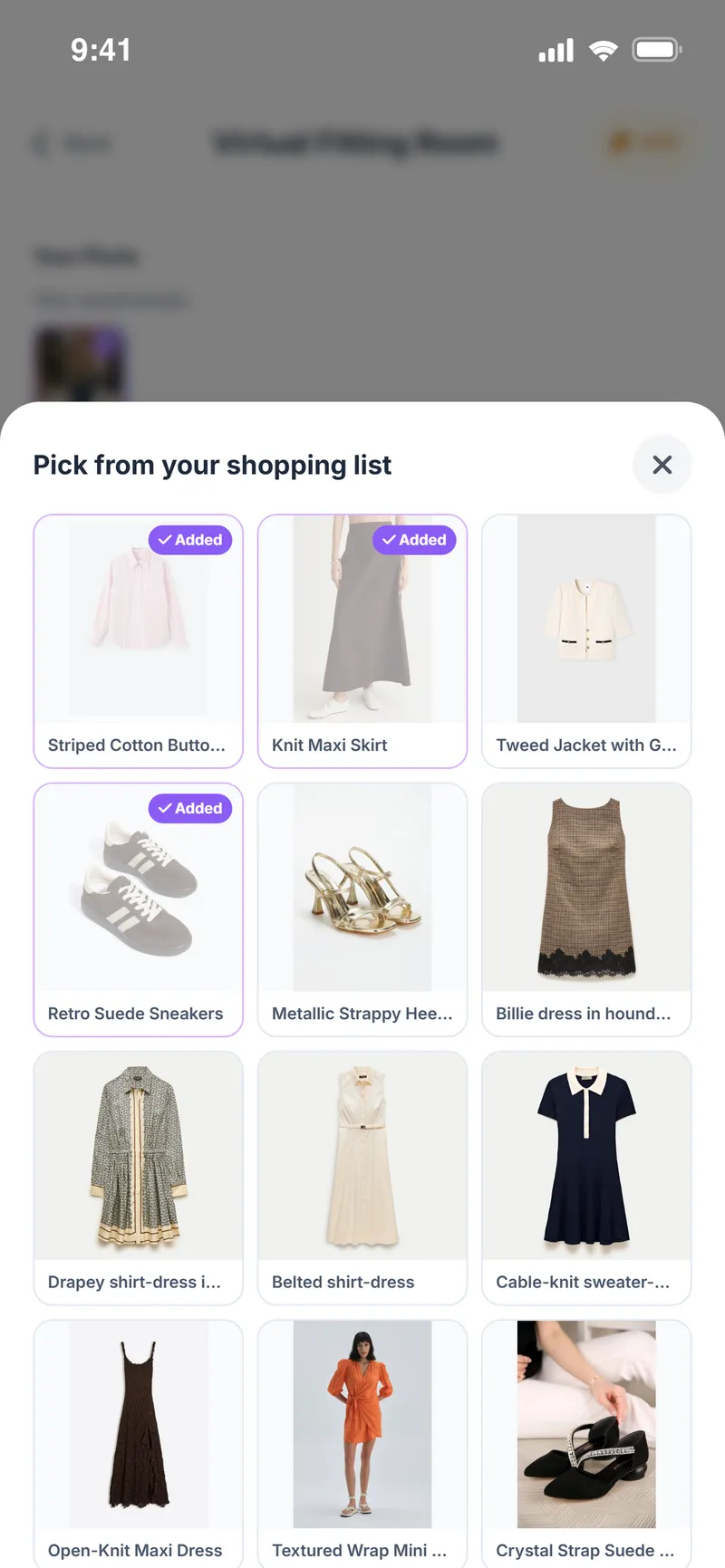
Paste a product or image link, pick a supported shop, or choose Weather Style from the store app's Share menu.
Ask for a review
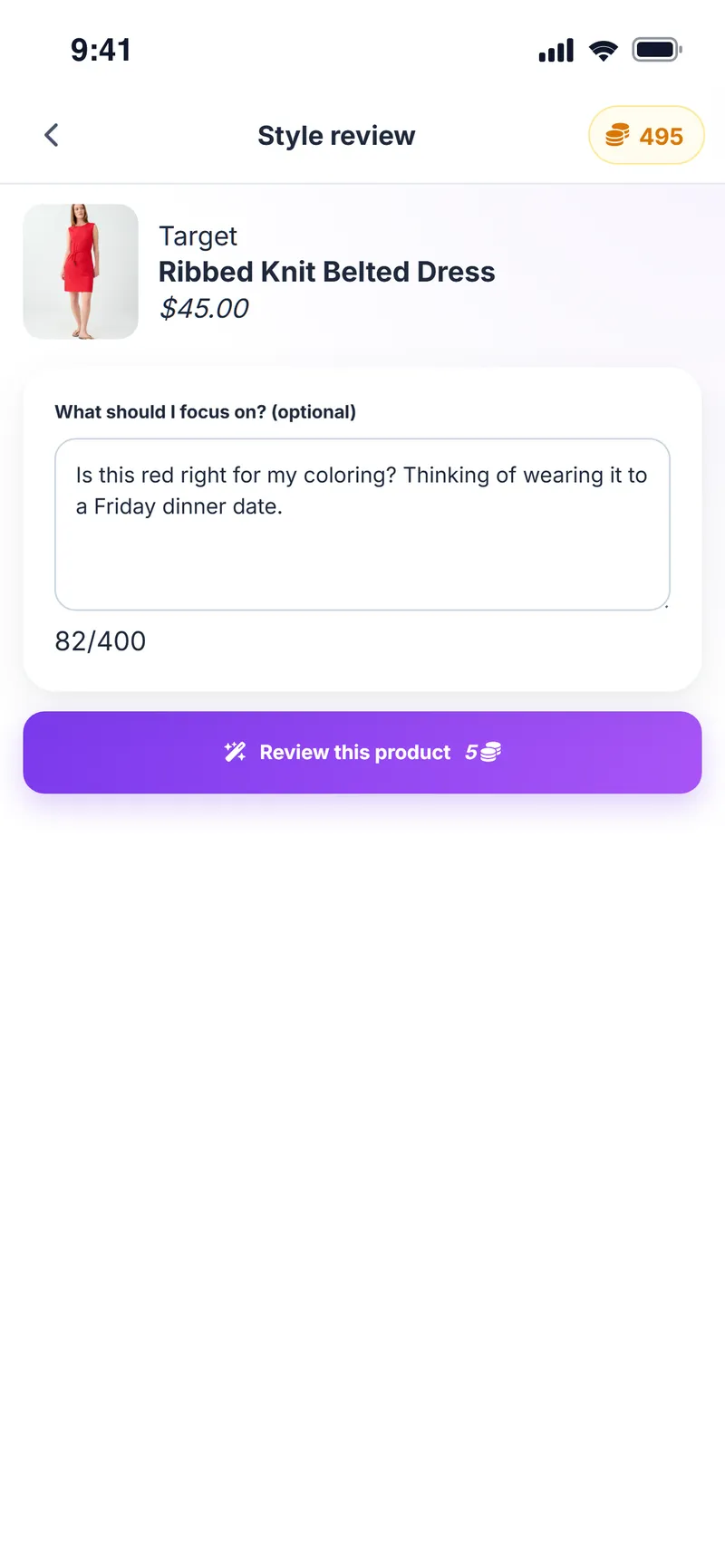
Tap Review this product; add a question like "Is this red right for my coloring?" if you want.
Compare
Add the 2–6 products you are torn between to a comparison and review them side by side.
Try it and decide
Send your favorite to the virtual fitting room; if you like it, check out on the store's website.
Screens from the app
Let AI join you on your next shopping trip
Add the product, read the review, then decide.
Shopping Assistant FAQ
Which stores can I add products from?
Product links from most online stores work, and the app shows supported shops for your region (in the US, for example Nordstrom, Macy's, Target and Amazon). Some stores' page structure or access restrictions mean not every link can be read; in that case add the product image link.
Do I check out in the app?
No. Weather Style helps you decide; you complete the purchase on the store's own website. Check the current price, stock and size with the store.
What is the product review based on?
The product colors, type and cut are reviewed together with your color profile, body type and any question you ask. Without a color profile, the review stays more general.
How many products can I compare?
You can compare between 2 and 6 products at once.
Do reviews and comparisons cost anything?
They run on in-app coins you earn for free every day. The number of coins an action uses is shown on its button. Paid results are saved to your account, so you can reopen them from your reviews and comparisons.
Can I use it on my computer?
Yes. With the Weather Style Chrome extension you can capture and review products without leaving the store page; added products also appear in your list on your phone.
Can I add a product from another shopping app?
Yes. Open the product in the store app and choose Weather Style from your phone's Share menu; the product details are filled in automatically.
What does the product score mean?
Each product is scored out of 100 against your color palette and body type, and the closeness between the product colors and your palette is shown separately. The score is a recommendation, not a verdict.
Can I ask a question with the review?
Yes. Before tapping Review this product, add a question like "Would this work for a dinner date?" and the review takes it into account.
Can I see the product on myself?
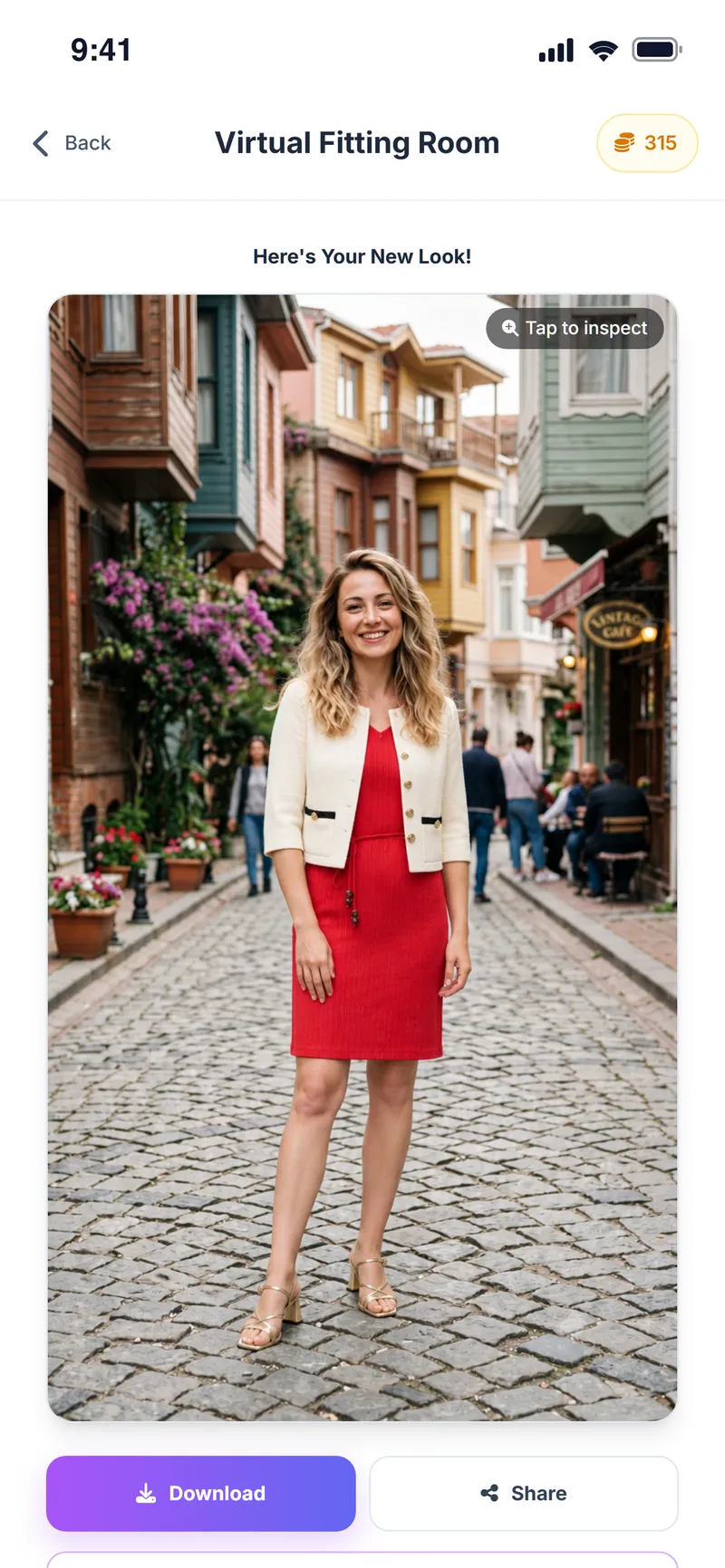
Yes. Send it to the virtual fitting room in one tap and see it on your own photo.
More Weather Style features
Virtual Try-On
See it on yourself before you decide
Chrome Extension
Take Weather Style shopping with you
Weather & Daily Plan
Your weather and your profile, turned into a daily plan
Color & Body Analysis
Discover the colors that really suit you
Style Assistant
The right outfit for every occasion
Event Assistant
Plan where you're going, not just what to wear
Avatar Builder
Build your avatar and preview every outfit on it



Found it online? See if it suits you.
Download Weather Style, add the product and get your personal review.
Some AI features use coins. In-app purchases are available.